TradesViz vs FXReplay

The Best FX Replay Alternative for Traders Who Need a Real Trading Journal

Last updated September 2026. Competitor figures are taken from that company’s own public pages and are dated in the methodology note.

FXReplay is a chart replay and backtesting tool, priced free to $35/mo, with a live journal that syncs cTrader and TradeLocker. TradesViz is the wider platform: 250+ broker and platform imports across every asset class, TradingView chart review over your real fills, trade replay, simulators, technical backtesting, options simulation, AI analytics, screeners and prop-firm compliance.

Choose TradesViz if

You want practice and post-trade analysis in one place, across every asset class you trade. Imports from 250+ brokers and platforms, 600+ statistics, MFE/MAE, best-exit analysis, options chains and Greeks, custom dashboards, AI Coach leak detection, a rule-based backtester and prop-firm rule tracking on real funded accounts. Everything below is included, with no cap on trade records or history on any plan, including the free one.

Choose FXReplay if

You only ever want to click through historical forex candles, and you are content to buy a separate trading journal afterwards. It has no options, no rule-based backtester, no stock or crypto broker support, and it deletes your history after 6 months below its top tier. Everything it does do, TradesViz also does, inside the journal that holds your real trades.

The quick verdict

FXReplay is a chart replay tool with a thin journal attached. It clicks through historical candles, and that is the entire product. There are no options chains, no rule-based backtester, no Pine Script, and no stock, options or crypto broker support of any kind.

Its journal is not a serious one. It syncs exactly two forex platforms against 250+ supported platforms and 70+ auto-sync connections here. Once trades are in, you get P&L, duration, size and tags, with no MFE/MAE, no best-exit analysis, no R-multiple distributions and no custom dashboards. Its own pricing page then caps the record at 50 trades per session and 1 week of retention on Free, and 200 per session and 6 months on Intermediate. A tool that deletes your history after six months is a practice pad, not a journal.

TradesViz does everything FXReplay does, plus the part that changes your P&L. Replay, simulators across six asset classes, a real rule-based backtester, the full options stack, 600+ deterministic statistics, AI Coach, screeners and prop-firm compliance on real funded accounts. Free for stock traders, paid from $14.99/mo, and nothing is capped by plan.

The questions traders actually search

Does FXReplay connect to your broker?

Barely. Two forex platforms, and that is the whole list.

cTrader and TradeLocker sync; everything else is a CSV upload or an unshipped promise. No stock brokers, no options brokers, no crypto exchanges. TradesViz imports from 250+ brokers and platforms with 70+ live auto-sync connections across every asset class, so your whole account history lands in one journal instead of none of it.

What happens to your trades on each platform?

FXReplay logs them. TradesViz tells you what they cost you.

FXReplay stores P&L, duration, size, notes and tags. That is a list of what happened. TradesViz runs MFE/MAE, best-exit analysis, R-multiple, drawdown, running P&L, plan adherence and 600+ documented statistics over the same fills, then AI Coach ranks the findings by dollar impact. A log says you lost on Tuesdays. TradesViz says it was one oversized trade with a stop 4R wider than your average.

Is FXReplay a backtester?

No. It is manual bar-clicking with a backtesting label on it.

You step through candles by hand, one at a time. There is no engine that takes indicator rules and tests them for you. TradesViz has both: the manual simulator for discretionary practice, and a rule-based backtester that runs 70+ indicators across 30,000+ tickers and returns Sharpe, Sortino, Calmar, SQN and drawdown.

Does FXReplay have options?

No. None of it.

No chains, no spreads, no Greeks, no payoff charts. TradesViz has historical chain simulation with real Greeks, a multi-leg execution backtester, payoff and risk charts, portfolio Greeks, 30+ auto-detected strategies, spread lifecycle tracking, a wheel tracker and an options flow screener. If you trade options at all, the comparison ends here.

FX Replay vs TradingView bar replay?

Nearly the same thing. Neither one touches your real trades.

FXReplay runs on TradingView charting and adds trade logging on top of the bar replay TradingView already ships. TradesViz answers a different question entirely: it replays your actual broker fills on the original tape, second by second, so you can test what a different stop would have done to the trade you really took. See trade replay.

Frequently asked questions

How much does FXReplay cost?

FXReplay publishes three tiers: Beginner is free, Intermediate is $17.99/mo or $180/yr, and Pro is $35/mo or $350/yr. Pro is the only tier without caps on sessions, indicators, charts, trade records, data retention and AI queries, and it is the only tier with futures, CME and seconds-level data. Prices are from FXReplay’s own pricing page, checked September 2026.

Is FXReplay free?

There is a free Beginner tier, but it is tightly capped: 2 backtesting sessions, 1 indicator, 50 trade records, 1 screenshot, 1 checklist, a 1-month session limit and 1 week of data retention. Your practice record is deleted a week later, so it works as a trial rather than as an ongoing free plan. TradesViz has an ongoing free plan for stock traders with no cap on how long your trades are kept.

Is FXReplay worth it?

For pure chart replay reps, yes. It replays forex, futures, indices, stocks, crypto and metals, its charting is powered by TradingView, it has 128 indicators including its own ICT and SMC set, and Battles turns practice into ranked competition. The cost to price in is that it never touches your broker account, so you will still be paying for a trading journal on top of it.

Is FXReplay a complete trading journal?

It is closer than it used to be. It journals replay sessions and, through its Live journal, syncs real cTrader and TradeLocker trades with notes, tags, screenshots and filtering. Where it stops is depth and scope: no MFE/MAE, best-exit, R-multiple, drawdown or custom dashboards; no options spreads or futures contract modeling; and its own pricing page caps the session record at 50 trades on Free and 200 on Intermediate, with 1 week and 6 months of data retention. TradesViz has no record or retention caps on any plan and adds AI Coach, AI Query, AI Chat, AI Notes, dashboards, replay, simulators, options tools and a rule-based backtester.

Does FXReplay use TradingView charts?

Yes. FXReplay states that its charting is powered by TradingView. The difference is what the chart is drawn over: in FXReplay it is the replay session you are running, while TradesViz draws your imported broker executions on TradingView charts with chart trades view, chart table view and multi-timeframe review after import. FXReplay also supports custom indicators, but they must be rewritten in its own FXR Script rather than running Pine Script directly.

FXReplay vs TradingView bar replay: which should I use?

TradingView’s own bar replay is free with a TradingView plan and fine for eyeballing price action, but it does not log trades, score sessions or keep a journal. FXReplay adds trade logging, session analytics, Mentor AI and Battles on top of the same charting engine. TradesViz adds replay of your real broker fills, which neither of the other two can do because neither has your trades.

Is FXReplay better than TradesViz for simulation?

On one axis, yes: FXReplay Pro does not cap chart count, while the TradesViz multi-chart simulator streams 4 symbols at once. On breadth, TradesViz is wider: stocks, futures, forex, crypto, indices and options, universal simulation, replay of actual imported trades, stop-loss and profit-target simulation on your real history, and a separate rule-based backtester across 30,000+ tickers.

Does FXReplay have options simulation like TradesViz?

No. TradesViz has options chain simulation, options execution backtesting, payoff and risk charts, Greeks, options flow and spread-aware journal analytics. FXReplay documents no options chains or multi-leg strategies.

Does FXReplay import broker trades like TradesViz?

Yes, in a narrow lane, and this is the thing most FXReplay comparisons get wrong. Its Live journal syncs cTrader and TradeLocker accounts in real time, lists MT4, MT5, NinjaTrader and Tradovate as coming soon, and accepts CSV reports from those platforms in the meantime. The gap is coverage and depth, not existence: two live connections, all on forex and futures platforms, with no stock brokers, options brokers or crypto exchanges, and the synced trades get a log rather than MFE/MAE, best-exit, R-multiple and drawdown analysis. TradesViz supports 250+ brokers and platforms with 70+ auto-sync connections across every asset class.

What is the best FXReplay alternative?

TradesViz, if you want simulation connected to a real trading journal, broker imports, AI analytics, TradingView chart review over your own fills, options tools, rule-based backtesting and custom dashboards, with no cap on trade records or history. If you specifically want ranked replay competitions or an unlimited number of charts in one session, FXReplay is the better fit and there is no close TradesViz equivalent.

Can I use both FXReplay and TradesViz?

You can, but there is little reason to. TradesViz already has replay, multi-asset simulators and a rule-based backtester inside the journal that holds your real broker trades, so you would be paying twice for the weaker half.

Which is better for prop firm traders?

Both have a prop firm simulator. Only TradesViz tracks prop-firm rules against real imported accounts: daily loss, trailing drawdown, consistency, profit target and breach risk. FXReplay can rehearse a challenge; it cannot monitor the funded account you actually get.

TradesViz vs FXReplay: 111 features, line by line

Every cell has a written value, so this table can be read, quoted and checked rather than squinted at. FXReplay figures come from its own pricing and feature pages, checked September 2026; rows where FXReplay wins say so.

Feature
TradesViz
FXReplay
Core product scope
Primary product identity
Trading journal, analytics, AI, replay, simulators, backtesting and research platform
Chart replay tool with a thin journal bolted on
Starting point
Your imported real trading history
Historical replay session
Main improvement loop
Import real trades -> find leaks -> replay decisions -> simulate alternatives -> backtest rules -> track progress
Replay a chart -> place simulated trades -> review the session -> log live trades alongside it
Best use case
Post-trade analytics across real accounts and practice accounts, in every asset class
High-volume chart replay reps, with a light journal for forex trades that follow
600+ stats, MFE/MAE, best exit, R-multiple, drawdown
Barely anything useful
Stocks, options, futures, forex, crypto, CFD
Forex and futures only
Broker imports and real trade journaling
250+
2, both forex platforms
Every supported platform
A handful of forex and futures formats
Yes
Not yet, CSV only
Across every asset class and currency
Basic account filter
600+ stats and custom dashboards
Notes and tags only
Simulation, replay and backtesting
All simulator modes
Replay-session journal
Yes
Replay only; stock data on Pro
Yes
Replay only; CME data on Pro
Yes
Yes
Yes
Replay only
Yes
Replay only
5-second bars
5-second bars; seconds data on Pro
Separated from true backtesting
Yes
TradingView charting and chart review
Your imported broker executions, any symbol, any date
The replay session you are currently running
Full TradingView library, plus 70+ in the rule-based backtester
Its own fixed list
No plan cap
Capped below the top tier
Yes
Yes, rewritten in FXR Script
Yes, Pine Script transpiler
No, FXReplay documents that Pine code must be adapted to FXR Script
Options stack
AI and analytics
Yes
Limited to replay workflow
Yes
No
Mentor AI for practice workflow
AI Coach / AI Chat
Yes
Included in the plan
Limited on Free and Intermediate; unlimited on Pro
600+
Session and strategy analytics
Yes
No
Research, prop firm and workflow tools
Yes
No
Yes
No
Plan limits, quoted from FXReplay's own pricing page
Kept for as long as the account is open, on every plan
1 week on Free, 6 months on Intermediate, unlimited on Pro
No cap
50 on Free, 200 on Intermediate, unlimited on Pro
No cap on simulator accounts
2 on Free, 10 on Intermediate, unlimited on Pro
No cap on trade plans
3 on Intermediate, unlimited on Pro
Screenshots kept
No cap
1 on Free, 2 on Intermediate, unlimited on Pro
No cap
1 on Free, 3 on Intermediate, unlimited on Pro
Session duration
No cap
1 month on Free, unlimited on paid plans
Pricing and value
Yes, an ongoing free journal for stock traders
Yes, capped at 2 sessions, 50 records and 1 week of retention
from $14.99/mo
$17.99/mo, or $180/yr
Every TradesViz plan is uncapped on history and records
Pro at $35/mo, or $350/yr
Deeper analytics, AI and options tooling
Removing the caps above, plus futures, CME and seconds data
Yes
Not documented
Journal + AI + replay + simulator + backtester + options + screener + prop firm tracking
Replay and backtesting sessions

Competitor columns reflect each platform’s public product and pricing pages. See the methodology note at the foot of this page for dates and sources. “—” means the feature is not documented on that platform’s public pages at the time of review.

What the FXReplay comparisons leave out

Most FXReplay comparisons compare the wrong two things. They line up replay against replay, decide whose bars move more smoothly, and stop there. That comparison is too small to be useful, and it flatters the smaller product.

The question that actually decides it is what happens after the session ends. Practice is an input. The output you care about is whether your live account changed, and answering that needs your real broker fills. FXReplay can now collect some of them: its Live journal syncs cTrader and TradeLocker, with MT4, MT5, NinjaTrader and Tradovate listed as coming soon and CSV upload in the meantime. That is a real feature and most comparison pages, including an earlier version of this one, missed it. What it is not is coverage: two live connections in the forex-platform lane, with no stock, options, futures or crypto brokers at all.

Then the second half of the question: what can the product do with the fills once it has them? FXReplay gives you entry, exit, PnL, duration, size, screenshots, notes and tags. That is a log. It is not MFE/MAE, best-exit analysis, R-multiple distributions, drawdown, running P&L, plan adherence, options spread lifecycle or a pivot grid you can slice by any dimension. A trader can sync every trade and still have no answer to: did my real exits improve, which setups stay profitable at size, what would a different stop have done to the trades I actually took, and what did my funded account do under the firm rules?

The second thing these comparisons skip is the caps. FXReplay’s own pricing page keeps 1 week of data on Free and 6 months on Intermediate, with 50 and 200 trade records per session. Review that spans a year is a Pro-only capability there. Any journal comparison that ignores retention is comparing feature names, not usable products.

The TradesViz claim is narrow and checkable: it is the one holding your real trading record, so it is the one that can tell you whether the reps worked. It imports real trades, computes deterministic analytics, overlays actual fills on TradingView charts, replays those trades, simulates stocks, futures, forex, crypto, indices and options, tests rules with a separate technical backtester, analyzes options chains and spreads, runs AI Coach, AI Query, AI Chat and AI Notes, and connects the journal to screeners, options flow, seasonality, fundamentals, SEC13F and prop-firm compliance.

Missing capabilities

What FXReplay does not have

FXReplay has replay, a practice workflow, TradingView-powered charting, Mentor AI, Battles, and a live journal that syncs cTrader and TradeLocker trades. These are the things it does not do, and each one is checkable against its own public pages.

Broker coverage is two live connections, in one lane

FXReplay does sync live trades, from cTrader and TradeLocker, with MT4, MT5, NinjaTrader and Tradovate listed as coming soon. All of them are forex and futures platforms. There are no stock brokers, no options brokers and no crypto exchanges. TradesViz supports 250+ platforms with 70+ auto-sync connections across every asset class, so a multi-asset trader can consolidate instead of running two journals.

Synced trades get a log, not an analysis

FXReplay documents entry, exit, PnL, duration, instrument, size, screenshots, notes and tags on live trades, with filtering by account, date, instrument, tag and result. That is a list, not an analysis. TradesViz runs MFE/MAE, best-exit analysis, R-multiple, drawdown, running P&L, plan adherence and 600+ statistics over the same fills, plus custom dashboards and a pivot grid to slice them by any dimension.

Below Pro, your history has an expiry date

FXReplay’s pricing page sets data retention at 1 week on Free and 6 months on Intermediate, with 50 and 200 trade records per session. Any review that depends on a full year of history is a Pro-only capability there. TradesViz keeps every trade for as long as the account is open, with no record cap, on every plan including the free one.

No options simulation or options analytics stack

This is the biggest gap. TradesViz has options chain simulation, execution backtesting, payoff/risk charts, Greeks, options flow, strategy detection and spread lifecycle analytics. FXReplay is not built for serious options traders.

No rule-based technical backtester inside the journal

Replay practice is not the same as testing indicator rules across many samples. TradesViz separates manual simulation from automated technical backtesting with 70+ indicators and proper metrics.

No AI Coach or AI Query over imported trades

Mentor AI can help inside a practice workflow. TradesViz starts with a deterministic AI Coach over real imported trades, then adds AI Query, AI Chat, AI Summary, AI Notes, AI Daily Insights and AI Widgets. That is the difference between coaching a replay and diagnosing a complete trading account.

No complete analytics workspace

TradesViz gives 600+ stats, custom dashboards, pivot/grid analysis, MFE/MAE, best exit, running P&L, comparison reports and documented stat references. FXReplay is not in the same analytics category.

No options, and no non-US exchange workflows

FXReplay covers forex, futures, indices, stocks, crypto and metals, all as replay. It documents no options chains, no multi-leg spreads and no India, Canada or Australia exchange workflows. TradesViz journals and simulates all of those, which is the difference between a forex-and-futures practice tool and a platform a multi-asset trader can consolidate into.

No prop-firm compliance on real imported accounts

FXReplay has prop-firm simulation. TradesViz tracks prop-firm rules against real imported accounts: daily loss, trailing drawdown, consistency, profit target and breach risk.

FXReplay pricing

What FXReplay costs, and what each tier actually gives you

FXReplay publishes three tiers. These are its own numbers, from its own pricing page, checked September 2026.

Beginner, free. 2 backtesting sessions, 1 indicator, 50 trade records, 1 screenshot, 1 checklist, a 1-month session limit and 1 week of data retention. It is a trial in everything but name: a week after you practise, the record of that practice is gone.

Intermediate, $17.99/mo or $180/yr. 10 sessions, 3 indicators, 2 charts, 200 records per session, 3 strategies, limited AI queries and 6 months of data retention. This is the tier most people land on, and it is the one where the caps bite: 200 trades is a few weeks of active practice, and six months means you cannot compare this quarter to last year.

Pro, $35/mo or $350/yr. This is the real product. Unlimited sessions, indicators, charts, records, retention and AI queries, plus futures and CME data, seconds-level intervals and custom timeframes. Futures and stock data are Pro-only, so a futures trader is on the $35 tier from day one.

Is it worth it? Only if clicking through candles is the entire job. The thing to price in is coverage: the Live journal syncs cTrader and TradeLocker, so if you trade forex on one of those, it may be all the journaling you need. If you also trade stocks, options, futures or crypto, none of those brokers connect, and you are paying for a second journal on top. TradesViz starts free for stock traders and paid plans start at $14.99/mo, with no cap on trade records or history on any tier, and it includes replay, simulators and a rule-based backtester. Compare the two on the TradesViz pricing page.

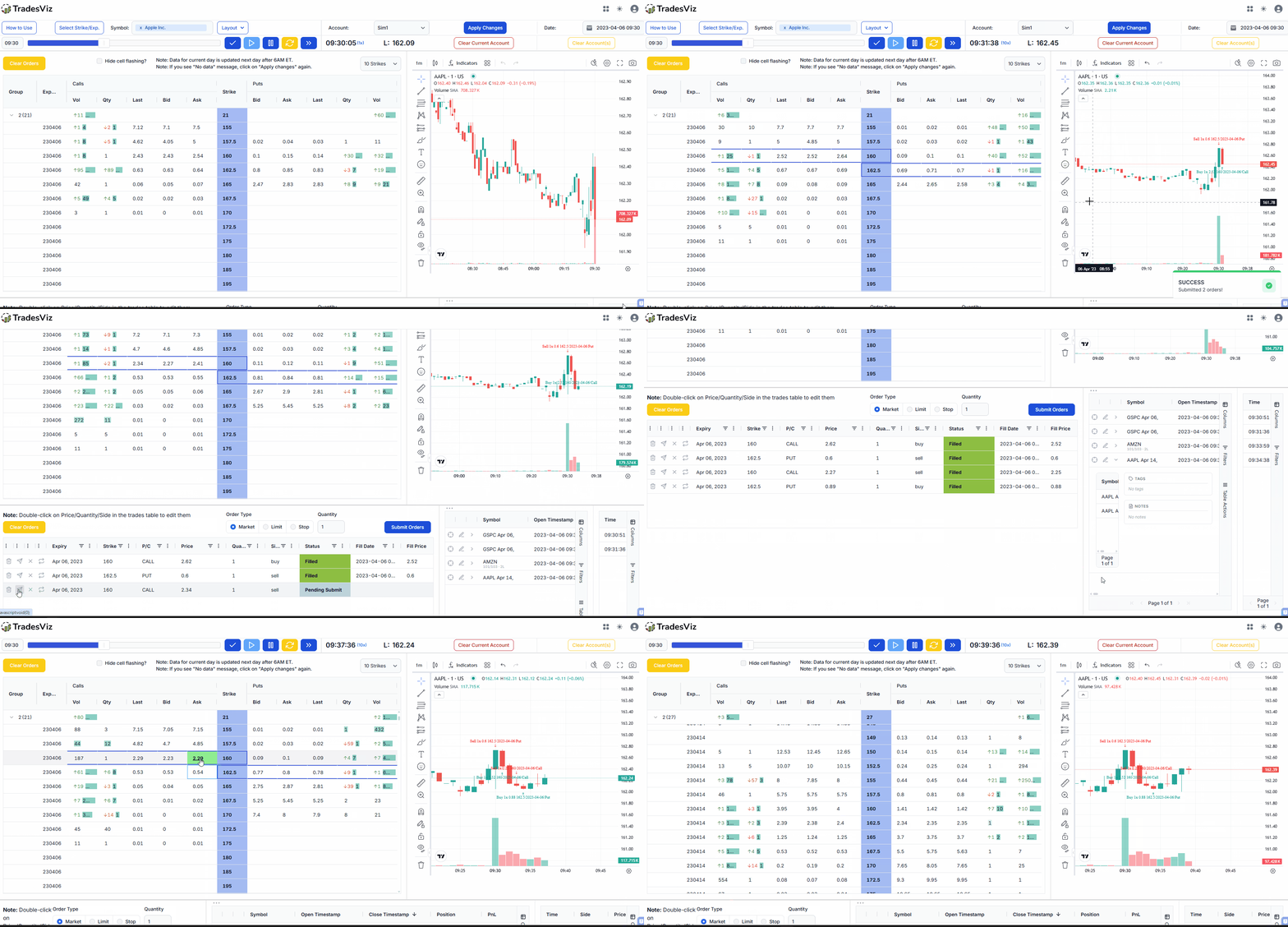
Journaled simulation

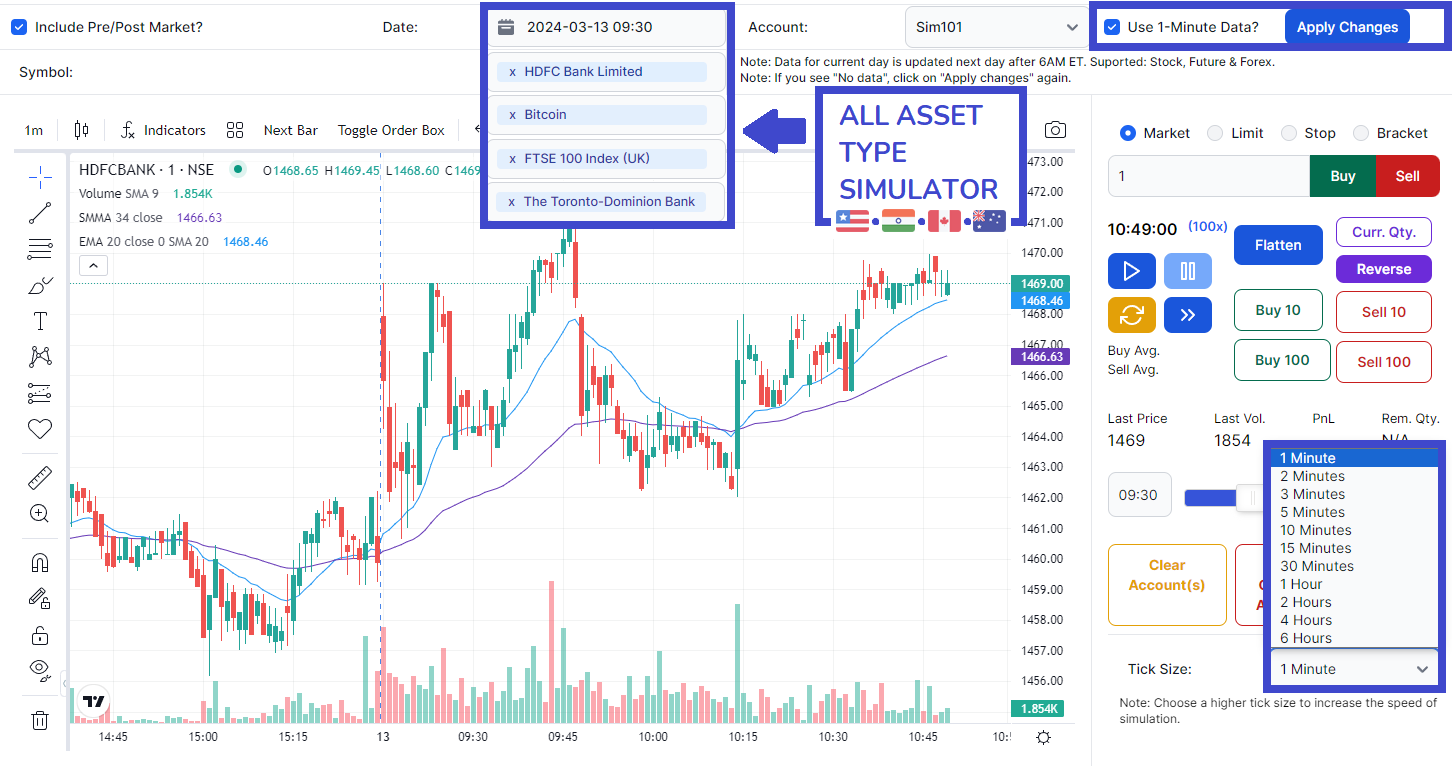
TradesViz journals simulated trades live, even while replaying

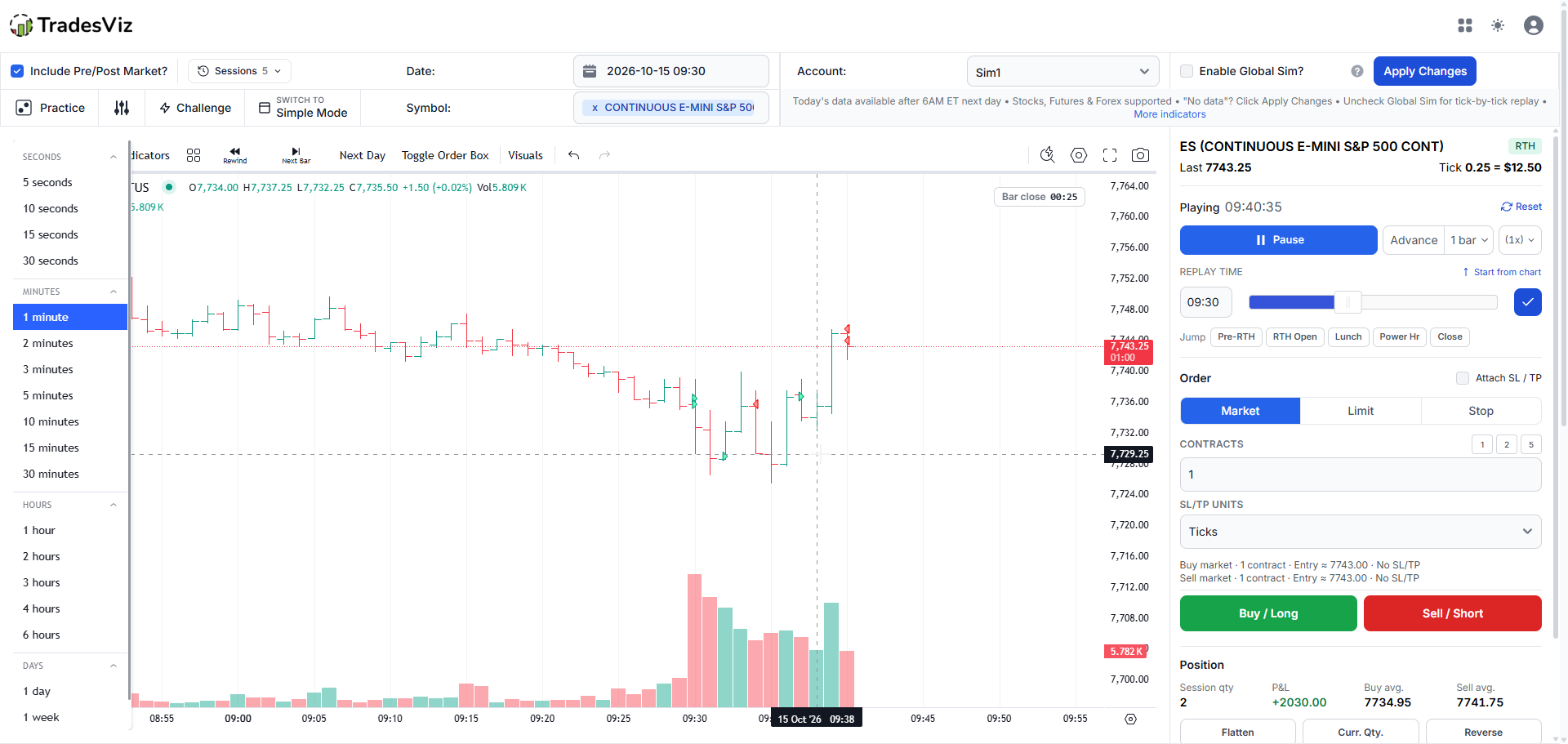
In TradesViz, simulator trades are not throwaway practice rows. Once a simulator account is selected, every simulated trade is saved into that account like a normal trading account, so charts, stats, notes, tags and full journal analysis are available immediately after practice.

Replay has two modes. With Persist replay trades in simulator enabled, replay becomes replay + trade: executions are saved to the simulator account and can be analyzed later. With it disabled, TradesViz runs replay-only mode: replayed trades are not saved and execution edits are blocked. See the all simulators guide and the trade replay simulator guide.

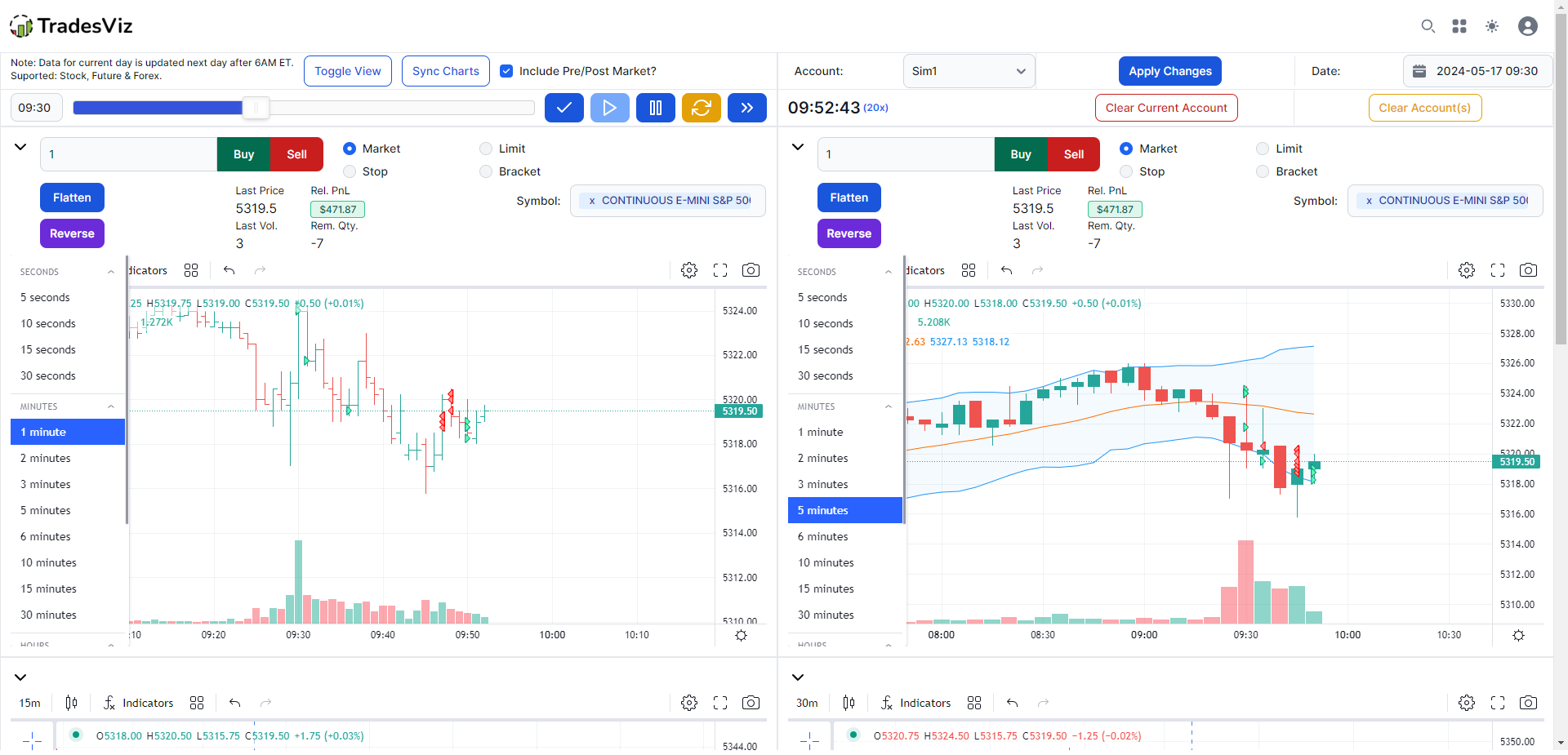
TradesViz multi-chart trading simulator

Simulation breadth

FXReplay is replay. TradesViz is a simulator suite.

TradesViz gives traders multi-chart simulation and universal global simulation inside the same journal. Practice several symbols and timeframes together, then move into a simulator that covers stocks, futures, forex, indices, crypto and options across US, IN, CA, AU and global workflows.

Multi-chart simulator Universal simulator Global assets
TradesViz universal trading simulator for global assets

A real trading command center, not a checklist

The comparison only matters if the product can turn your trading history into decisions, trade ideas, plans and fixes. These are real TradesViz screens behind the rows above:

AI Coach
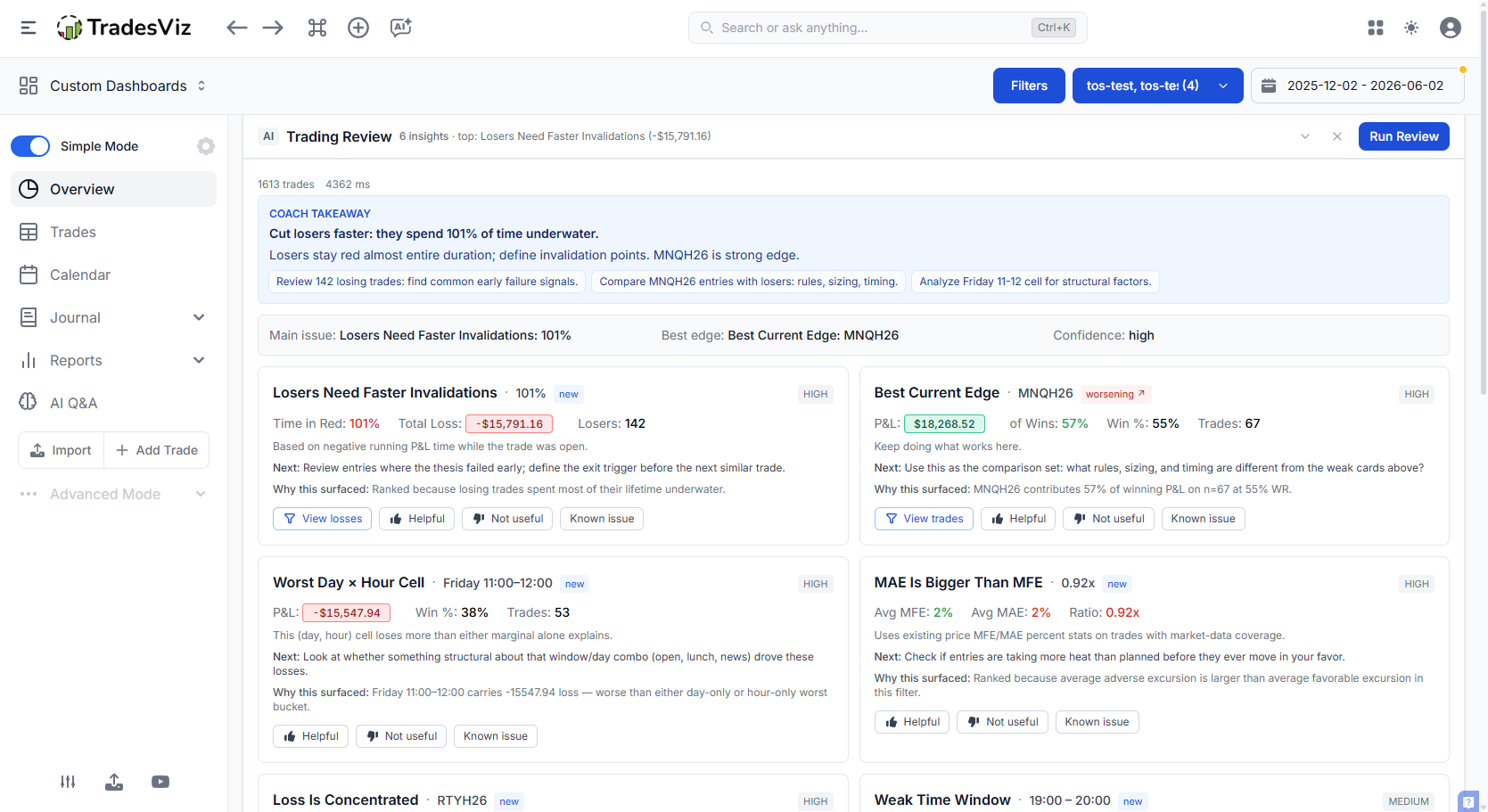
21 deterministic checks rank up to 8 findings by dollar impact, confidence, trend and feedback, with direct drill-down links. This is not a generic AI coaching prompt.
See it in detail →
AI Query
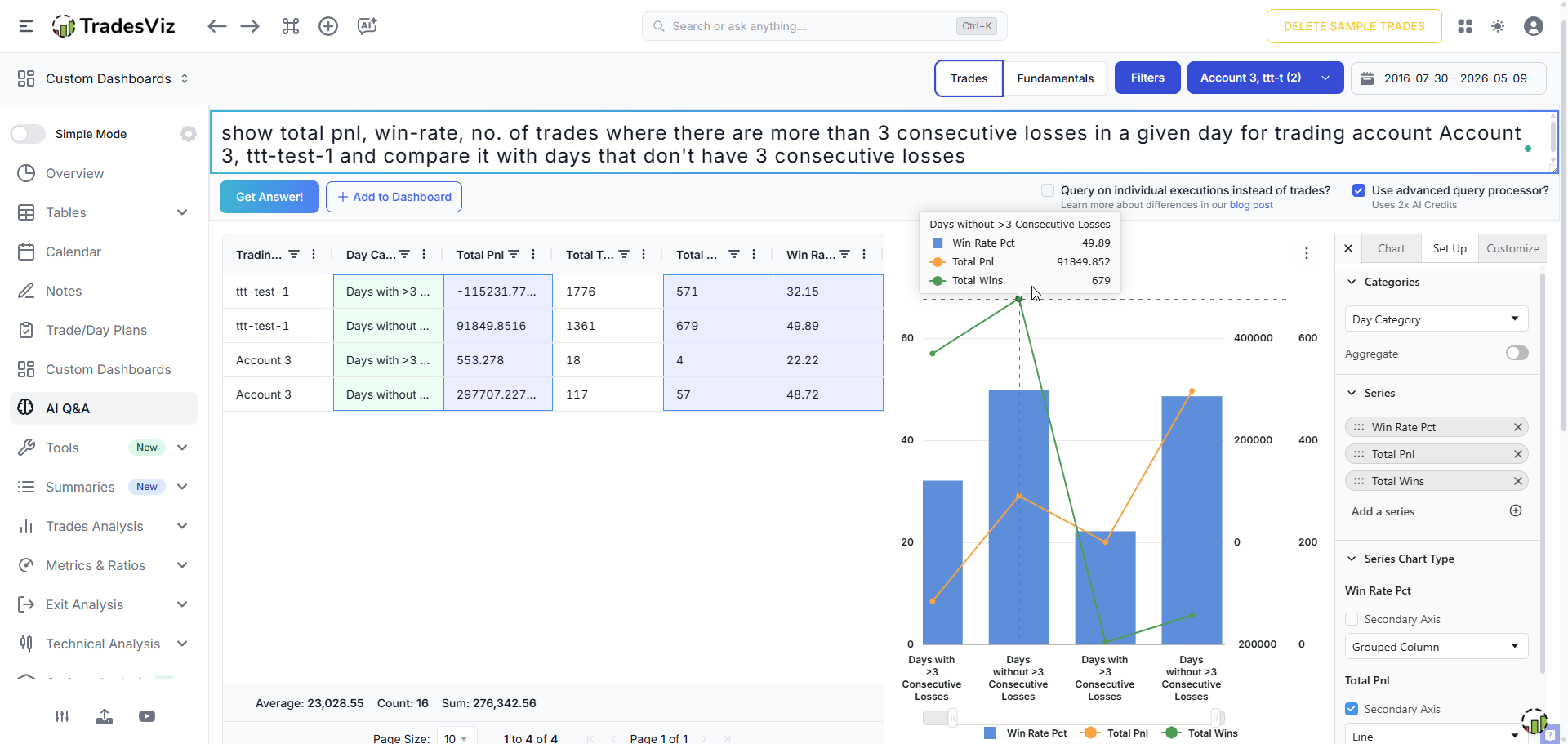
Ask a plain-English question and get a chart and sortable table computed from your own trades. Trade data stays inside TradesViz for AI Query.
See it in detail →
AI Chat
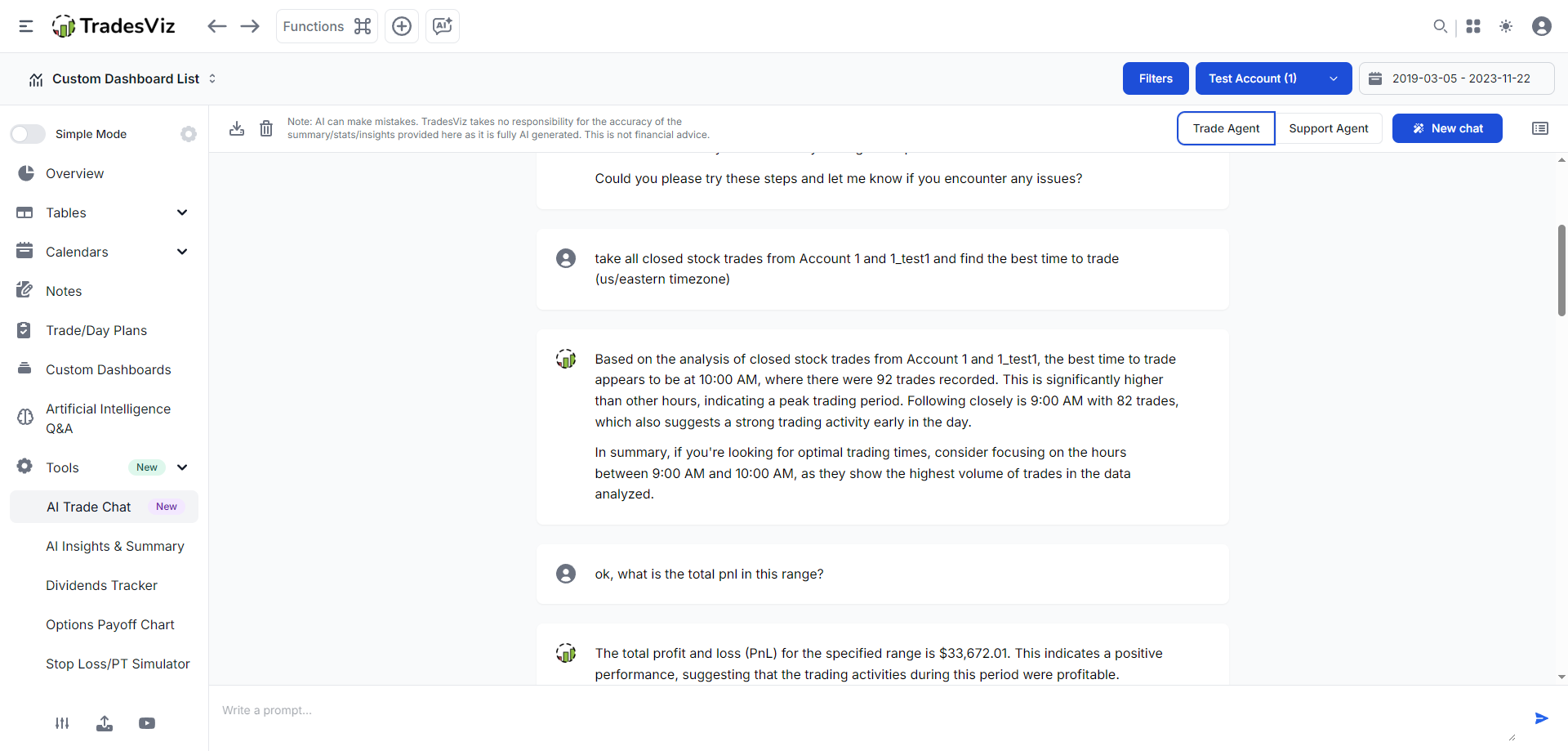
Two focused agents: one for your trade data and one for product help. Trade-data chat is opt-in because external AI access requires consent.
See it in detail →
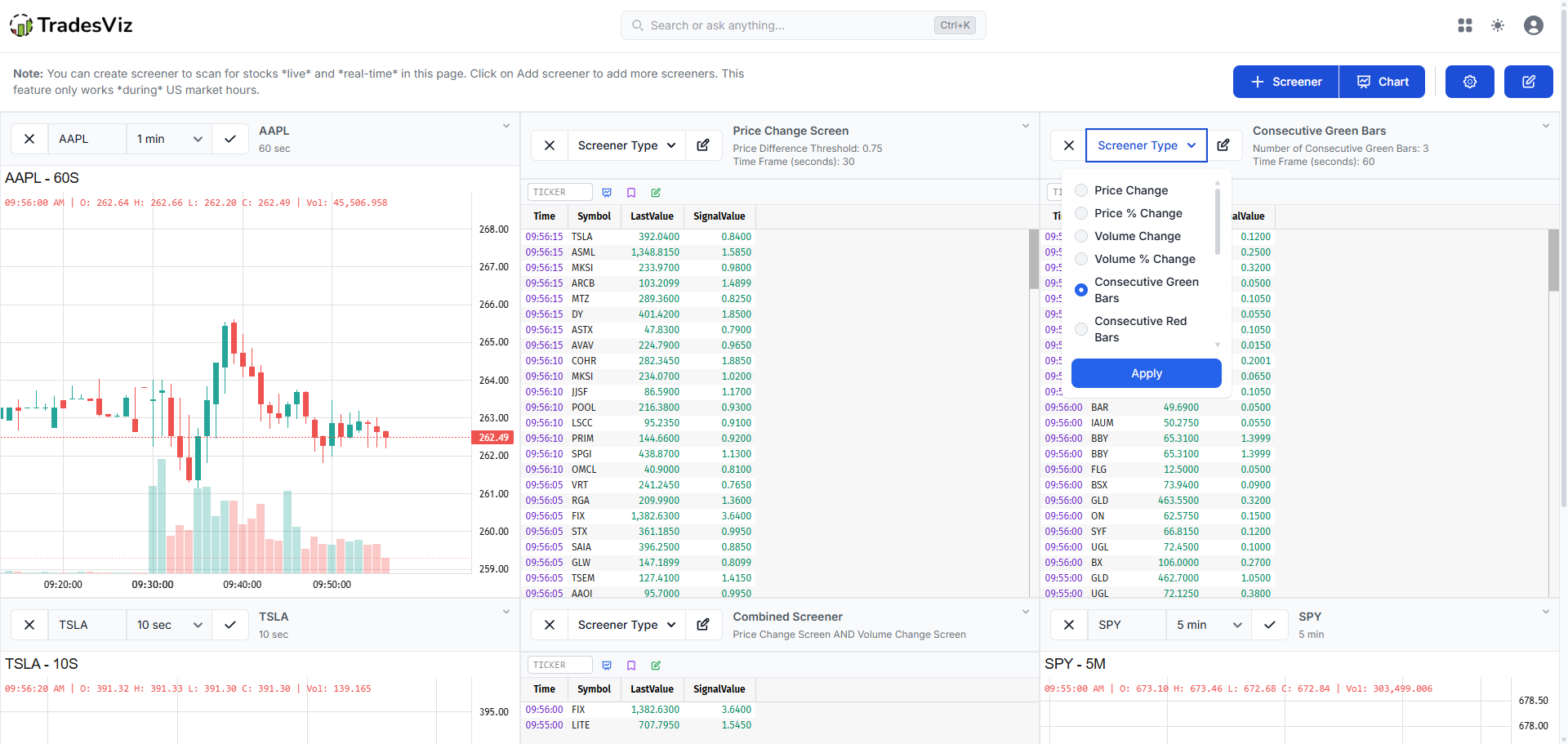
Real-time screener
Find trade ideas inside the same platform where you journal, plan and analyze them. Screener signals can flow into watchlists, notes and trade plans.
See it in detail →
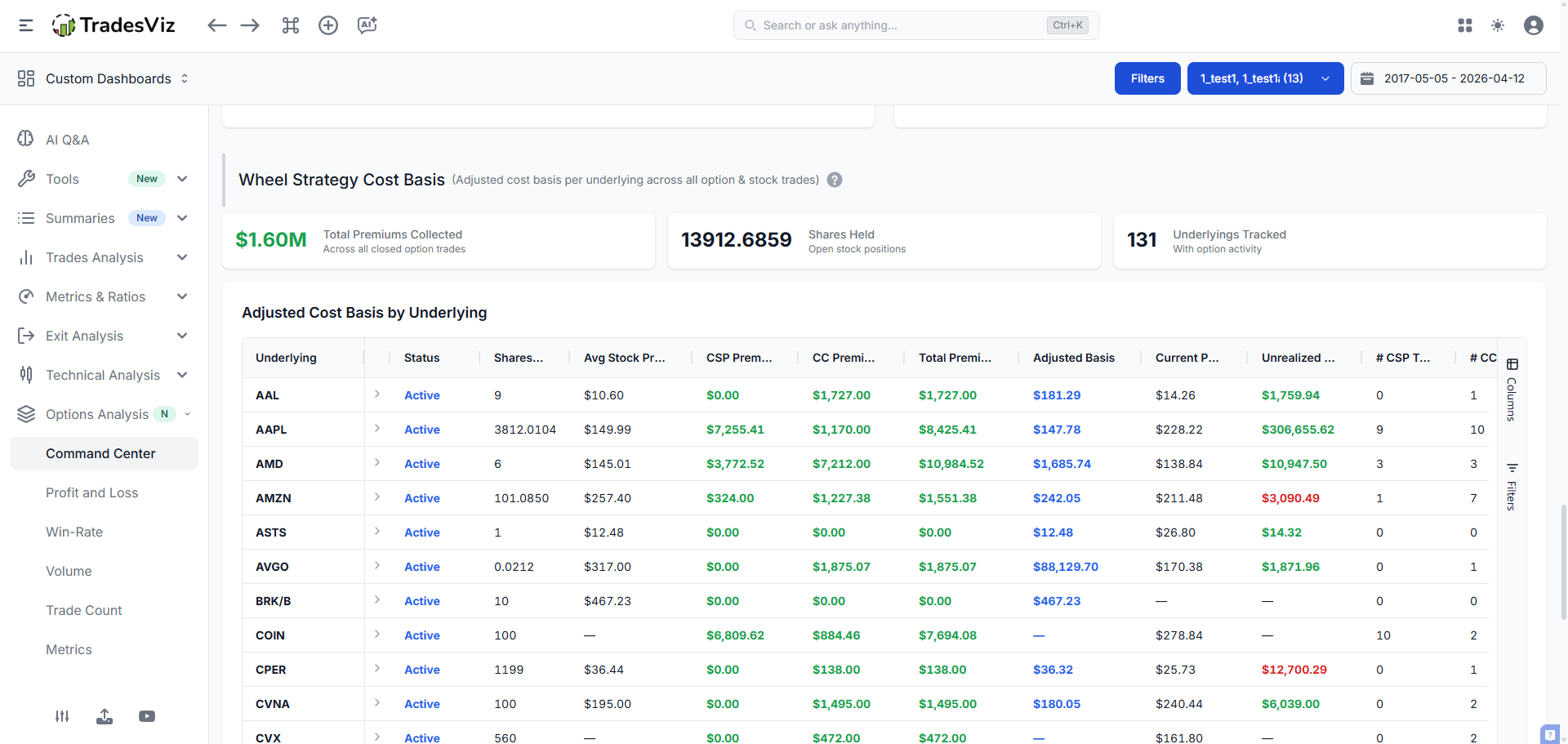
Options command center
Analyze options trades, spreads, strategies, greeks, flow, payoff and execution in one place instead of bolting an options worksheet onto a journal.
See it in detail →
Best exit & advanced stats
MFE/MAE, best-exit, multi-timeframe exit analysis and 600+ deterministic stats show exactly where your process is leaving money behind.
See it in detail →
Trading simulator
Practice stocks, futures, forex, crypto, indices and options, then feed simulated trades back into the same review and analytics workflow.
See it in detail →
TradingView chart view
Review trades directly on TradingView-powered charts with executions, context and multi-day chart views instead of isolated journal rows.
See it in detail →
Trade plans & plan analysis
Turn setups into rules, attach plans to trades and days, then analyze plan adherence and execution quality after the session.
See it in detail →
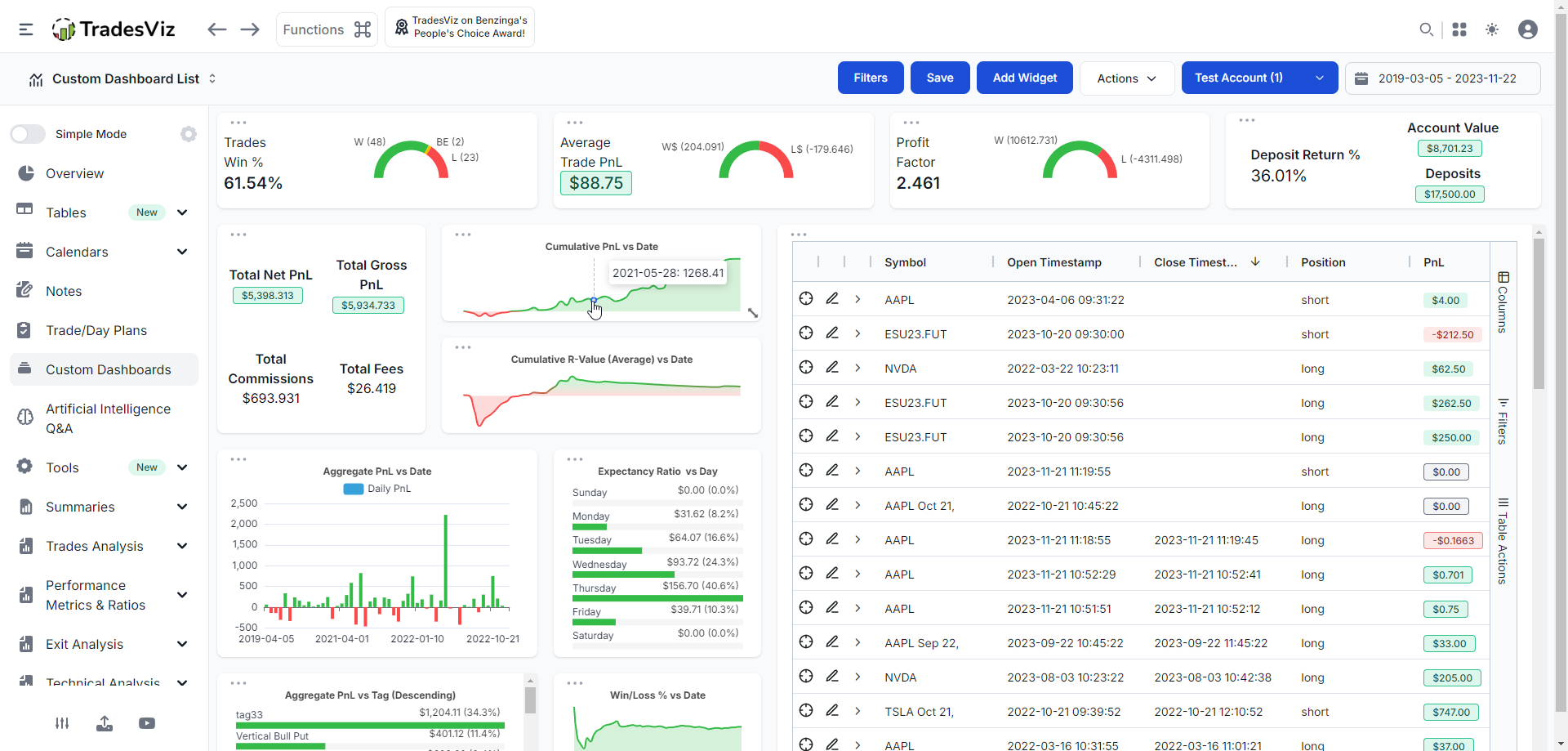
Custom dashboards
Drag-and-drop dashboards over 600+ deterministic metrics. Build views for strategies, mistakes, assets, tags, plans and AI Query outputs.
See it in detail →
Options simulator
Pick a date, pull the real historical chain with greeks, model a spread and see how it would have moved.
See it in detail →
Pivot / grid analysis
Slice your trades by any dimension, setup, time, symbol, mistake, in a live pivot grid. No spreadsheet exports.
See it in detail →

How to move your trading history into TradesViz

You do not need to abandon FXReplay to do this. Most of the value here shows up the moment your real trades are in one place and fully analyzed.

  1. 1 Import your broker trades or upload a CSV into TradesViz.
  2. 2 Open Trade Replay to replay actual trades with real fills overlaid on the original chart.
  3. 3 Use the simulator suite for stocks, futures, forex, crypto, indices and options practice.
  4. 4 Run stop-loss/profit-target simulations on your own historical trades to test alternate exits.
  5. 5 Run AI Coach, AI Query and AI Chat alongside dashboards and 600+ stats to verify whether your real trading changed after practice.

Keeping FXReplay alongside this is a reasonable setup, especially for Battles or a many-chart practice routine. If you trade forex on cTrader or TradeLocker, its Live journal will log those trades too. The question to ask is which tool can model and analyze everything else you trade, and score it deeply enough to change what you do next.

Sources and method

How we checked this

Last checked: September 2026

Sources. Every FXReplay figure on this page comes from FXReplay itself, checked September 2026: the fxreplay.com pricing page for all plan prices and caps (sessions, indicators, charts, records per session, data retention, screenshots, checklists, strategies, economic calendar, AI queries, futures and CME data), the fxreplay.com features page for “Charting powered by TradingView”, the asset classes and Monte Carlo, the Battles page for the competition format, support.fxreplay.com for the 128-indicator list, the Dukascopy / OANDA / CME chart data sources and the note that TradingView Pine code must be adapted to FXR Script, and the fxreplay.com trading-journal page plus its Live Trades and Trading Accounts help articles for the live broker sync list. We do not cite third-party reviews or user complaints about a competitor.

Reading the table. “No” means FXReplay documents no comparable feature on its own public pages at review time, not that we tested and it failed. Where FXReplay has a narrower version, the cell states the narrower scope. Where FXReplay wins, the cell says so and the win is listed above the table. TradesViz feature claims link to live TradesViz product pages and documentation.

Corrections. Two errors in earlier versions of this page, both corrected. It said FXReplay had no TradingView charting; FXReplay states that its charting is powered by TradingView. It also said FXReplay had no broker import at all; FXReplay has a Live journal that syncs cTrader and TradeLocker accounts, with more platforms listed as coming soon and CSV upload available now. Both have been replaced with the sourced position, which is about coverage and analytical depth rather than absence. If any other detail here is out of date, email [email protected] and we will fix it. Competitor features and pricing change, so confirm current details on FXReplay’s official site before purchasing.

Practice is the input. Your live account is the score.

Import real trades into TradesViz and connect replay, simulation, TradingView charts, AI, options tools and backtesting to the account you actually trade. Free for stock traders, no cap on trade records or history.

Highest value per dollar on the market

At TradesViz we focus on value and utility provided to traders. That's why we're still #1 when it comes to the value and features offered on an online trading journal.


Our guarantee: You will not find a better, more versatile, constantly up-to-date trading journal even at 2x or 3x our price. View Full Pricing.

Basic

US$0 /month

For beginner traders to get started with journaling.

  • Import 3000 executions/ month
  • 50+ Performance Visualizations
  • Basic auto-generated charts
  • All basic trade management features and trade charts
Get started

Pro

US$ 14.99 /month (billed yearly)

All asset type import + 100s of charts & powerful grid features.

Get started

Platinum

US$ 22.49 /month (billed yearly)

All-in-one journaling, simulation and advanced analysis platform.

Get started

What Trading Experts Say

TradesViz is the only trading journal in the world to be recognized internationally
by the popular Benzinga FinTech Awards Competition as a
Finalist in Best Data Analysis tool and Best Portfolio Tracker categories!
Fintech Awards 2024 Finalist Badge TradesViz Best Trading Analysis Tool
Fintech Awards 2023 Finalist Badge TradesViz Best Data Analysis Tool


TradesViz is the most useful trading journal on the market for finding and quantifying your edge. An all in one trading journal tool for traders.

profile picture
Steve Burns

Trader, Author, and founder of NewTraderU.com

PK and the whole team at TradesViz.com have put together an outstanding product with exceptional features. PK provides the most excellent support in the chat help. And if something really isn't working quite right or as expected, they get busy to make it better. I originally signed up for TradesViz to have the simulator function which also gave me the statistical analysis I could use to improve my trading. I had been using a simulator which had almost no analysis. When TradesViz added the simulator function I gave it a try. At first I had a hard time making it work, but with patient explanation from PK and with some tweaking on functionality from the coders on the backend, they have delivered a super trading simulator. The trade analysis part of TradesViz is second to none. I've gained the insight into my trading weaknesses and strengths to be able to trade much better in my live account. This is the service you need!

profile picture
Sue 

I definitely recommend Tradesviz especially for new traders the way it tracks your stats is no short of amazing especially for me personally by best exit and and of the stats that tell you how long you usually are in drawdown and you are usually in profit. If you want to build confidence in your strategy and edge this journal is the way to go for sure!

profile picture
Kamaure 

TradesViz has made a huge difference in my trading and has positively impacted my trading for the better in psychology and profit.

I use it DAILY and have noticed the vast improvements being made, not only in profit but also in my mental approach to trading.

This is a must-have tool and is more important than any indicator you could ever use.

profile picture
Tammy 

I've subscribed, at different times, to various reporting programs, and trialed several others.
Yours is night and day over them all. I particularly appreciate the degree of available customization and your quick, ever-patient response to support requests.
I have a small trading account. Thank you for offering such a sophisticated program at an affordable price.

profile picture
Stephen 

TradesViz is a true leader in Trade Journaling Software. They offer extensive statistical data at an amazing price that almost seems too good to be true. You have access to an amazing support team that seems to be active at all hours of the day. My support agent helped me through a complex import issue and had it solved within 24 hours. I can't tell you how blown away I am with their software and their service. I'm more than happy with my experience and so excited to see what new features they bring to the table as they continue to grow their business. If you're on the fence, I encourage you to jump right over and take it for a spin with their risk-free trial. Thanks to all the TradesViz team members who continue to make my Trade Journaling efficient and effective.

profile picture
David 

Day Trader

GREAT PRODUCT AND EVEN BETTER CUSTOMER SUPPORT!

I have been using TradesViz for a few months and it is a fantastic tool. Prior to subscribing, I was spending hours on xls trying different tables and layouts and only getting frustrated (or overcomplicating things!). Now I have everything in one place (I have multiple trading accounts), and I have probably only explored 10% of the tools and data analytics!

BUT, what has really impressed me is the support: I have NEVER in the last 10 years had such instant, professional support from a company at (almost) anytime of the day or night!
Clearly this is a team that is passionate about their product and that will always translates into innovation and better experience & value to the customer.
Well done to the team!!

profile picture
Miknik 

After only a short time of using TradesViz, I can confirm that this platform is exactly what I have been looking for.  It takes the chore out of journaling – the number of stats, data, and information available on my trades is a complete game-changer.  The importing process via MT4 file is extremely easy and the automated charts with entries are amazing.  The whole process is extremely easy and helps to keep me accountable for my trading by having a professional system to manage my business.  The platform is very comprehensive and takes a bit of time to get used to, but they have many videos on their YouTube to help with this as well as their support team. 


Their support is exemplary and gets back to all my queries in well under 30 minutes with comprehensive answers and solutions to my questions.


This platform is absolutely essential for any trader and I would highly recommend it to any of my trader friends looking for a journal. If you don’t have this platform, you are seriously missing a trick here…

profile picture
Cameron 

Thanks, PK from TradesViz for being extremely helpful and patient in resolving my syncing issue. Certainly one of the best online support I have ever experienced. Even though it took a while for me to get my settings right, I never felt rushed...I appreciate that. Hope to stay with you guys for a long time. Certainly would like to learn how to utilize most of the features on TradeViz.

profile picture
Ali Abubakar 

In my opinion, the TradesViz platform is truly the Ferrari of journaling software available today. Once you are under the hood, you begin to realize that in fact what sets it so far apart is all the advanced analysis at your fingertips. Such as the ability to combine multiple portfolios, live charting, and much more. Their support is world-class, in my case personally, I needed integration with Trend Spider’s backtesting engine. What I imagined might take weeks was literally accomplished overnight. Factor in rock bottom prices and you have all you need for whatever you're searching for. Newer traders will find that one of the most basic recipes for success is meticulous record keeping, simply observing your account profit and loss go up, or just down as the case may be, is the first step on the road to ruin if your serious about trading.

profile picture
R Burton

Trader

I'm writing this testimonial as appreciation for this surprisingly pleasant
conversation.

Upon my initial support request, TradesViz's support was impressively swift. A response appeared every single time as soon as I closed my email tab. Not only did I receive incredibly helpful information about features I wasn't aware of, but the team was also genuinely enthusiastic about discussing my feature requests and ideas about the industry. Truly awesome people!

profile picture
Luka 

In terms of raw analytics, comparison, and filtering capabilities, there is no match for TradesViz. I also don't know of any other trading journals that offer so much for the price, their free version has pretty much everything you would need if you trade stocks and offer so many of the paid features that are on other websites for free. They have templates for almost every broker and if it's not there, their support team is only 1 email or message away and will work with you to include your broker on their platform. By far the best support I have gotten from any trading journal as they are open to feedback and feature requests and are very active on their chat for any questions. A trading journal built by traders, for traders.

profile picture
Gregory 

Professional Futures Day Trader

I wish I had TradesViz when I started to trade ten years ago. I had to learn the hard way. It provides everything you need to maximize your wins and minimize your losses. 

There’s a learning curve but once you get past that your trading will surely be taken to the next level.

profile picture
Jason Freeman

Founder of ChartLearning.com

As a full-time trader, the first pivot point in my trading results came after I started to learn from Mark Minervini - this is when I stopped losing $$$. The second pivot point came after I started to analyze my results - this is when I started to be consistently profitable $$$.

I love that TradesViz works for Options, Stocks, Crypto! It has automated and manual uploads. It has all the important metrics and analysis that you will need and it is fully customizable.

I have tried pretty much most of the products out there, and TradesViz wins by a mile - highly recommend it! Thanks to PK and the team!

profile picture
TinTinTrading 

Thanks, @MightySoldiers for turning me on to @tradesviz. I'm loving the customized dashboard. The level of detail and ability to really dig deep on metrics is unparalleled. This tool has helped me so much in defining my trading strategy and where my edge is.

profile picture
Jeremy 

Trader

I was looking for a solution to journal my trades on multiple platforms to keep track of my PNL. I stumbled upon TradesViz and I have nothing but positive to say about their service. Not only does their product make it so easy to see how you are doing on your trades with the various graphs and filtering options, getting your account synced is super intuitive. Best of all their customer service is top-notch. Every time I have asked a question, they have responded within a few hours with a solution, and sometimes that involved programming custom solutions for me to make my life easier. It's a no-brainer for me to pay for the yearly service. Do it, you won't regret it.

profile picture
Ameet 

E-commerce Analyst and Trader