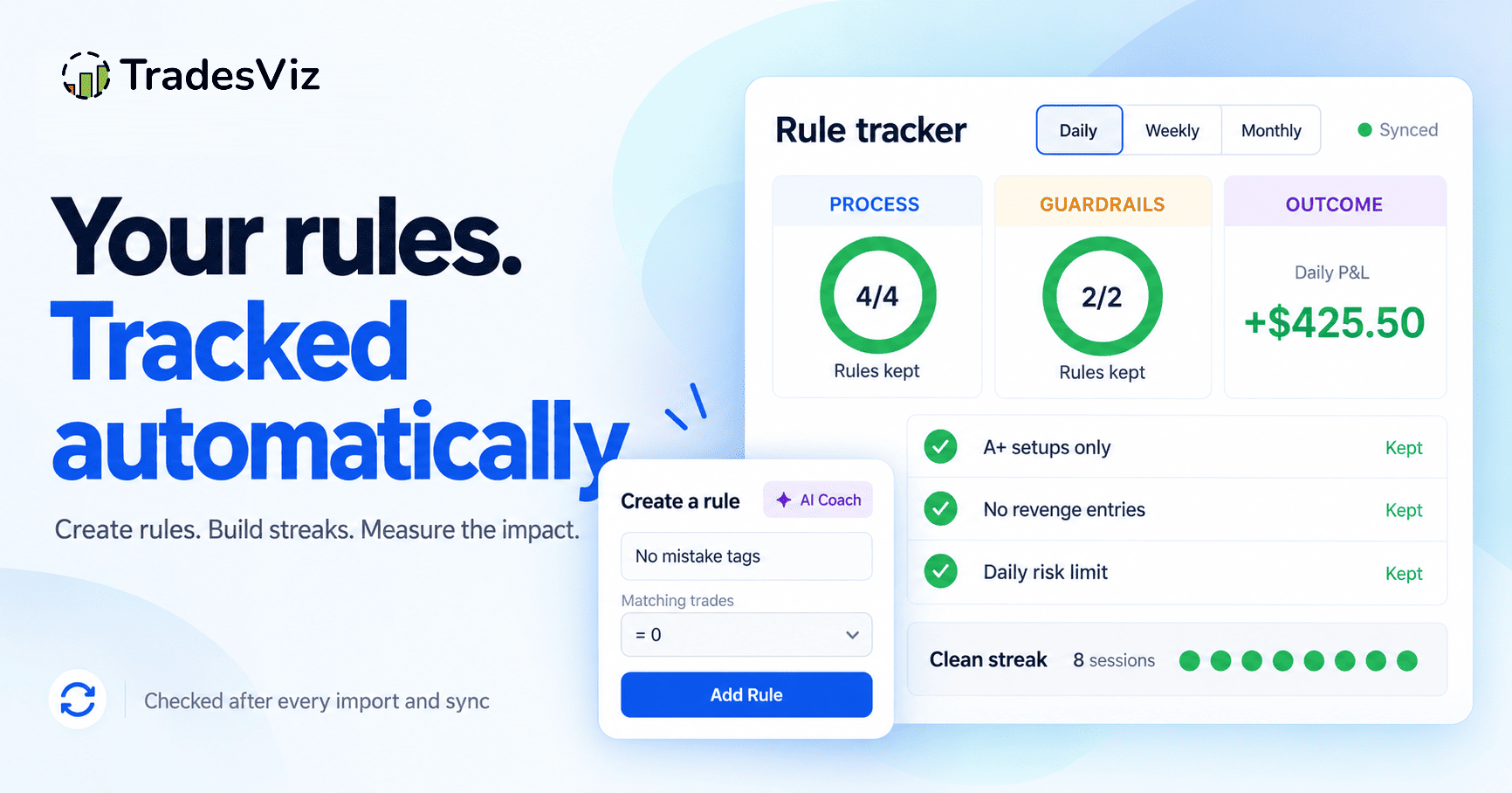
When we launched goal tracking, a goal was a number: total PnL above $100, fewer than 2 losses, win rate above 55%. That is what almost every journal means by "goals", and it has a problem that traders know better than anyone.
So we rebuilt the feature around the half you actually control. It is now called Rules, and you will find it under Tables > Rules.
Every outcome goal you already had still works, unchanged, with the same numbers. What is new is everything around them.
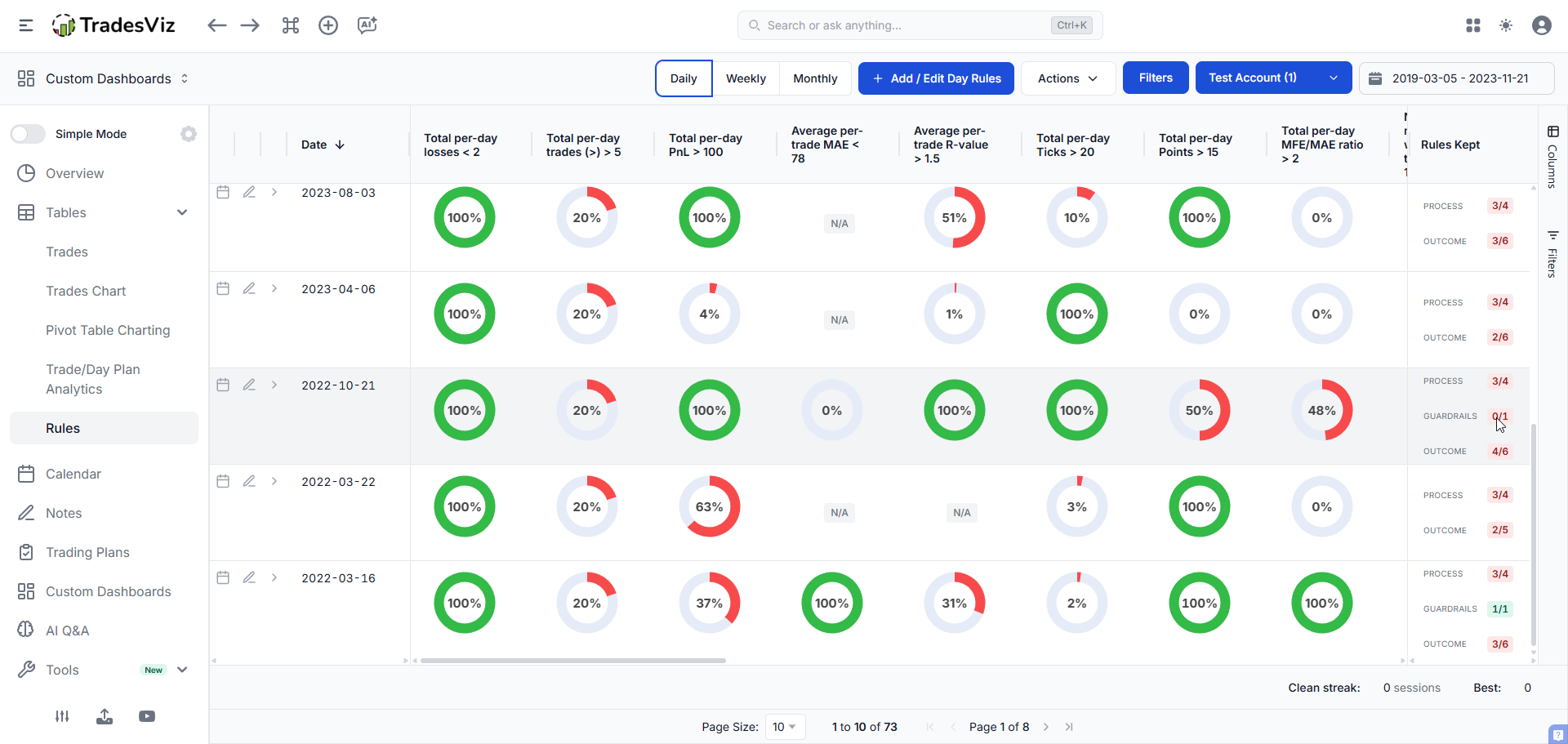
A rule is a condition with a scope
The old shape was:
metric > targetThe new shape is:
metric > target where <which trades this applies to>That one addition is what turns a list of PnL thresholds into something that can describe how you trade. The scope uses the same filter engine that powers your trades table, every chart, and AI Q&A, so anything you can filter by, you can now write a rule about:
- Tag groups and tags - "no trades tagged from my Mistakes group", "at least 80% of trades tagged A+"
- Entry and exit windows - "no entries after 11:30", "nothing held past 15:45"
- Symbols - "only my approved list"
- Trade plans - "the plan was attached and filled"
- Hold time, R multiple, direction, asset type, result
- Trade hygiene - has a stop, has a target, has a note, is tagged, has a plan attached
Three conditions exist only because scoping exists, and they are the ones most people will use first:
- Zero tolerance. Count of trades matching the scope must be 0. This is "no mistake tags", "no trade without a stop", "no entries outside my window".
- Composition. Matching trades as a percentage of the day. This is "at least 80% approved setups", and it is the right shape for setup discipline because it does not reward you for simply taking more A+ trades.
- Review coverage. Percentage of trades that have been tagged or noted.
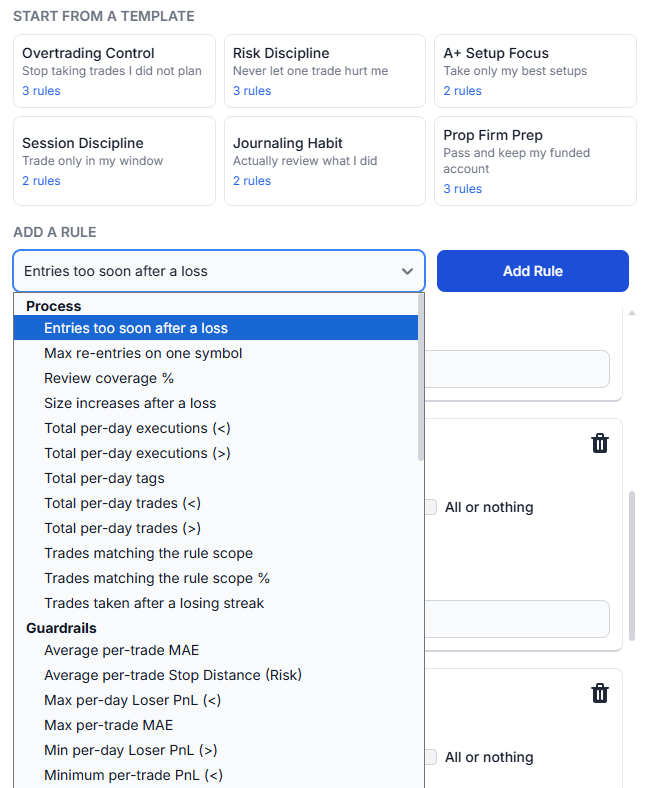
Rules nobody else can check
Some of the most damaging patterns in trading are not a property of any single trade. They are a property of the order trades happened in. Because TradesViz already stores execution-level timestamps and sizes for every trade, we can check those directly:
- Anti-revenge. No new entry within N minutes of a losing close. Set the cool-off and the rule counts every entry that beat it.
- Re-entry cap. At most N trades on any one symbol, so you stop fighting a single ticker.
- No size escalation after a loss. Counts trades whose size was raised right after a loser closed.
- Stop after a losing streak. Counts trades you opened while already N losses deep.
Every one of these names the exact trades that broke it, so a missed rule is something you can open and review, not just a red gauge.
Three lanes, never one blended score
The old table finished with a single "Total Goal %": a signed average across every goal you had set. That number could do something it should never do. A day that beat its profit target while blowing through the daily loss limit still scored well.
Rules are now reported in three lanes that are counted separately and never averaged together:
| Process | Did I behave the way I said I would. Setup selection, session window, trade count, journaling. |
| Guardrails | Hard risk limits. These are never "mostly" kept. |
| Outcome | PnL style targets. Everything the old feature could express. |
You choose which lane each rule belongs to, and a broken guardrail stays visible whatever the PnL did.
The status that matters most is "not judged"
Every rule now resolves to one of four states per period:
- Kept - the rule was checked and you followed it.
- Broken - the rule was checked and you did not.
- Not judged - there was not enough review coverage to tell.
- N/A - nothing eligible to check. A day you did not trade is not a day you kept your rules.
That third one is deliberate, and it is the detail we spent the most time on.
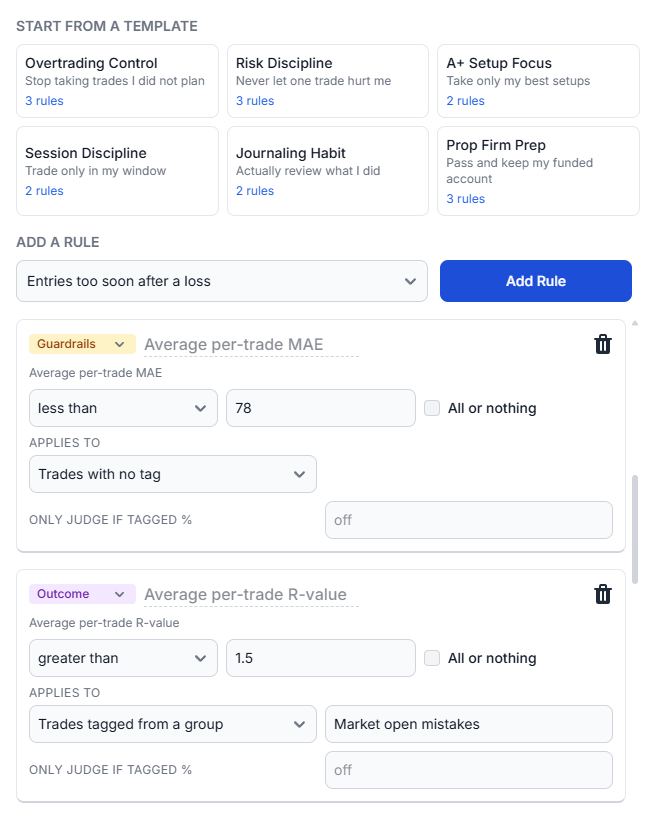
Start from a template, not a blank box
The honest reason most people never set a goal is that the setup screen asks for a number you can only choose if you already know your own baseline. "Fewer than 7 trades a day" requires knowing your median daily trade count.
So Rules ships with one-click templates that start from intent, and the numbers are measured from your last 60 days before you are shown them:
- Overtrading Control - daily trade cap, anti-revenge cool-off, re-entry limit
- Risk Discipline - every trade has a stop, no loss worse than your limit, no size escalation after a loss
- A+ Setup Focus - mostly approved setups, zero mistake tags
- Session Discipline - stay inside your window, stop after two losses
- Journaling Habit - tag 90% of trades, every trade has a note
- Prop Firm Prep - the limits an evaluation actually enforces, built as habits before the account is live
Setup becomes confirming a number we measured rather than inventing one.
Your AI Coach can write the rule for you
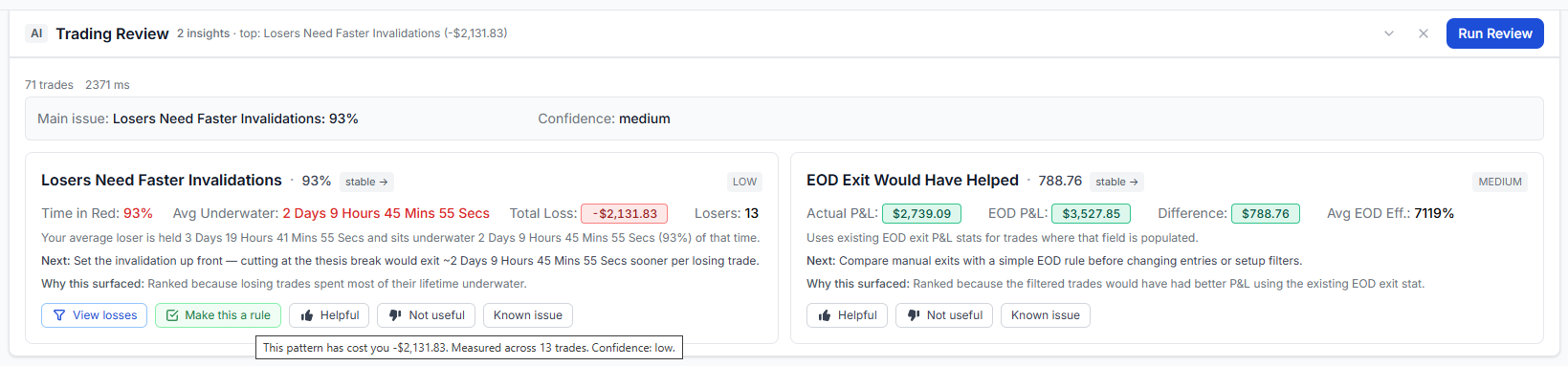
The Trading Review already finds your most expensive repeatable leak and tells you what it cost. Every one of those cards now carries a Make this a rule button.
The card already knows exactly which trades the leak lives in, and it already measured your baseline, so the rule arrives complete: the right condition, the right scope, and a target set against what you actually do today. You accept it, edit it, or ignore it. Nothing is ever activated for you.
Once a card has been turned into a rule, it says so, so you are not offered the same rule twice.
Every rule is scored against your past, immediately
A rule you write today is not a rule that starts counting tomorrow. The moment you save it, we evaluate it against roughly the last two years of your trading and store a verdict for every day, week or month in that window.
So the answer to "would this rule actually have helped me?" arrives before you have followed it even once. Adopt a template, and its streak, its calendar markers and its adherence numbers are already there to read.
This also makes rules cheap to change, which matters more than it sounds. Tighten a max-loss target from $500 to $300 and the entire history is rescored against the new number, so you can see what that rule would have cost you and what it would have saved before committing to it. A rule you are afraid to edit is a rule you will quietly stop following.
Everything keeps itself current after that. Importing trades, editing a trade, recalculating, adding a note or a tag - anything that could change a verdict re-runs the affected rules on its own. If your stored history and your trades ever drift apart, there is a Rebuild history button in the rules window that recomputes the lot from your trades.
Streaks, and a discipline marker on the calendar
Rules are checked automatically after every import and every sync, and the result is stored. That changes what the feature can do.
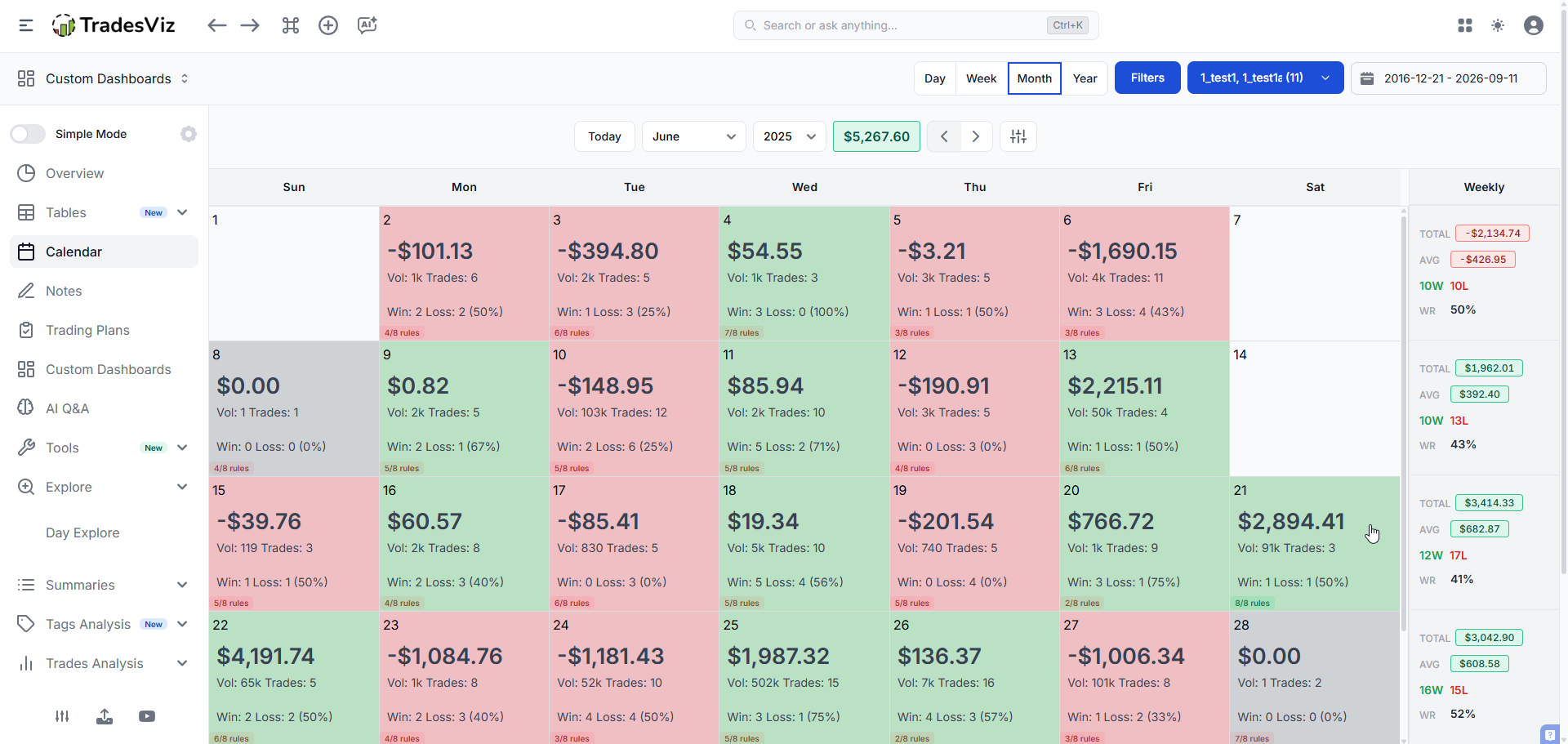
Your calendar now carries two readings per day: the market outcome in the PnL colour, and the rule outcome underneath it. This is the reading that matters most on a bad day.
Streaks count eligible sessions, not calendar days. A day you did not trade neither extends nor breaks a streak, and neither does a day that could not be judged. The streak and your per-rule adherence over the last 30 sessions sit under the Rules table.
The part we are most excited about
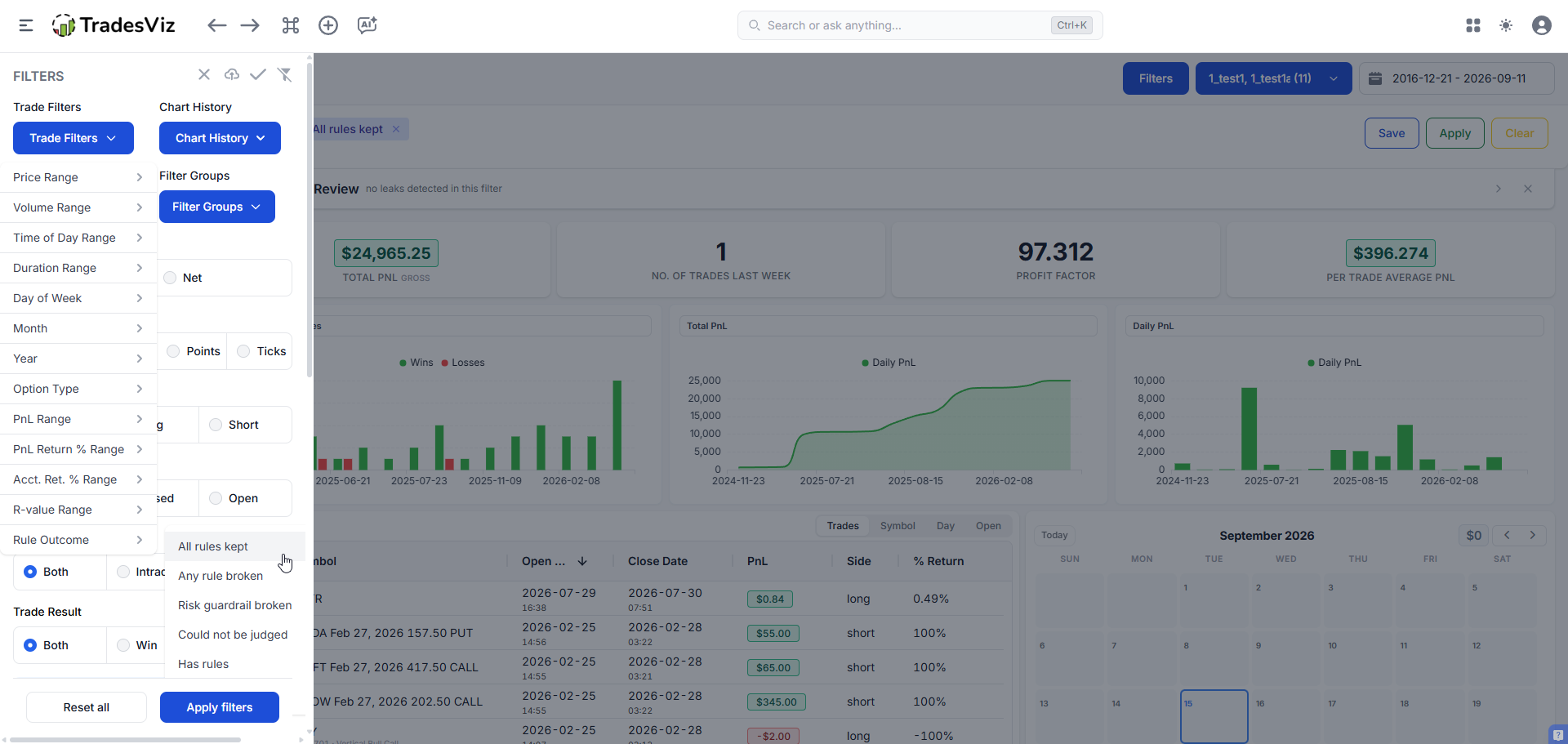
Because every rule outcome is stored per day, we were able to add Rule Outcome to the global filter drawer, next to symbols, tags and everything else.
That sounds small. It is not. Every chart, table, treemap, pivot and statistic in TradesViz reads the same filter layer, so one filter answers this question across the entire product:
Filter to All rules kept, read your numbers. Filter to Any rule broken, read them again. Every analytic you already use will answer, in your own trades, whether your discipline is worth anything.
We think for most traders that gap will be large, and seeing it in your own numbers is worth more than any amount of advice about process over outcome.
Everything else that changed
- More rules per period. The old cap was 4 for everyone. It is now 6 on Pro and 30 on Platinum, and you can hold several variants of the same metric with different scopes.
- Named rules. Give a rule a name that means something to you instead of reading a metric title.
- Gauges coloured by outcome. Green when kept, red when broken, and a neutral chip when the period could not be judged instead of an empty red ring.
- Every rule names its evidence. Stored with each result are the trades that matched, so a broken rule can be opened.
- Day, week and month all still supported, with their own rule sets and their own streaks.
Where to find it
- Tables > Rules for the table, the streak and your adherence.
- Account settings, or the Actions button on the Rules table, to add and edit rules. Start with a template.
- Filters > Trade Filters > Rule Outcome for the comparison above.
- Your calendar for the daily discipline marker.
- Trading Review for one-click rules built from your own leaks.
Rules are still based on your trade data, so the same caveat applies as before: without stops and targets filled in you cannot use risk-distance rules, and without tags you cannot use tag rules. If you are not filling those in, our automated target profiles and automated sync do most of it for you.
Outcome targets tell you whether the market paid you. Rules tell you whether you deserved it. Both are worth tracking, and for the first time you can see them side by side, on the same day, without one hiding the other.