Free Trading Simulator: trade a hidden market day
The Daily Drill is the free trading simulator on every TradesViz plan. Every day it picks a real futures, stock and forex session and hides the date. Replay one, trade it with market, limit, stop and bracket orders, then see your result and which day it was.
One hidden futures, stock or forex day. Free account, no card. A new drill every day at midnight ET.
Today's drills
Pick a market. Everyone who picks it trades the same day.
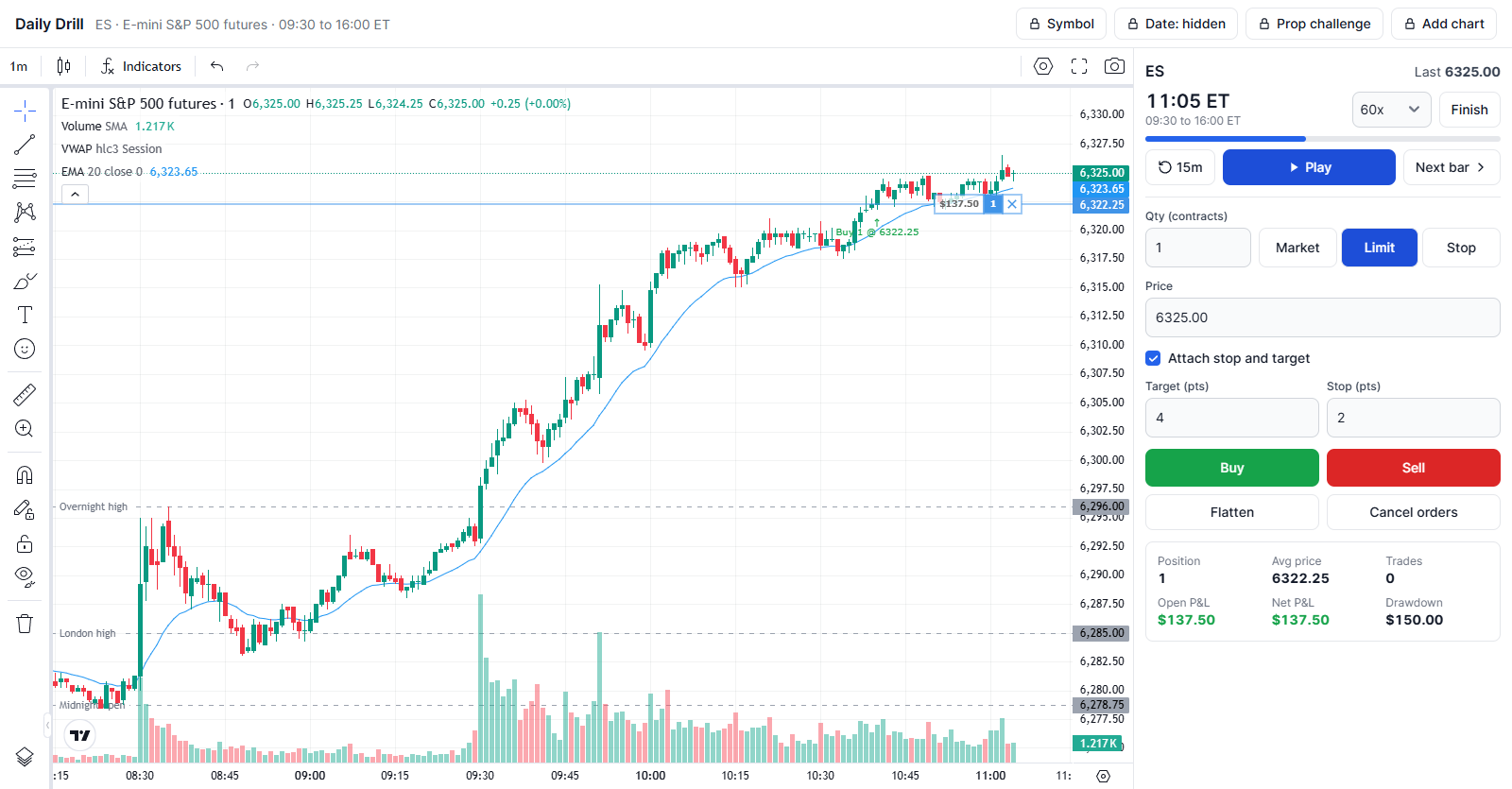
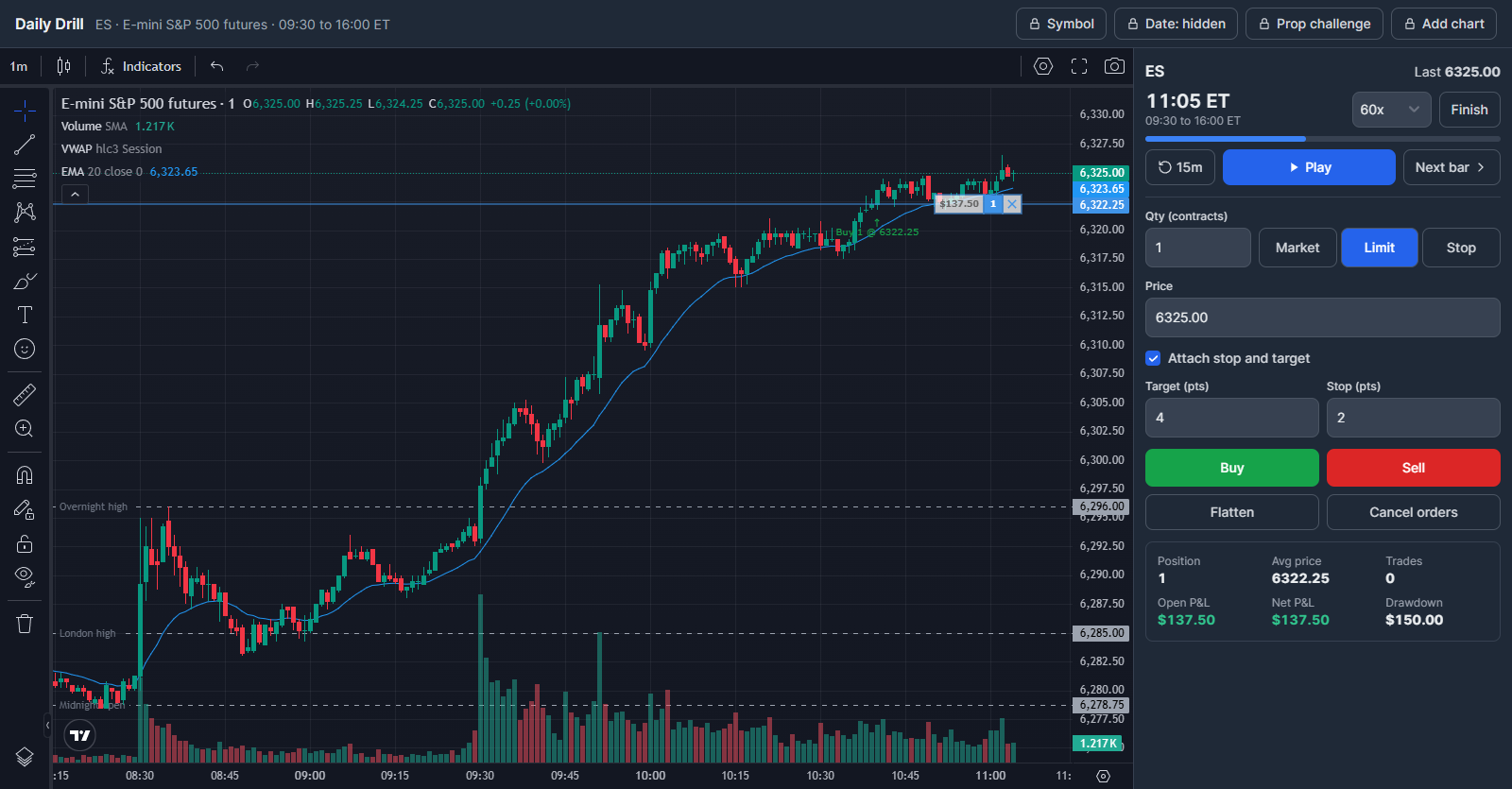
How the free trading simulator works
-
1
Pick a market
Sign up free, then choose futures (ES), a US stock or ETF, or forex. You get a real session from the last two years with the date hidden and the five days before it on the chart.
-
2
Trade the session
Replay from 1x to 300x on 1, 5, 15 or 60 minute bars. Use market, limit and stop orders with an attached stop and target, with VWAP, EMA and volume on the chart.
-
3
See which day it was
Finish to get your P&L, trades and drawdown, checked on the server, then the real date, the day type and how it moved. Come back daily to keep a streak.
Free practice, and the full simulator when you want it
Free trading simulator: Daily Drill
On every TradesViz plan, including the free trading journal plan.
- One hidden market day a day in futures, stocks or forex
- 1 to 60 minute bars, market, limit, stop and bracket orders
- Your result and the real date at the end
- A daily streak and yesterday's drills revealed
Platinum trading simulator
Everything in the drill, plus any day you choose.
- Replay any symbol on any date, including yesterday's drill
- Multi-chart replay of up to 4 symbols at once
- Prop firm challenge mode with daily loss and drawdown rules
- Options chain replay for US stocks and indices
- Every simulated trade saved to your trading journal
Free trading simulator FAQ
Is there a free trading simulator?
Yes. The Daily Drill is the free trading simulator on every TradesViz plan, including the free Basic trading journal plan: one real futures, stock or forex session to trade every day, with the date hidden until you finish. Sign up with an email address, no card needed. The full trading simulator, with any symbol on any date, is on the Platinum plan.
What is the TradesViz Daily Drill?
The free trading simulator built into TradesViz. Every day it picks a real futures, stock and forex session and hides the date. You replay one of them, trade it, and when you finish you see your result and which day it was.
Which markets does the Daily Drill use?
There are three drills a day: futures (E-mini S&P 500, ES), a US stock or ETF such as SPY or QQQ, and forex (EURUSD or gold). You pick the market. Everyone who picks the same market gets the same day.
How is the drill day chosen?
From real sessions in the last two years that are at least 30 days old, with a monthly mix of trend, range, gap and event days such as CPI, FOMC and earnings days. The date stays hidden until you finish.
What can I do during the drill?
Replay the session from 1x to 300x speed, switch between 1, 5, 15 and 60 minute bars, add VWAP, EMA and volume, and trade with market, limit and stop orders plus an attached stop and target. The five days before the drill day are on the chart for context.
Can I choose the symbol or the date?
Not in the Daily Drill: the hidden date is the point of it. The full TradesViz trading simulator on the Platinum plan replays any symbol on any date, including yesterday's drill, with multi-chart replay and prop firm challenge mode.
How is my result calculated?
The server replays your fills against the same bars it sent you, so the P&L, trade count and maximum drawdown on your result are checked rather than taken from the browser.
When does a new drill start?
Every day at midnight US Eastern time. You get one drill a day, and your streak counts the days in a row you played.
What can I do with the TradesViz REST API?
Use Python, scripts or your own applications to read and search your TradesViz accounts, trades and executions, build custom reports, and manage notes and tags. With the required permissions, you can import supported executions, edit journal entries, update trade risk settings, split or merge trades, and delete selected journal data. Execution imports currently support eligible USD US stocks and fixed-multiplier USD futures, not every asset supported by the website.
Can I connect ChatGPT or Claude to my TradesViz journal using MCP?
Yes. Connect a compatible ChatGPT, Claude or other MCP client to the hosted TradesViz MCP server using browser sign-in; no local MCP server or REST API key is needed. Ask your assistant to summarize recent trades, compare results from retrieved trades, find trades by symbol or tag, or save a review note. Editing and other journal changes require the matching permissions. Connector availability depends on your AI client and workspace settings.
How do API and MCP permissions protect my trading journal?
You select the trading accounts and permissions each API key or MCP connection can use. Start with read access and grant editing or deletion separately when needed. Day notes, day tags and general journal notes require a separate opt-in. You can revoke access from the API/MCP dashboard. These tools manage your journal; they cannot place, change or cancel broker orders. AI responses can contain mistakes, so review proposed changes before approving them.
Today's drill is open until midnight ET
Free on every plan, including the free trading journal plan. No card needed.
Play today's drill free