Options Flow Analysis
Options flow organizes reported options trades by contract, premium, execution type and likely aggressor side. It provides context for research without identifying the trader or proving the purpose of a position.
More Details
What is options flow?
Options flow turns the options tape reported through OPRA into a view of what traded: the contracts, premiums, execution types and likely aggressor sides. A large print can belong to a spread, a hedge, a roll or a closing trade. The public tape does not contain account IDs.
Explore the product: Options Flow Features | How to Read Options Flow
Start with the order structure
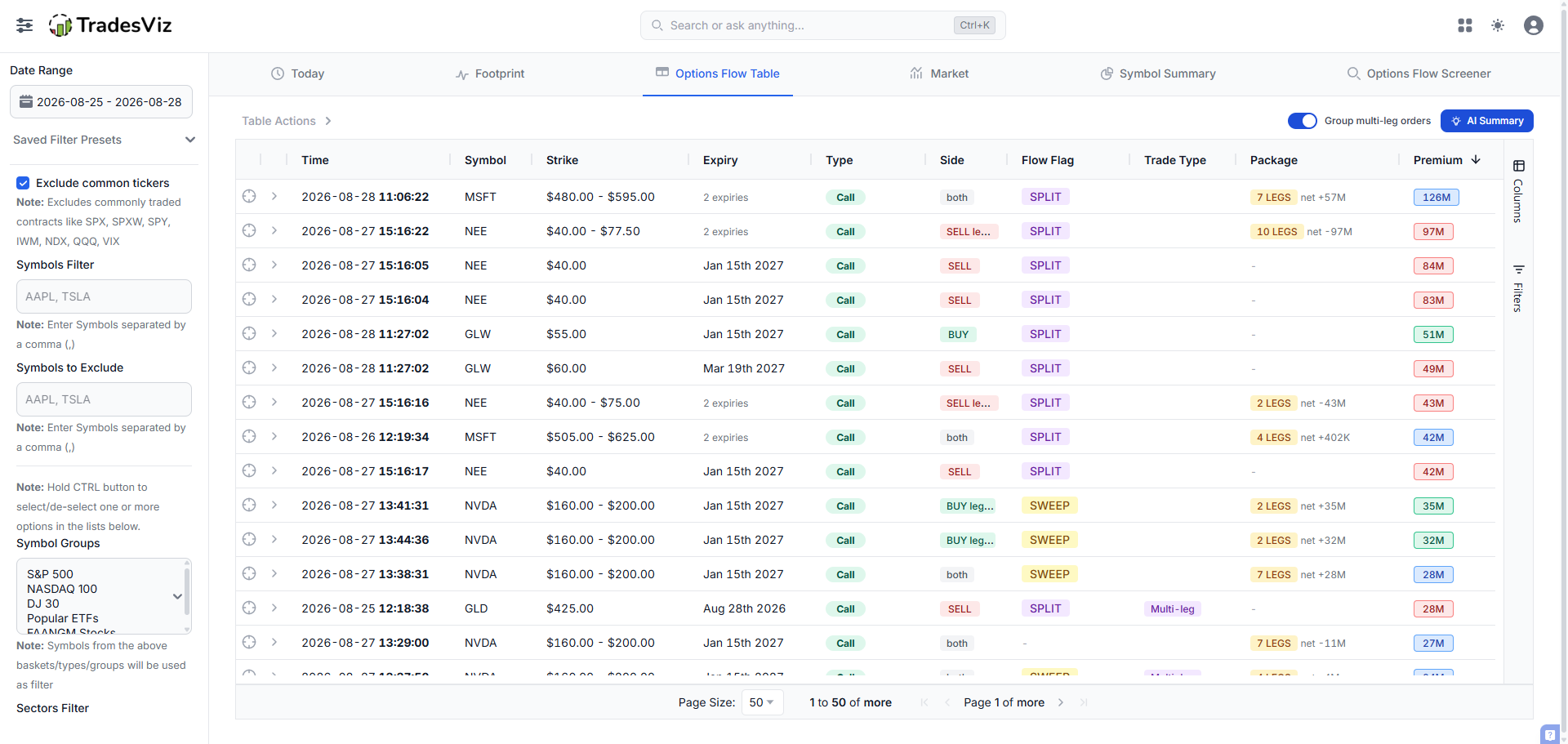
A multi-leg order prints as individual legs. Ranking those legs by premium can make one package look like several independent decisions. In TradesViz, enable Group multi-leg orders, inspect its leg count and signed net premium, then expand the row to see the legs.
Gross premium adds the premium across the legs. Net premium reflects the package's signed cash debit or credit after bought and sold legs offset. Neither number alone establishes maximum risk, margin or direction.
A practical options flow research workflow
- Read Market. Compare session premium, breadth, expiry mix and concentration with recent history.
- Find unusual activity. Unusual Today ranks each symbol relative to its own 60-day normal.
- Open Symbol Summary. Check signal history, contracts, strike/expiry maps, open interest and the underlying price.
- Explore Footprint. Look across sessions for expiry rotation, contract concentration and open-interest support where available.
- Record your reasoning. Tag related trades and write a trade plan so your journal can show how those decisions performed.
Filters and AI summaries
Save research presets for dates, symbols, sectors, premium, expiry and other criteria. Custom sweep and split definitions let you set execution thresholds. AI Summary helps describe the selected data; it does not determine whether an idea fits your strategy.
TradesViz provides completed-session options flow the following morning with Platinum. The separate Options Flow Screener is being rebuilt; the current guide focuses on the dashboard research workflow.
Where to find it in TradesViz
Example
Historical MSFT example: seven grouped legs, two expiries, $126M gross premium and +$57M signed net premium. The package still needs contract-level interpretation.