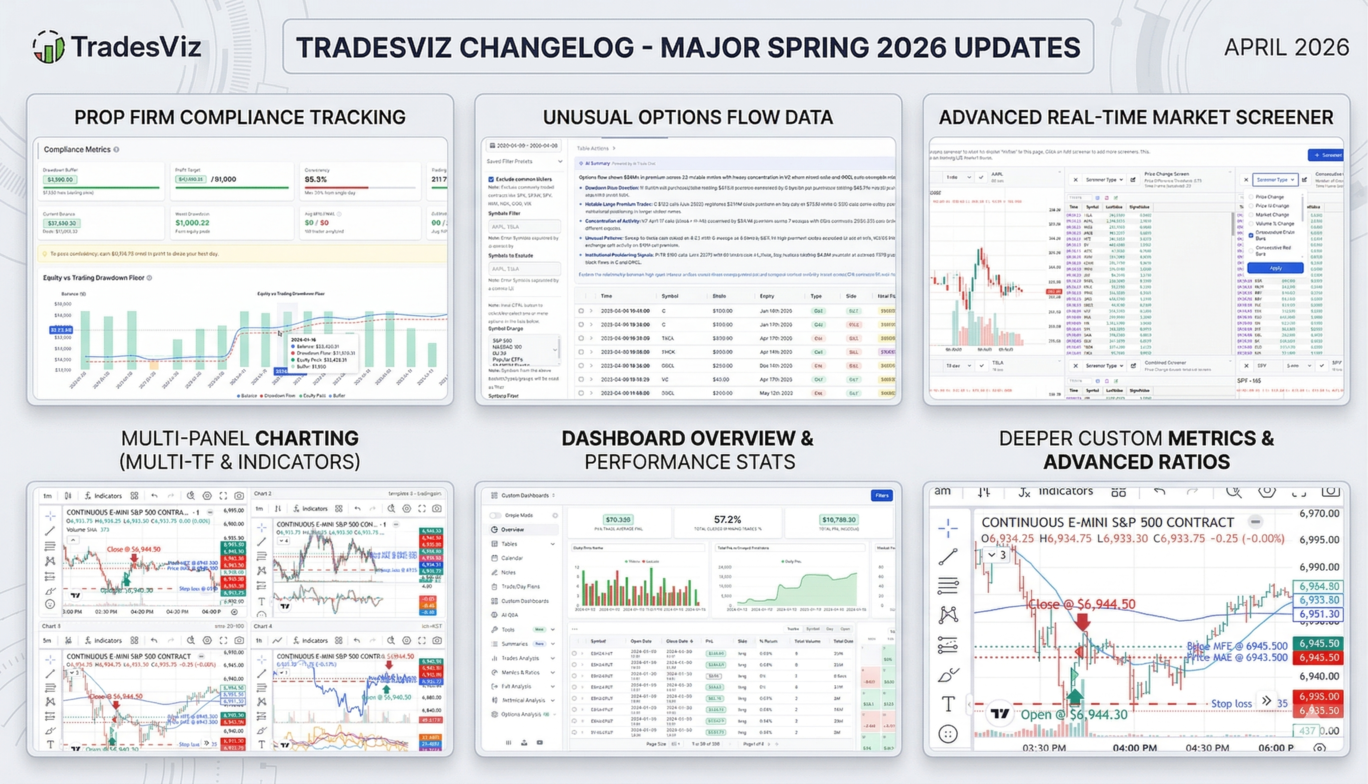
Four months. Massive new features. No sign of slowing down.
We started 2026 by launching a real-time stock screener, shipping the Prop Firm Compliance Center, and rolling out auto-sync for DAS Trader Pro alongside a wave of new crypto exchange integrations. The Custom TradingView Indicators feature went live. The dashboard got a simplified new overview. And the AI systems got smarter - again.
If you use TradesViz as your trading journal, here's everything that got better for you between January and April 2026 - month by month. Let's get into it.
January 2026: Drawdown View, Glossary & New Brokers
The Gist: We kicked off the year with a brand-new drawdown visualization, a trading glossary for SEO and education, and a wave of new broker integrations. Pivot grids got sector-level intelligence. AI started generating options notes.
Key Upgrades:
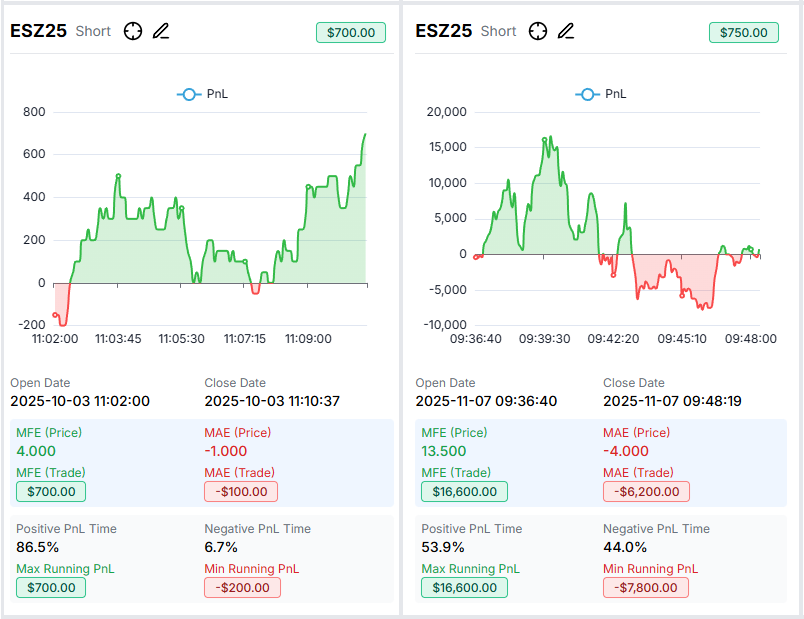
- Drawdown Charts View Launched: A dedicated drawdown analysis page that visualizes your equity drawdown periods, max drawdown depth, and recovery times. Understand your risk profile at a glance - not just peak-to-trough numbers, but the full picture of how your account recovers. Full guide here.
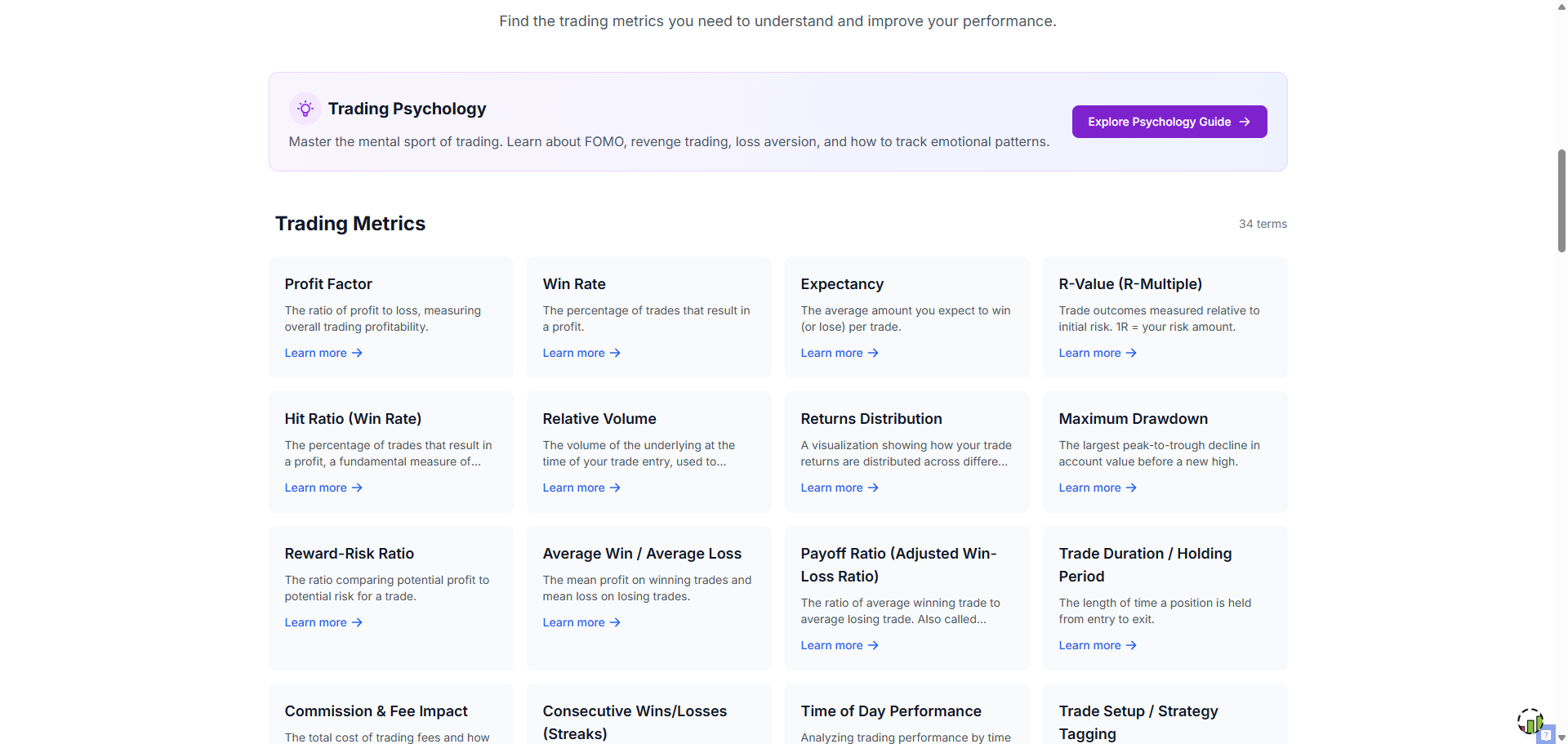
- Trading Glossary Launched: A comprehensive, searchable glossary of trading terms - from basic concepts to advanced journal-specific metrics. Built for SEO, useful for traders at every level.
- Sector, Industry & Market Cap in Pivot Grids: Your pivot grids now include sector, industry, and market cap data. Filter, group, and chart your trades by sector exposure. See if you're overweight in tech or underperforming in healthcare at a glance.
- AI Options Notes: AI-generated contextual notes for your options trades. Get automatic analysis of your options positions including strategy identification, risk assessment, and key observations - without writing a single word.
- Mid Price for Options: Options trades now display mid price data, giving you a more accurate reference for fill quality analysis.
- Add Options Sim Trades to Trading Account: Paper-traded a great options strategy in the simulator? Now you can push those simulated trades directly into your trading account for tracking and analysis alongside real trades.
- Cross-Account Commission Profiles: Apply advanced commission profiles from one trading account to another. No more re-entering the same fee structures across multiple accounts.
- Coinbase Perpetuals Support: Coinbase perpetual futures contracts now import and sync correctly.
- Schwab Sync Pagination: Schwab auto-sync now handles pagination properly, ensuring all trades are captured even for active accounts.
New Brokers: Scalable Capital, BNCD, Paradex, Flatex, OverCharts
Broker & API Fixes:
Bybit (historical sync), ThinkorSwim (ES assignment), TradeStation, FTMO, CMEG, Exness, FXCM, VolFix, Finvasia, IronBeam, dYdX, Fineco, IG, Moomoo, Tiger, CQG, Webull, Schwab, Saxo, Fyers - all fixed or improved.
February 2026: Multi-Chart TradingView & Crypto Auto-Sync Expansion
The Gist: February was a powerhouse month. We launched the Multi TradingView Chart feature, allowing side-by-side chart analysis within TradesViz. We also rolled out auto-sync for seven new crypto exchanges in a single sprint, added two new Indian broker APIs, shipped note templates, and revamped the settings page, blog, and dashboard search.
Key Upgrades:
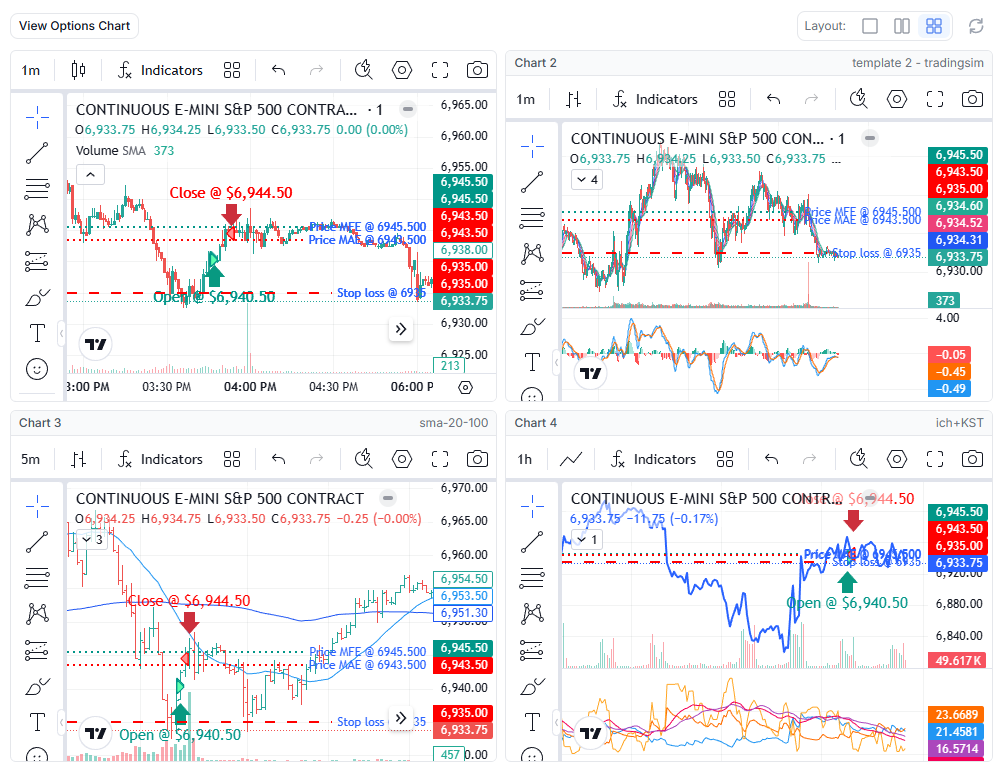
- Multi TradingView Chart Feature: View multiple TradingView charts side-by-side within your trade analysis. Create and save chart templates with different symbols, timeframes, and layouts. Compare correlated instruments, track your entries across multiple timeframes, or monitor sector ETFs alongside individual stocks - all inside TradesViz. Full details here.
- Crypto Auto-Sync Expansion (7 New Exchanges): We shipped auto-sync support for Blofin, Bitmart, Gate.io, Crypto.com, Poloniex, Upbit, and Pionex - all in one month. If you trade crypto, the odds that we support your exchange just went way up. Blog posts for each: Blofin, Bitmart, Gate.io, Crypto.com, Pionex, Upbit.
- 5Paisa API Auto-Sync: A major Indian broker now supports API-based auto-sync. Indian traders no longer need to manually export and upload files. 5Paisa guide.
- Delta Exchange Auto-Sync: Crypto derivatives traders using Delta Exchange can now auto-sync their trades. Setup guide.
- Note Templates Popup: Quickly apply pre-defined note templates when adding notes to trades. Save time on repetitive journal entries with one-click template insertion.
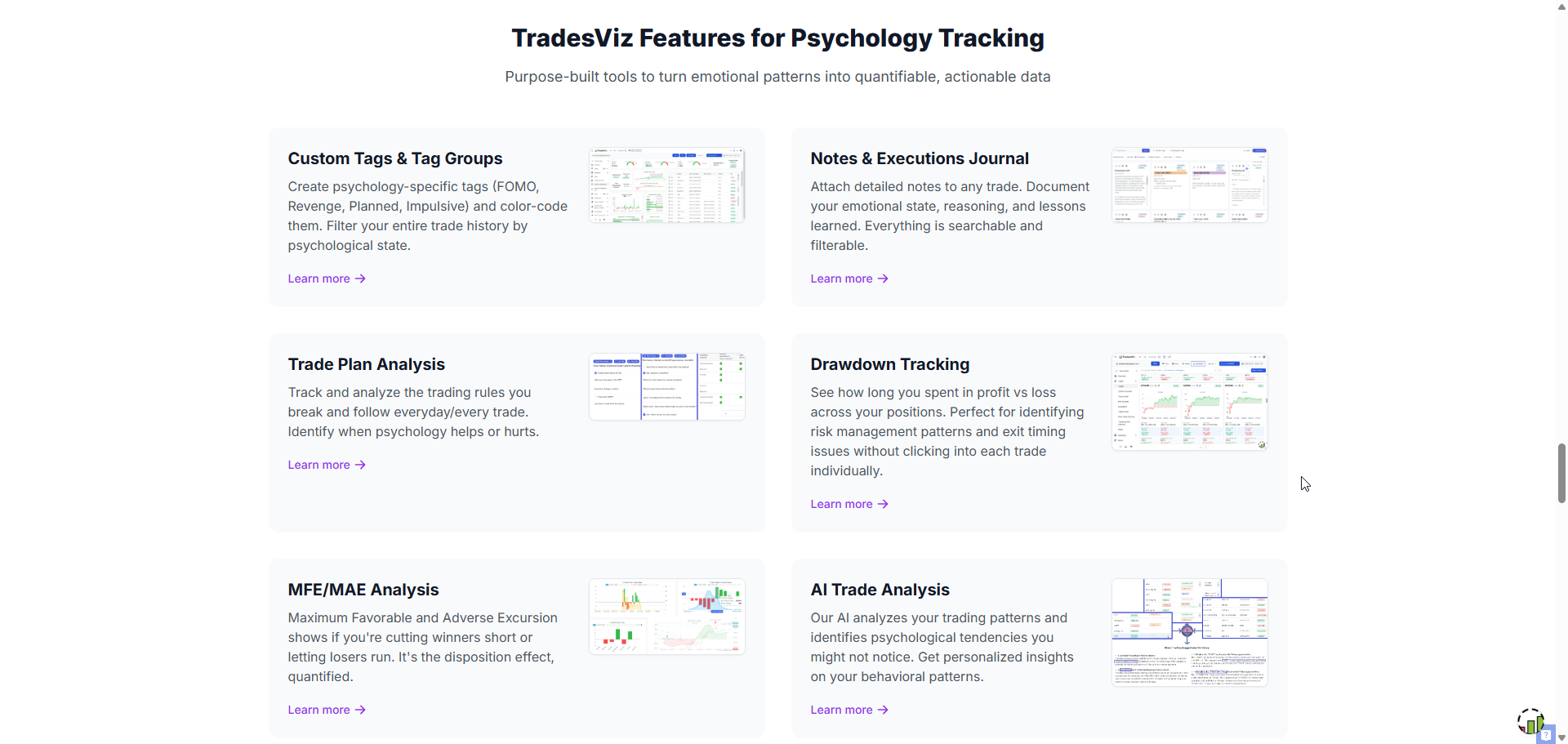
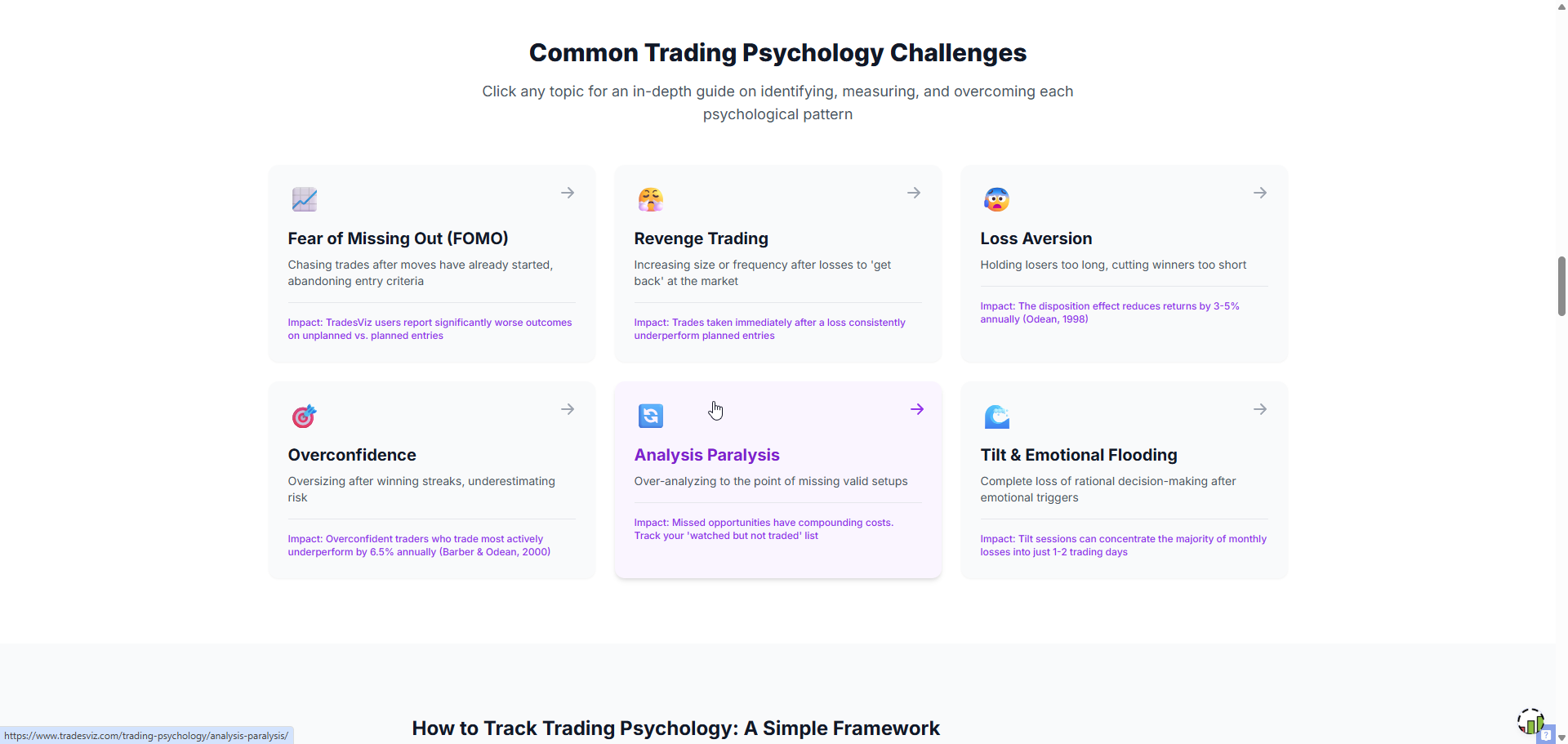
- Trading Psychology Hub: A new dedicated section for trading psychology resources, bringing together our guides on emotional tracking, discipline frameworks, and behavioral pattern analysis.
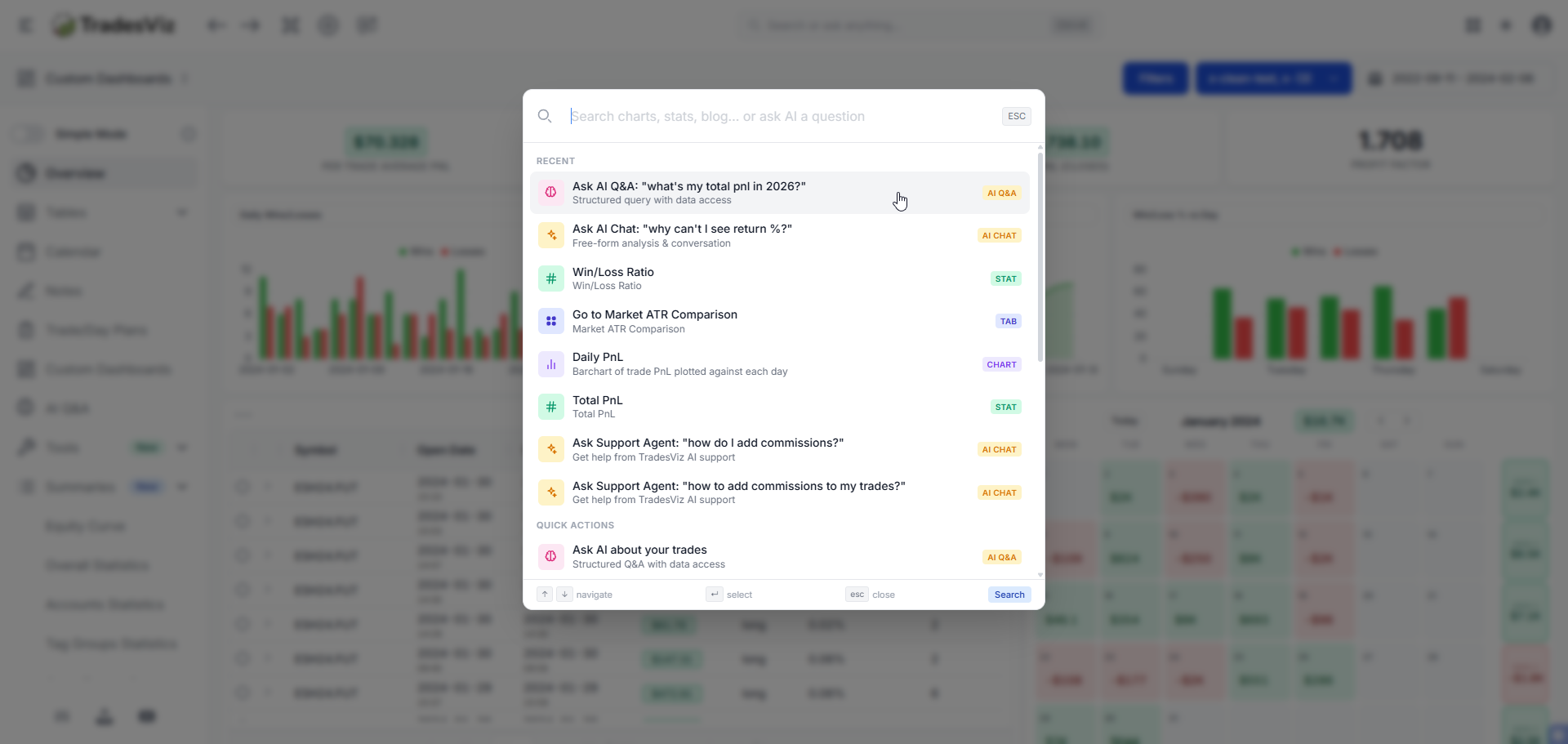
- Command Search Center: A new Ctrl+K style command palette for quickly navigating to any page, feature, or setting in TradesViz. Search for anything - tabs, tools, settings - and jump there instantly.
- Dashboard Search Bar: Search directly from your main dashboard. Find trades, symbols, dates, and features without navigating away.
- Blog Page Revamp: The blog got a visual refresh with better navigation, video schema markup, and video sitemap integration for improved discoverability.
- Settings Page Revamp: Cleaner layout, better organization. Account settings are now easier to find and manage.
- ITM Expiry Addition Page: A dedicated page for adding in-the-money expiry executions, making it easier to properly close assigned or exercised options positions.
- Unrealized PnL Extended Hours: Unrealized PnL stats now generate for extended trading hours, giving you a fuller picture of open position performance.
- Table Virtual Tabs: Trade tables now use a virtual tab system - consolidating multiple table views into one unified, switchable tab interface. Less clutter, faster navigation.
- Custom Dashboard Stat Widget Revamp: Stat widgets in the custom dashboard got a UI overhaul for better readability and design consistency.
New Brokers: IndMoney (India)
Broker & API Fixes:
E-Trade, Jigsaw, Robinhood, Tastytrade (split handling), IBKR, CQG, CMC, Futu, XTB, Trading212, Binance, OKX, Fidelity - all fixed or improved.
March 2026: Real-Time Stock Screener & Custom TradingView Indicators
The Gist: The biggest month of the quarter. We launched the Real-Time Stock Screener - a live, streaming market scanner built into TradesViz. Custom TradingView Indicators shipped, letting you convert Pine Script indicators and run them on your trade charts. TopStepX auto-sync went live. The calendar got high-impact economic events. AI got another model upgrade. And a brand-new simplified Overview 5 became the default dashboard.
Key Upgrades:
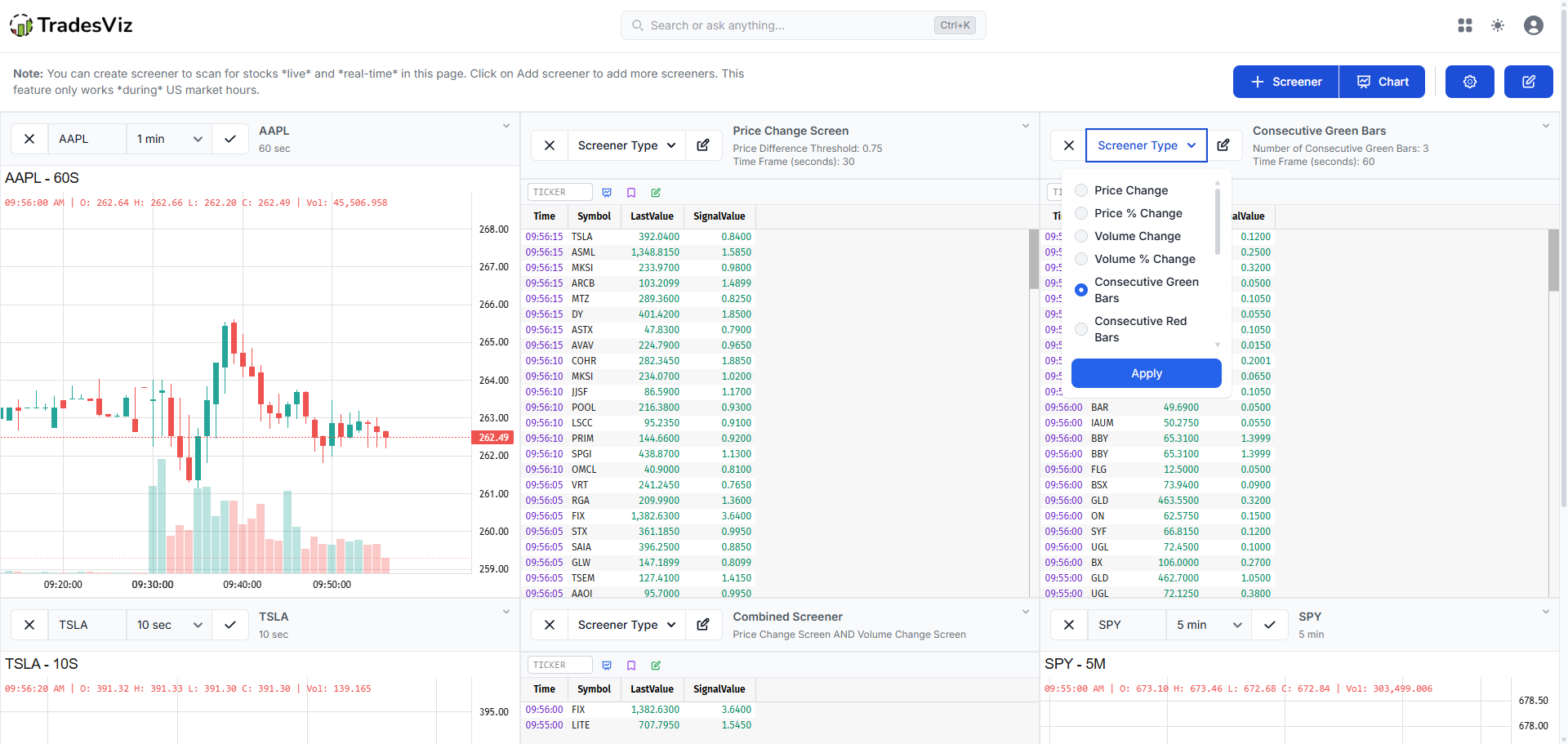
- Real-Time Stock Screener Launched: A fully integrated, live-streaming stock screener built into TradesViz. Scan for stocks based on price action, volume, technical signals, and custom criteria - all updating in real-time during market hours. Includes a clock overlay, blinking activity indicators, state saving, and off-hours messaging. This is a Platinum-tier feature with dedicated infrastructure. Full guide here.
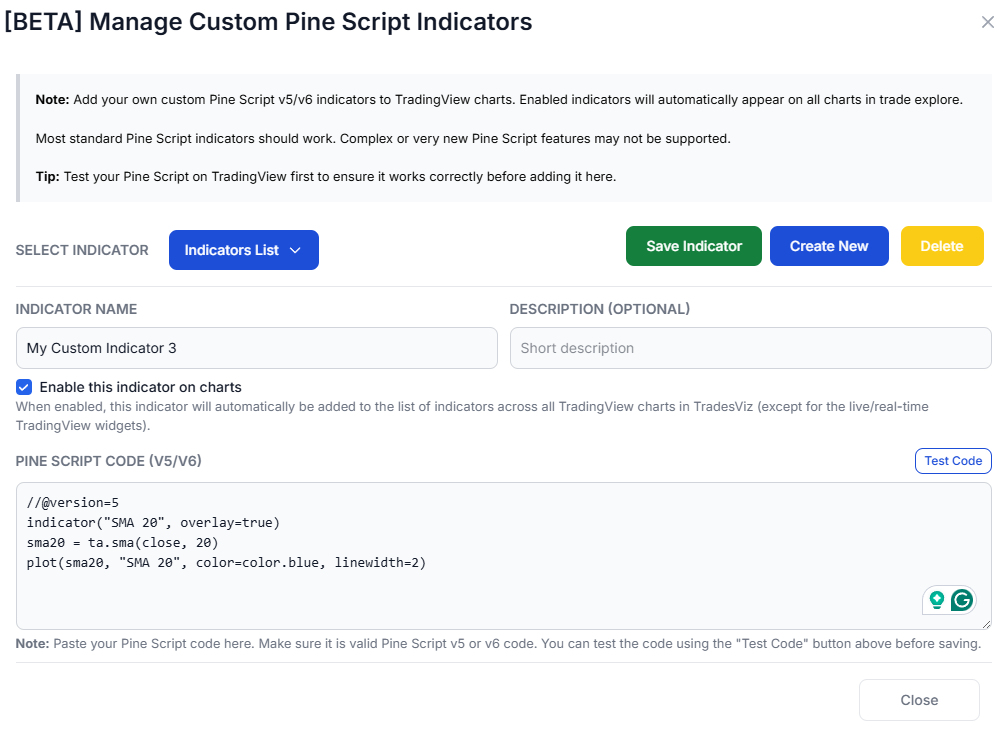
- Custom TradingView Indicators: Write or paste Pine Script indicators and have them automatically transpiled and rendered on your TradingView charts inside TradesViz. Our Pine Script transpiler converts your custom indicators to run natively on your trade charts. This bridges the gap between TradingView analysis and trade journaling. Full guide here.
- TopStepX Auto-Sync: Prop firm traders using TopStepX can now auto-sync their trades directly into TradesViz. No more manual exports from the prop firm platform. Setup guide.
- High-Impact Economic Events in Calendar & Day Explore: Your PnL calendar now shows high-impact economic events (FOMC, CPI, NFP, etc.) directly on the calendar grid. The Day Explore tab also includes these events, so you can correlate your trading performance with macro catalysts.
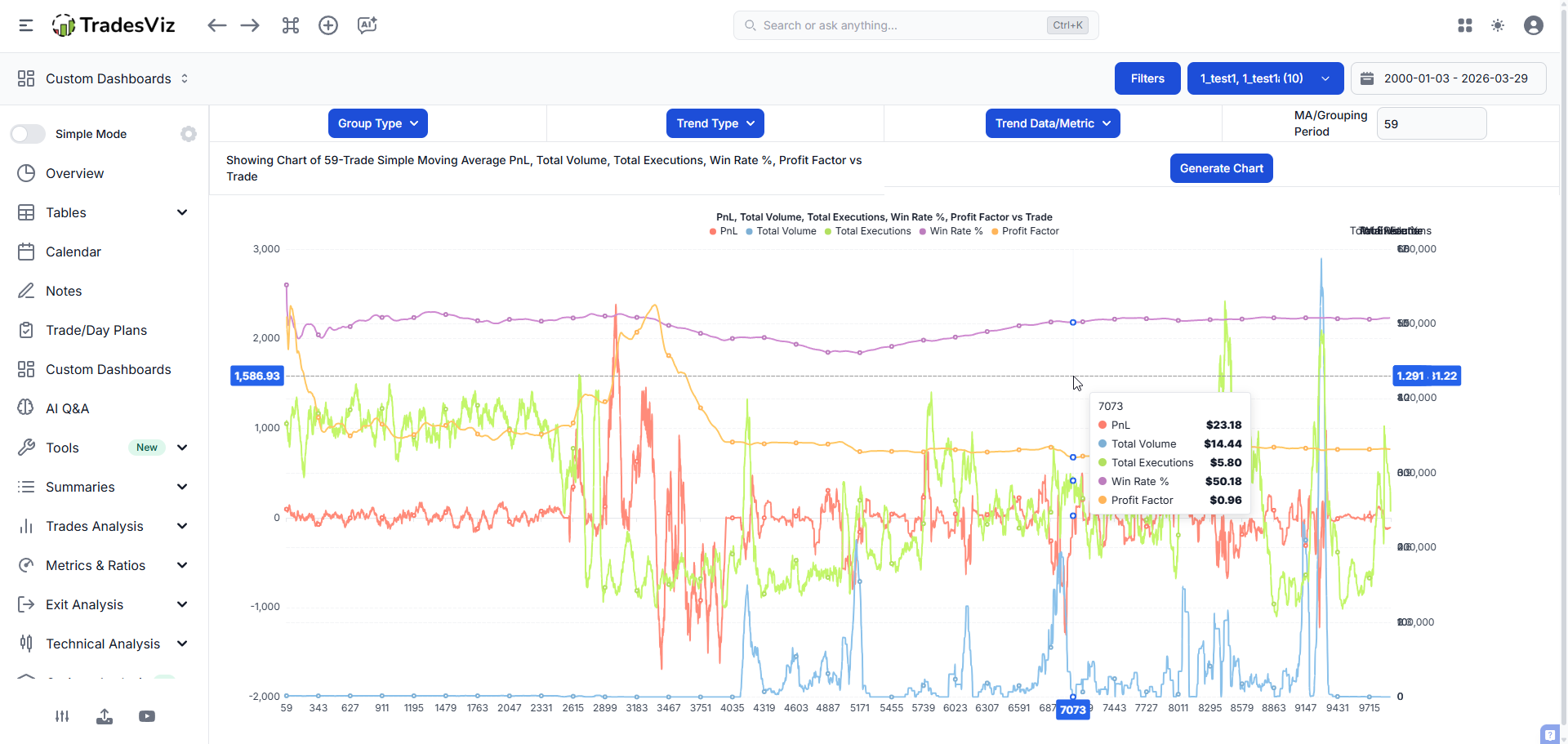
- Updated Trend Analysis Feature: A new analysis tool that identifies and visualizes performance trends in your trading data - multi-trend selection, trend charts, and detailed breakdowns. Read more.
- PnL Insights Upgrade: The PnL insights panel got a visual and analytical upgrade with new loader animations and improved insight generation.
- AI Trade Chat Model Upgrade & AI Summary Buttons: AI Trade Chat received a model upgrade for better reasoning. New "AI Summary" buttons added directly to PnL charts and the main table tab for one-click AI analysis of what you're looking at.
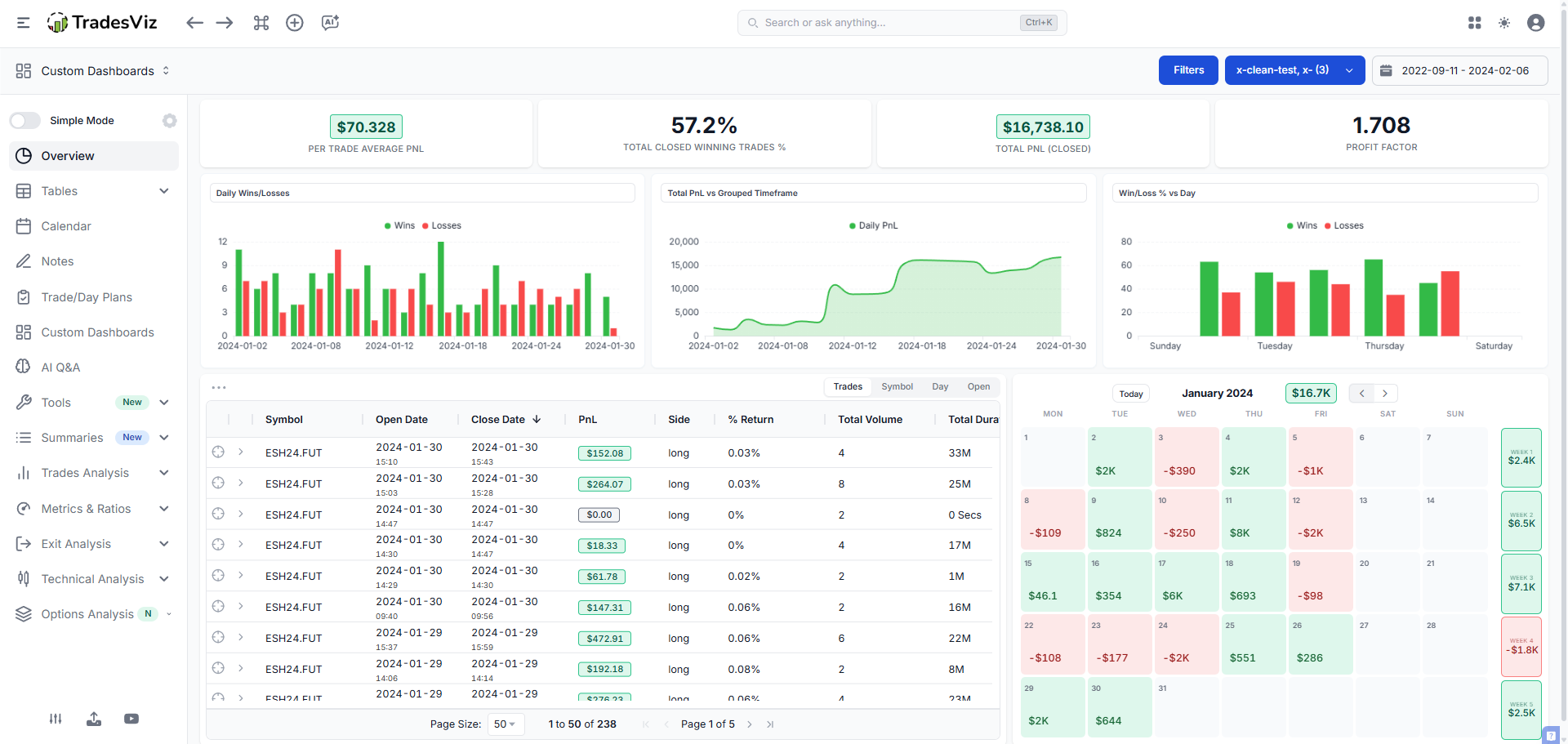
- New Overview 5 (Simplified Dashboard): A cleaner, simpler default overview for new and returning users. Streamlined sidebar navigation, auto-hide empty sections, improved onboarding flow. Set as the default dashboard for all users.
- Onboarding Guide & Import Walkthrough: New guided onboarding for first-time users, plus an import page walkthrough that explains each step of the import process.
- TradingView Extension Update: The TradesViz TradingView extension now includes timezone and date format selectors, plus sync-from-date functionality.
- AI Query Top Bar Revamp: The AI query interface got a redesigned top bar for better usability and quicker access to AI features.
- Options Flow Optimization: Options flow charts now load faster with proper loaders, optimized pagination, and improved data rendering.
- Retention System: We built and launched a comprehensive retention feedback system - users who consider canceling now go through a structured feedback flow. This helps us understand pain points and improve the product.
New Brokers: DeepCharts, SoFi
Broker & API Fixes:
Schwab (expiry handling), Sierra Chart (real-time sync), NinjaTrader (resilience), Webull, Desjardins, Delta Exchange (options sync), TradeLocker, MT4, MT5, Exante, Alaric, NuVama - all fixed or improved.
April 2026: Prop Firm Compliance Center, DAS Trader Pro & Seasonality Revamp
The Gist: April shipped the Prop Firm Compliance Center - a dedicated tool for prop firm traders to track challenge rules, drawdown limits, and daily loss caps. DAS Trader Pro auto-sync launched. Seasonality got a full revamp. And we continued the Options Simulator performance work that makes everything snappier.
Key Upgrades:
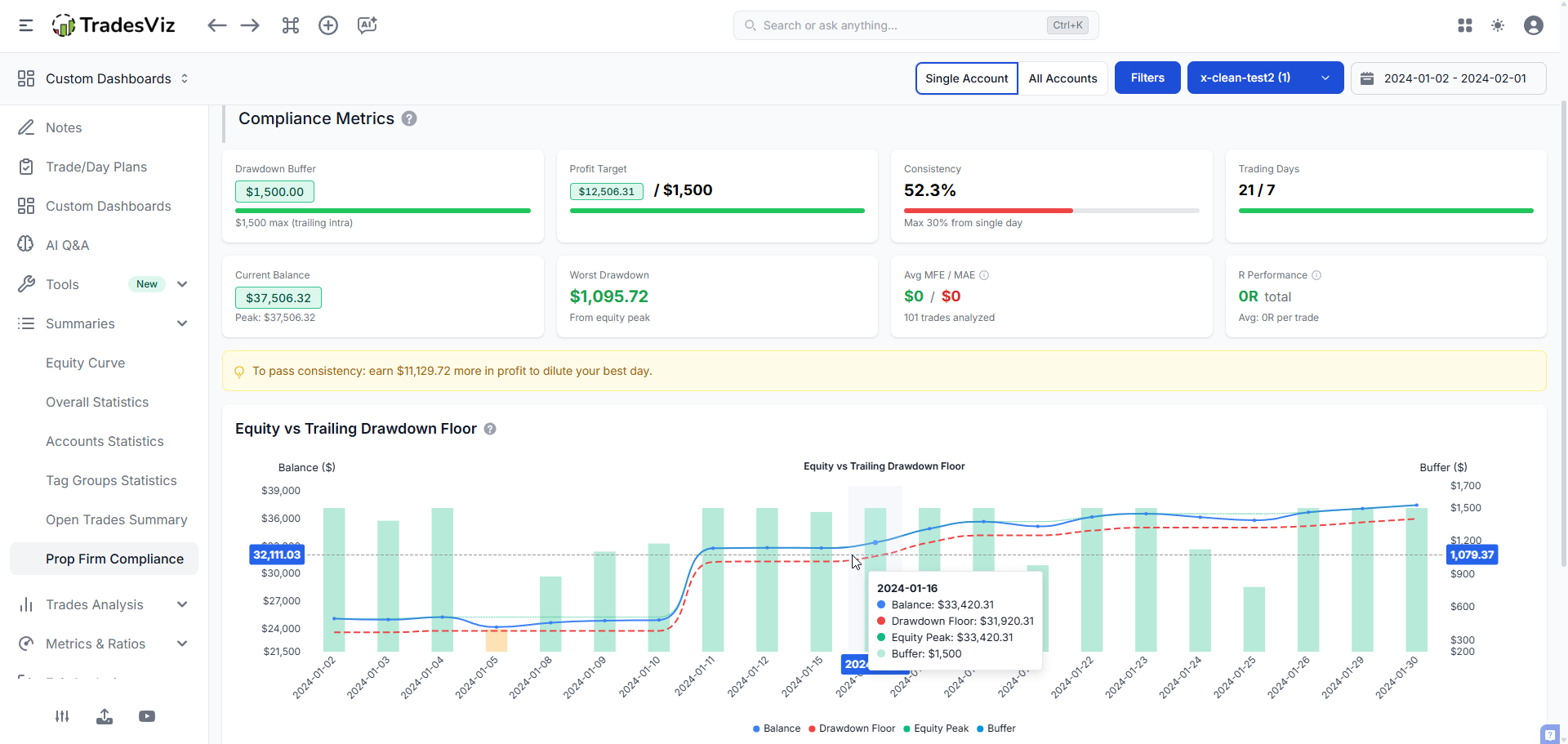
- Prop Firm Compliance Center Launched: A dedicated compliance tracking dashboard for prop firm traders. Track challenge parameters including daily loss limits, max drawdown, profit targets, and trading day requirements. Multi-account support means you can monitor multiple challenges simultaneously. Challenge mode in the simulator lets you practice within prop firm rules before going live. Full guide here.
- DAS Trader Pro Auto-Sync: DAS Trader Pro users can now auto-sync their trades into TradesViz. Supports sync-from-date for historical imports. Works with all DAS-supported brokers. Setup guide here.
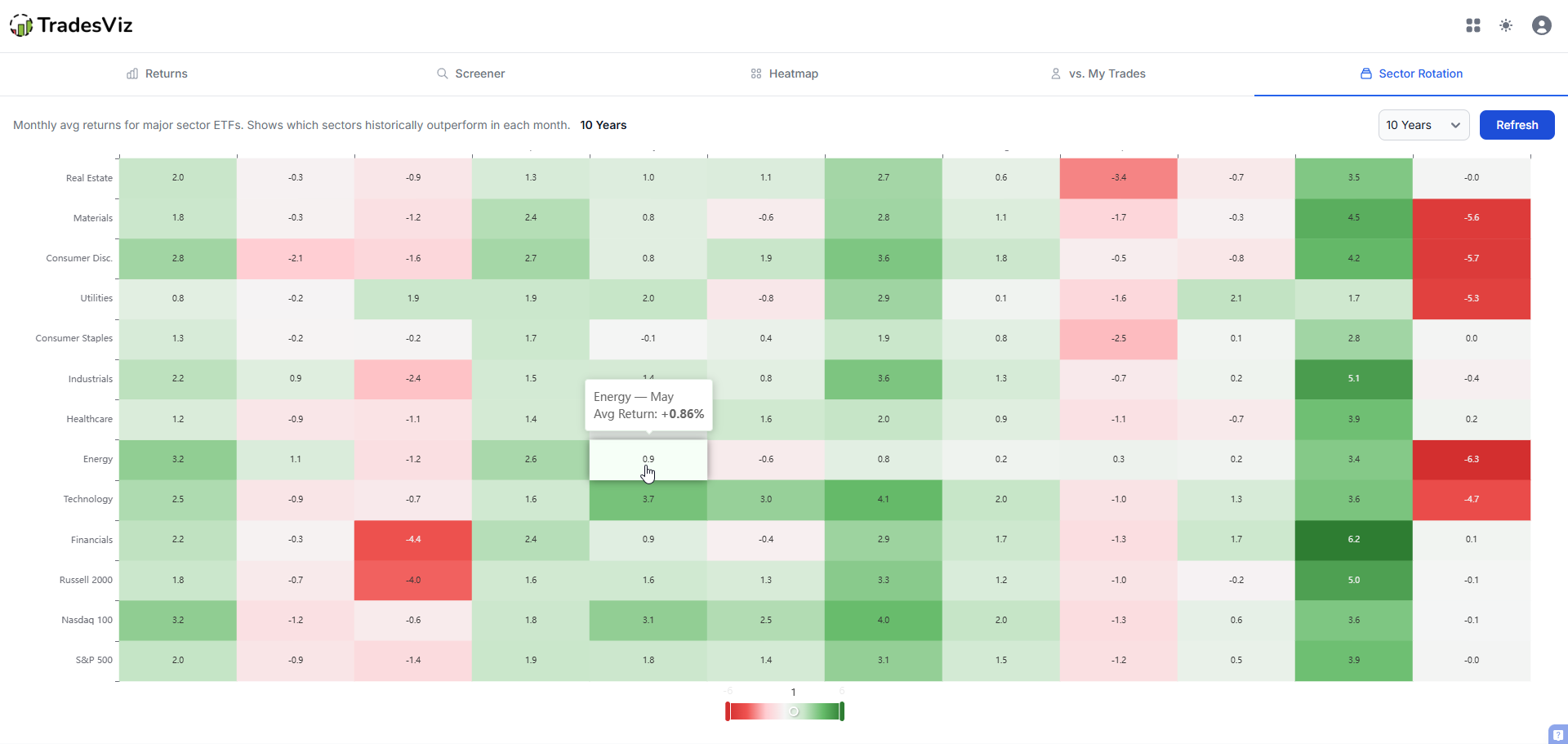
- Seasonality Revamp: The seasonality analysis page received a complete overhaul - new UI, updated tables, improved charting, and better data filtering. Analyze your seasonal trading patterns with more granularity than before. Full details.
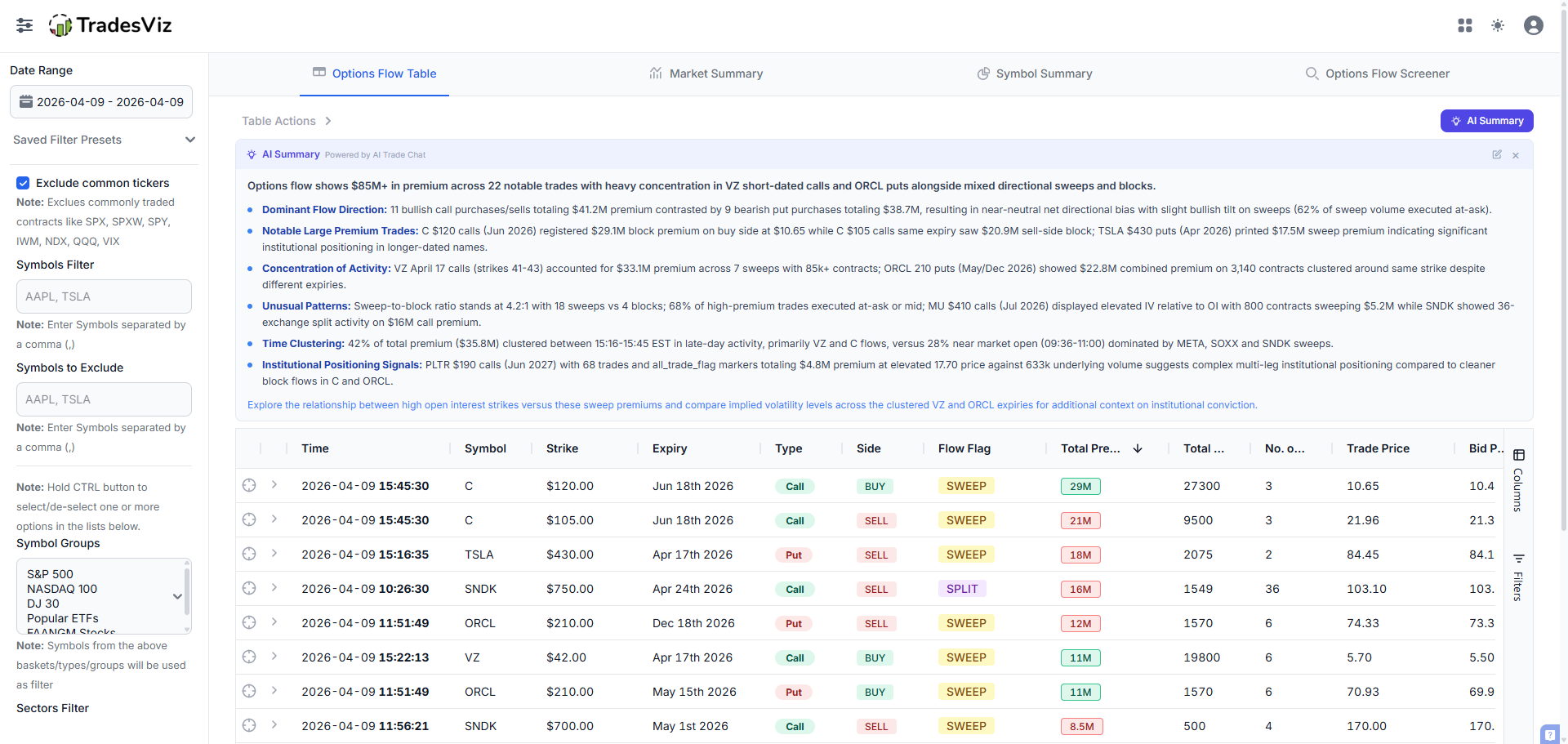
- AI Summary for Options Flow: One-click AI-generated summaries for options flow data. Get an instant natural-language breakdown of unusual options activity without manually parsing the charts.
- Options Simulator Performance Boost: The options simulator is now noticeably faster - optimized rendering and calculation pipeline for a smoother simulation experience.
- MT5 FTP/MT5FA Tag Input: You can now input custom tags for trades synced via MT5 FTP and MT5FA auto-sync. Tag your auto-imported trades without manual editing after import.
- Options Command Center Improvements: The most used options feature of this year has had another update - you can now view the cost basis of all of your positions - CSPs, wheel strategy users, this is for you!
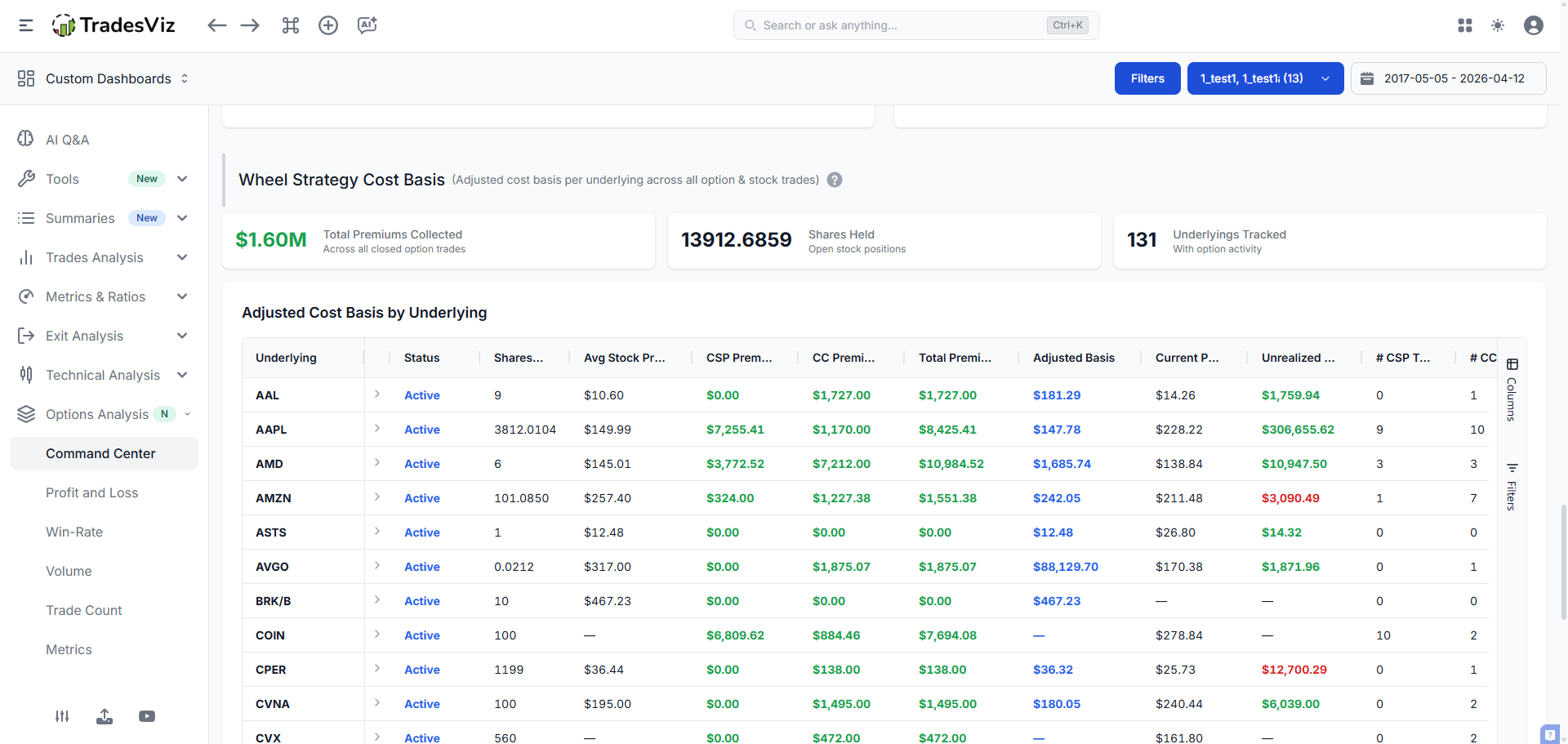
- Custom Dashboard UI Improvements: Continued refinement of the custom dashboard layout, widget styling, and interaction patterns.
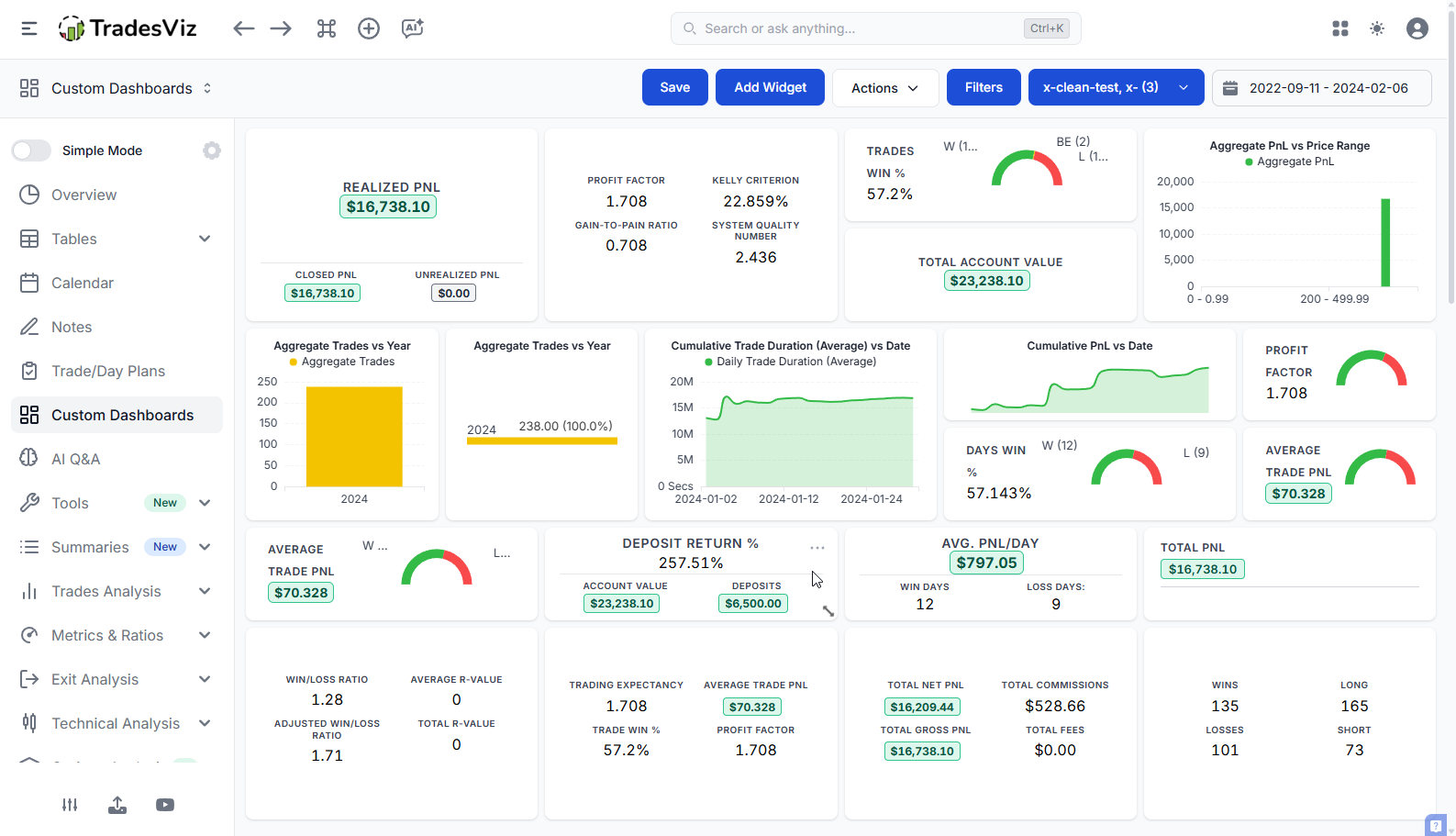
- Add Deposit Button & Improved Deposit Tracking: A new quick-add deposit button and fixes for deposit value calculations make account balance tracking more accurate.
- Import Search Improvement: The import page search now works more intuitively, helping you find your broker faster.
New Brokers: Kalshi (prediction markets), TradeSea, DAS Trader Pro (auto-sync)
Broker & API Fixes:
Schwab, Tradovate (sync expiration), TradeLocker, Fyers, IBKR, Webull, JPM, BlackArrow, MT4, MT5, ForexCom - all fixed or improved.
By the Numbers: Jan-Apr 2026
| Category | Count |
|---|---|
| New Major Features | 10+ (Real-Time Screener, Custom TV Indicators, Prop Firm Compliance, Multi-Chart, Drawdown View, Command Search, Seasonality Revamp, AI Options Notes, Overview 5, Trading Psychology Hub) |
| New Auto-Sync Integrations | 12 (Blofin, Bitmart, Gate.io, Crypto.com, Poloniex, Upbit, Pionex, Delta Exchange, Upstox, 5Paisa, TopStepX, DAS Trader Pro) |
| New Manual Import Brokers | 10+ (Scalable Capital, BNCD, Paradex, Flatex, OverCharts, IndMoney, DeepCharts, SoFi, Kalshi, TradeSea) |
| Broker Fixes & Improvements | 50+ broker modules updated |
| Blog Posts Published | 15+ (guides, comparisons, broker setup posts) |
Looking Forward: The Rest of 2026
The first four months of 2026 prove that TradesViz continues to build what no other online trading journal will. A real-time screener integrated into your trade journal? Custom TradingView indicators rendered on your trade charts? A prop firm compliance center with challenge simulation? These aren't features on a competitor's roadmap. They're live on TradesViz right now. Every feature is designed to help you journal better, analyze deeper, and improve faster as a trader.
Here's what's coming next:
- Enhanced Screener Intelligence: AI-powered screening criteria that learn from your historical trade patterns and suggest scans based on your edge.
- Options Strategy Builder: Visual strategy construction with real-time payoff modeling integrated into the journal workflow.
- Advanced Prop Firm Analytics: Deeper compliance analytics including equity curve projections, risk-adjusted challenge forecasting, and multi-challenge comparison tools.
- Expanded Auto-Sync Coverage: We're in active development on additional broker APIs. If your broker has an API, we're probably already working on it.
- Mobile App Enhancements: Screener notifications, quick trade logging, and AI summaries coming to the mobile app.
Why TradesViz continues to lead:
Other trading journals talk about AI. We shipped AI Q&A in 2023, AI Trade Chat in 2025, and AI Summary buttons across the platform in 2026. Other journals talk about broker coverage. We added 12 new auto-sync integrations in four months. Other journals talk about features. We launched a real-time stock screener, custom indicator support, and a prop firm compliance center - all while maintaining 300+ import formats and fixing 50+ broker modules. That's what separates a real trading journal from a glorified spreadsheet.
The gap isn't closing. It's widening.
A Note on Competitor "Comparison" Pages
We don't usually address competitors. We let the product speak. But recently, an influencer-backed trading journal published a comparison page about TradesViz that is so riddled with false claims that we have to set the record straight - not for them, but for traders trying to make an informed decision.
This particular journal - one that relies heavily on YouTube influencer promotions and affiliate marketing to drive signups - published a page claiming TradesViz lacks features that we have had for years. In some cases, we shipped these features before their product even existed. Here's what they got wrong:
- "No backtesting" - False. TradesViz has had a backtesting engine since 2024. You can backtest strategies against historical data with entry/exit logic. We also have five different trading simulators covering stocks, futures, forex, options, and crypto.
- "No trade replay" - False. Our trading simulators replay real market data tick by tick. The multi-symbol simulator supports simultaneous replay of correlated instruments. We have replay functionality for every asset class we support. This feature has been live since 2023.
- "No prop firm integration" - False. We literally just shipped the Prop Firm Compliance Center and TopStepX auto-sync - and that's on top of existing support for FTMO, prop firm platforms via DAS Trader Pro, cTrader, TradeLocker, Rithmic, and dozens of other platforms prop traders actually use. This changelog you're reading covers it.
- "~40 auto-sync connections" - Outdated and misleading. We added 12 new auto-sync integrations in this quarter alone. Our actual auto-sync count is significantly higher and growing every month. Meanwhile, claiming "500+ broker auto-sync" on their end is marketing inflation - counting every sub-broker and white-label variant of the same platform as a separate integration is not the same as genuine broker coverage.
- "AI Q&A only on Platinum" - Misleading framing. We have AI features across the platform: AI Trade Chat, AI Q&A, AI Daily Insights, AI Summary buttons on charts and tables, AI-generated options notes, and AI custom dashboard widgets. We shipped our first AI features in 2023 - before most journals had even considered it. Calling it "just a chatbot" is either ignorance or intentional misrepresentation.
- "No community, no mentor sharing, solo tool" - False. TradesViz has public dashboards, shared notes, a Discord bot integration, and trade sharing via direct links. We've had these for years.
- "No education" - False. We have published 150+ in-depth blog posts, guides, and tutorials covering everything from R-values and profit factors to trading psychology tracking to candlestick pattern backtesting with real data. We don't paywall education behind a branded "university" - it's all free and publicly accessible.
We understand why this happens. When you charge $29-$49/month for a journal and a competitor offers more features at $13-$20/month (with a genuinely free tier), the only play left is to misrepresent what the cheaper product can do. Especially when your growth model depends on influencer referrals and affiliate commissions rather than product quality.
If you're reading a comparison page about TradesViz on another journal's website, check the dates. Check the features list. Then log into TradesViz and see for yourself. The product is the proof.
See you next quarter.
Got questions? Feedback? Feature requests? Hit us up via live chat or email [email protected]. We read everything.