India's Best Trading Journal for NSE/BSE & F&O
Auto-import from Zerodha, Dhan, Angel One etc., AI-powered analytics to discover your trading edge. Export data for ITR filing.
TradesViz is the most comprehensive trading journal for Indian traders, with native integrations for all major discount brokers including Zerodha, Upstox, Angel One, Groww, and more.
Track your equity delivery, intraday, F&O, and options trades with comprehensive analytics. Our platform understands the nuances of Indian markets including STT tracking and contract note import.
AI-powered Q&A lets you ask any question about your trading data - like "What's my win rate on Bank Nifty expiry days?" and get instant custom charts and insights.
Supported India Brokers
Import trades from all major India brokers with one-click or auto-sync
Built for India Traders
Features designed specifically for NSE & BSE and India market traders
AI Q&A Analytics
Ask any question about your trades in plain English - 'What's my win rate on expiry days?' and get instant custom charts and insights.
Custom Dashboard Widgets
Turn any AI query into a dashboard widget. Build 100% personalized analytics unique to your trading style.
STT/Brokerage Tracking
Track all trading costs including STT, exchange transaction charges, GST, and brokerage.
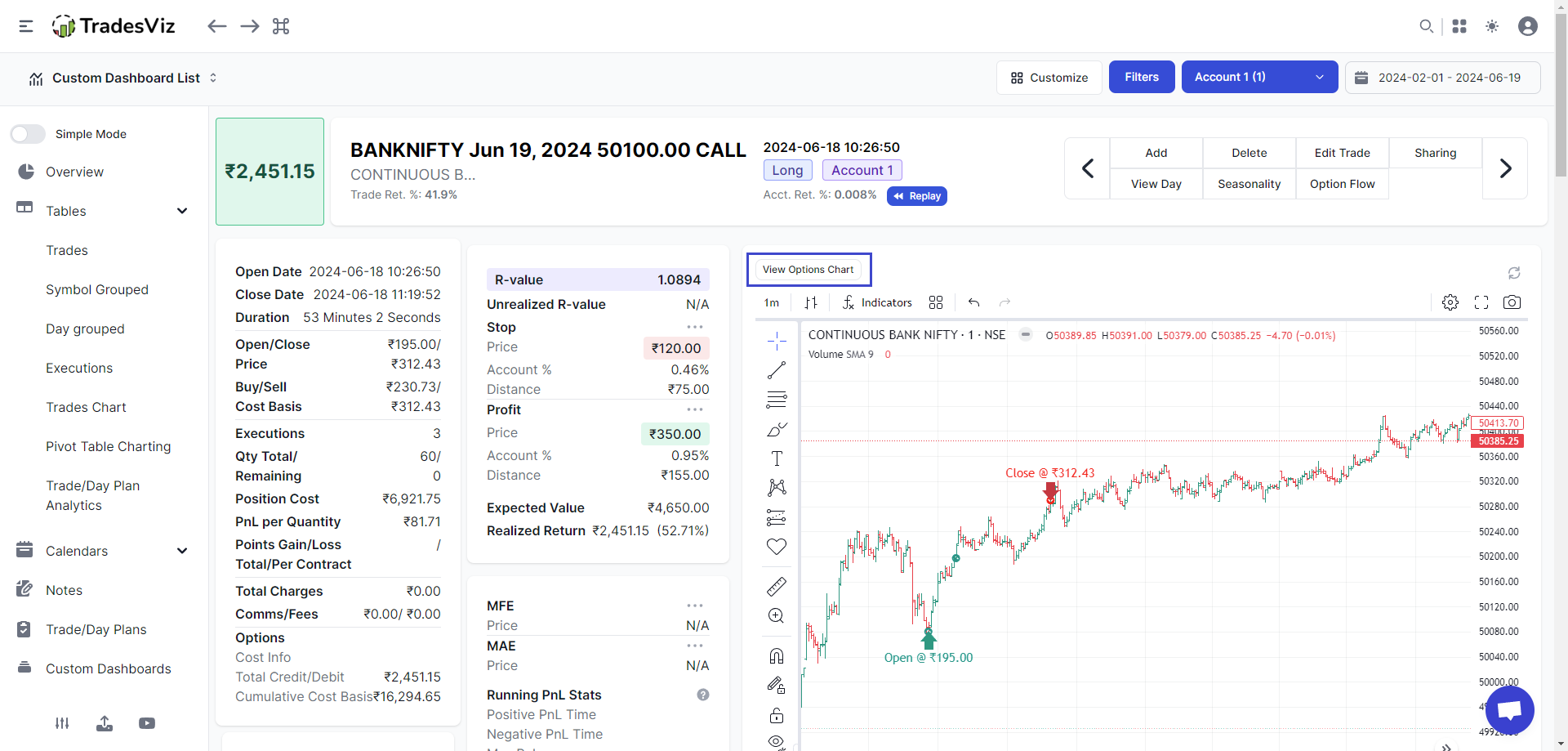
Bank Nifty Analysis
Specialized analytics for Bank Nifty options including weekly expiry P&L tracking.
Contract Note Import
Import contract notes directly from your broker's format for accurate record keeping.
Detailed Data Export
Export every execution with full details — prices, quantities, timestamps, fees, P&L, and more in CSV/Excel format.
Frequently Asked Questions
Common questions about trading journals for India traders
How does AI Q&A work in TradesViz?
Simply type any question about your trading data in plain English - like 'What's my win rate on Bank Nifty expiry days?' or 'Show me my P&L by time of day' and get instant charts and insights. You can even add these as permanent widgets to your dashboard.
Can I import trades from Zerodha automatically?
Yes! TradesViz offers automatic daily sync with Zerodha through our native integration. Your trades are imported automatically, including all cost details like STT, brokerage, and exchange charges.
Does TradesViz support Bank Nifty options trading?
Absolutely! TradesViz has comprehensive options support including weekly expiry tracking for Nifty, Bank Nifty, and FinNifty. Track your strategies, premium decay, and expiry-wise P&L.
Can I track both NSE and BSE trades?
Yes, TradesViz supports both NSE and BSE exchanges. Import trades from any broker that supports these exchanges.
Can I export my trade data?
Yes! TradesViz lets you export your complete trade history with full execution details — prices, quantities, timestamps, fees, STT, brokerage, and P&L — in CSV and Excel formats for your own analysis and record keeping.
Start Journaling Your NSE & BSE Trades Today
Join thousands of India traders using TradesViz to track, analyze, and improve their trading performance.