How do you know if you are *avoiding* opportunities?...
You may be taking the right trades, but not capitalizing on them fully...
Only combined anlaysis can help you uncover these types of answers.
Here's an example from TradesViz's multi-timeframe analysis 👇
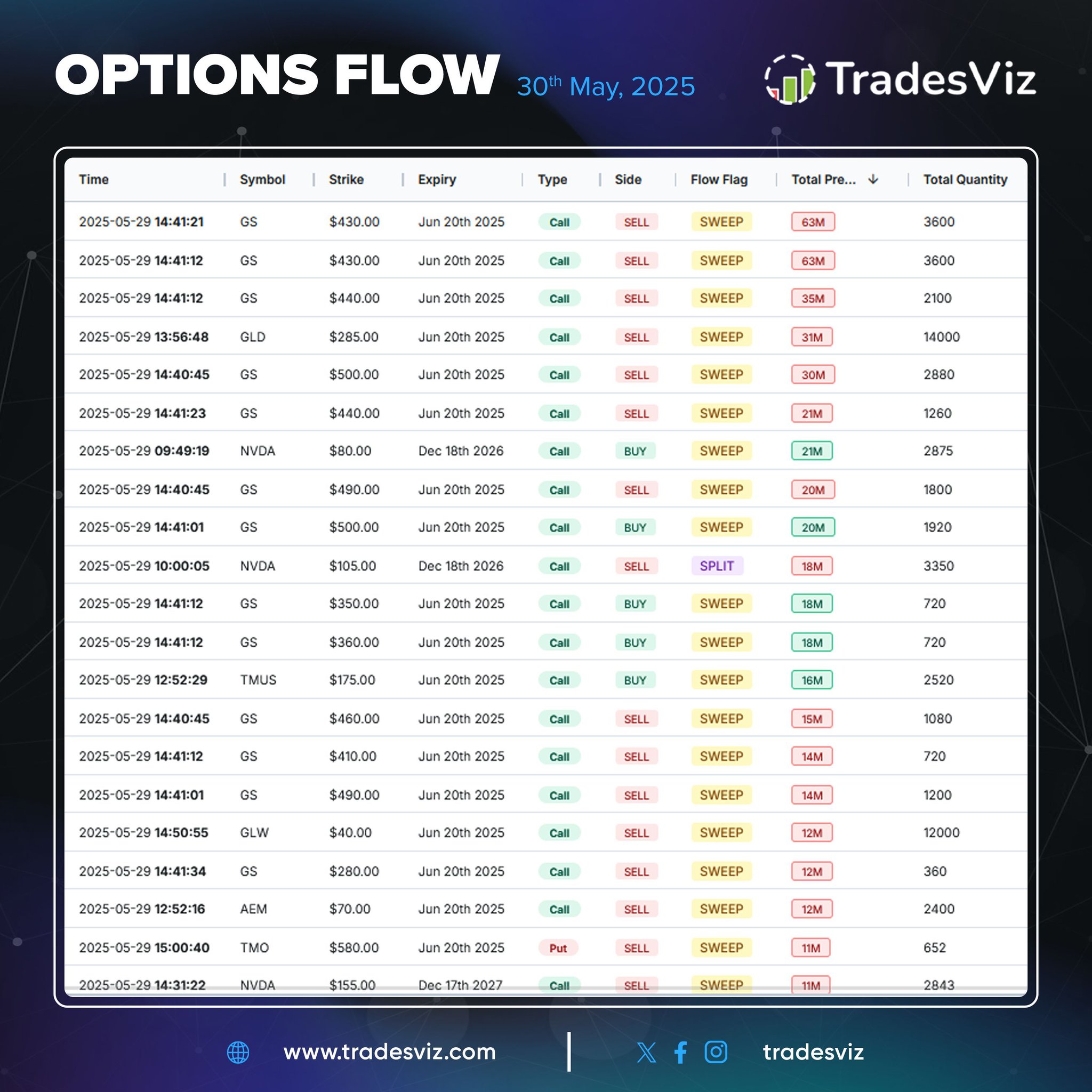
Heavy options activity spotted! 🔥 Big names like $GS $NVDA $GLD $TMUS and more saw massive sweep orders flood the tape. Notable mix of buy/sell pressure—something’s brewing. Explore the full flow on TradesViz 🚀
Spike in put/call ratios! 📊 $BURL $ABBV $KKR $NTAP and more showing sharp 2-day builds in options flow.Watchlist-worthy shifts? You decide. All data via TradesViz options dashboard 🔍
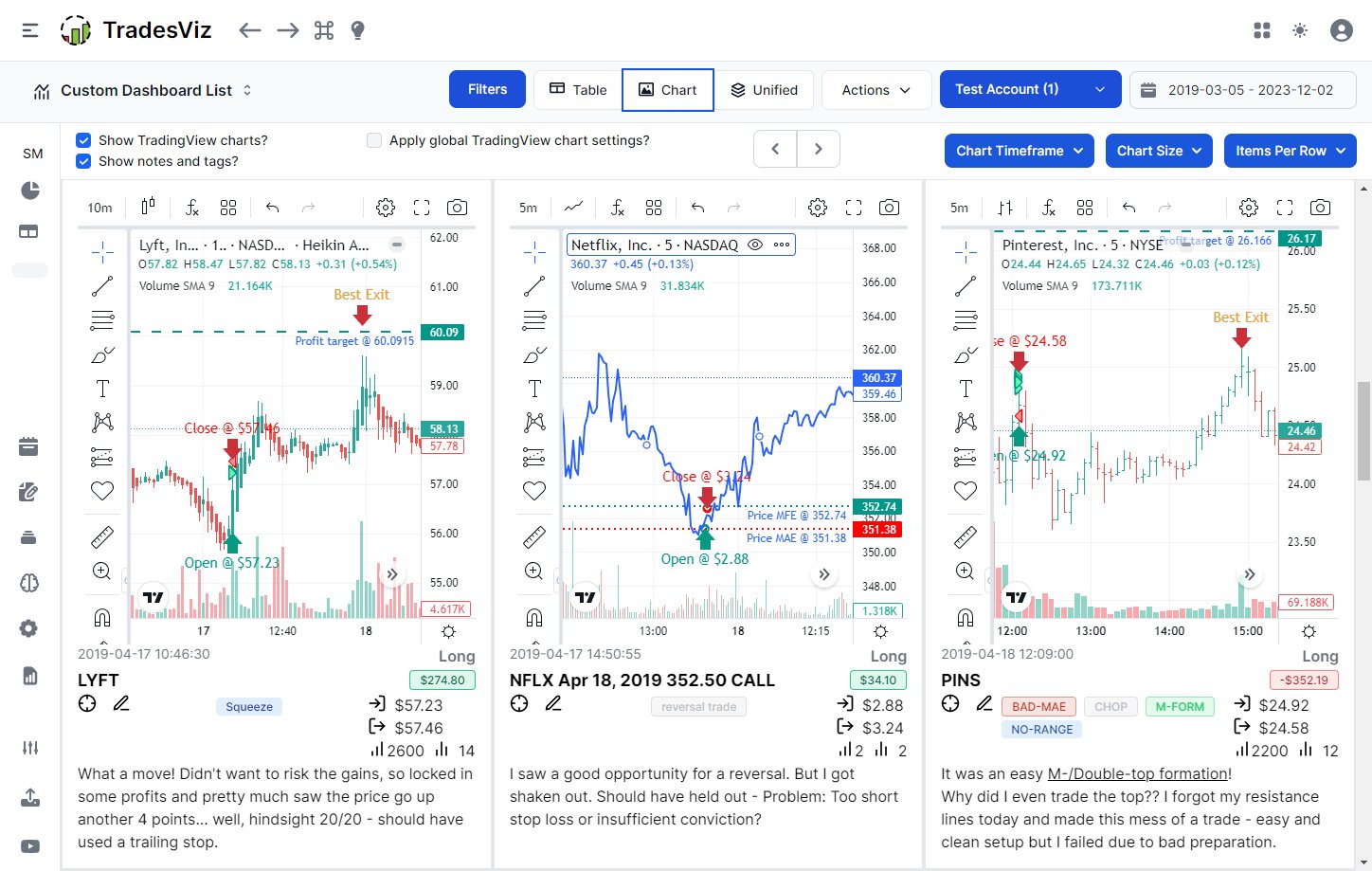
Be sure to check the chart view of your trades table on TradesViz at least once a week!
It has all the charts + markings of your entry/exit + quick info, notes, and more.
Tip: Did you know that all your TA/comments/drawings are *auto-saved* on TradesViz's trade explore charts?
Every data point can be visualized, exported, and analyzed.
👇 Here's a quick example of how you can do simple visualization even on your trades table in your TradesViz dashboard.
🌬️ So simple *anyone* can do it - absolute zero beginner, all the way to trading veterans.…
*Informed* and *level* expectations will eventually win the race. It's a process. 1 month in green or 1 bad red day doesn't decide your future. Layer by layer, uncover your trading. TradesViz can help you do this *every day* 👇
Filter > Explore > Visualize > Learn
Every chart's datapoint can be applied as a global filter in TradesViz.
Simply right-click on ANY chart > apply filter.
If you are using ANY alternative solution, you are probably not using filters at all because _it's simply bad_
That's…
Each trade you enter into TradesViz trading journal becomes a learning opportunity.
Here's an example. Multi-timeframe exit is auto generated for trades which can help you learn -
WHAT IF
You had exited only at EOD? maybe 1 hr after? 2 hrs?
These are REAL insights that help…
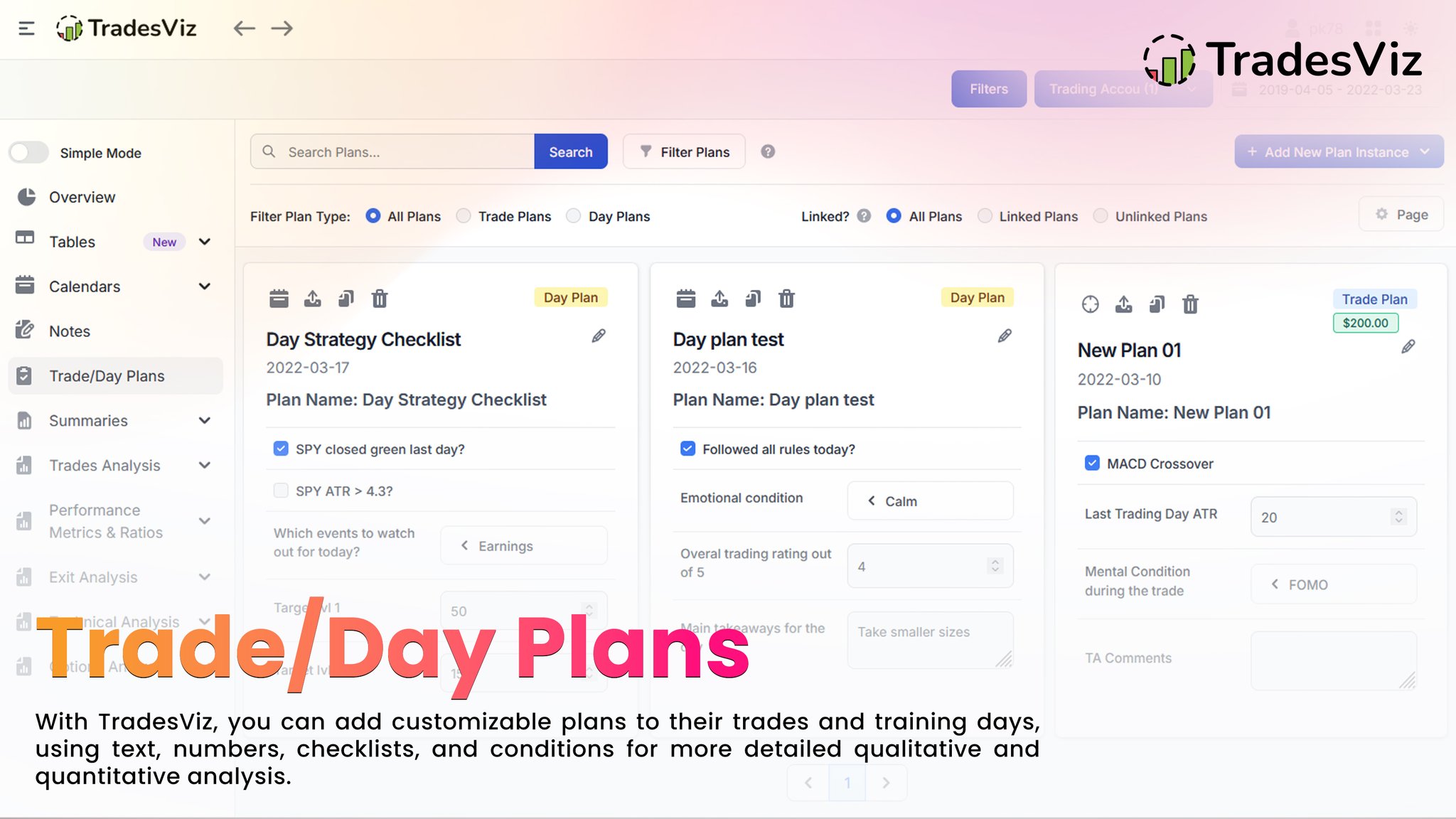
Track your trading strategies, emotional state, checklists, and more with customizable plans using checkboxes, numbers, categories, or text. Perfect for daily reviews and refining your edge. ⚡Second Image : 🛠️ How to create a Trade/Day Plan: 1️⃣ Go to Functions 2️⃣ Click on…