
TradesViz
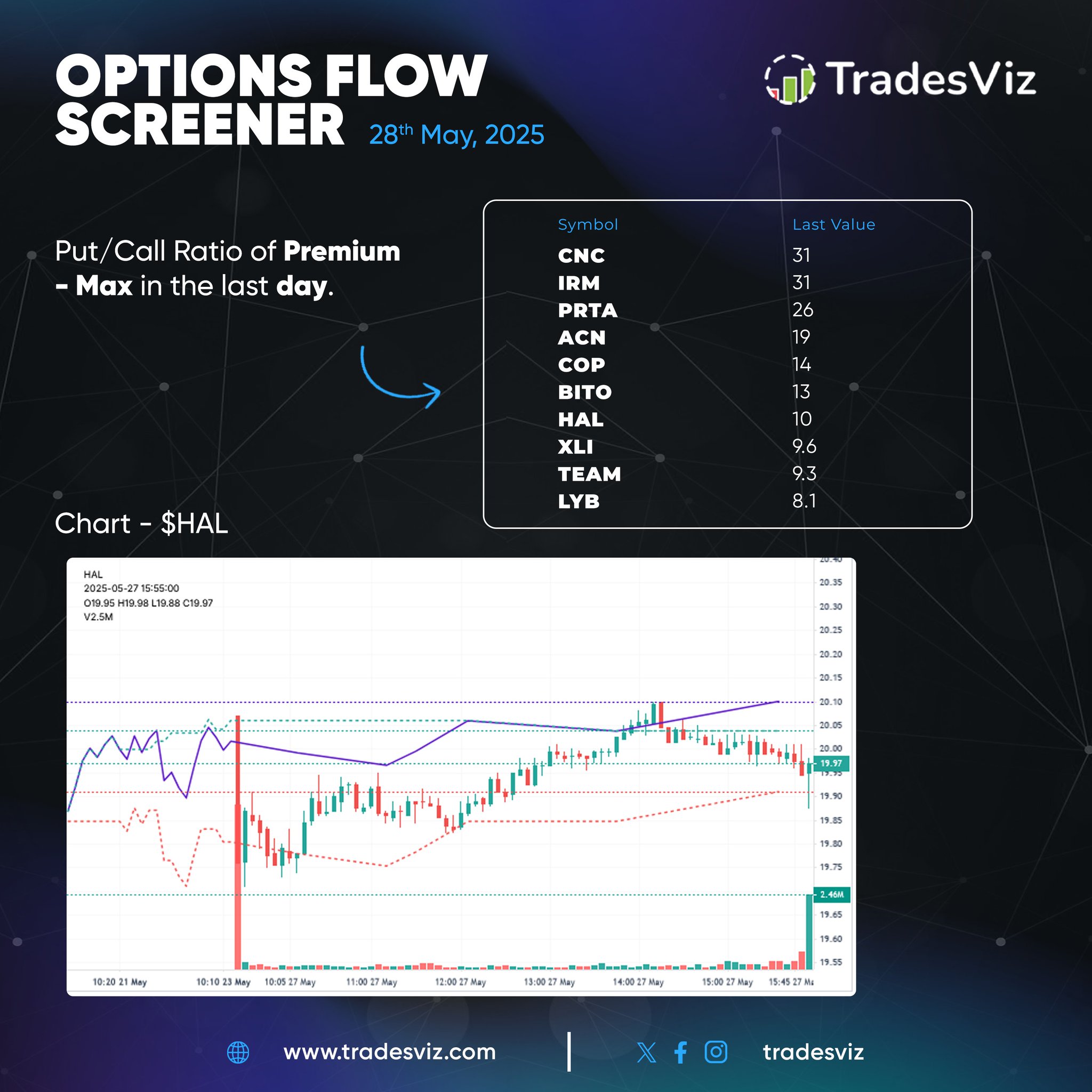
Highest Put/Call Premium Ratios observed from yesterday's session!
TradesViz
Highest Put/Call Premium Ratios observed from yesterday's session!
TradesViz
Features that have existed for *years* on TradesViz trading journal are now "new" on other platforms 😂 Traders are realizing this, and so the usage of advanced features is also increasing on TradesViz 📈 GET True valuable insights, and unbelievable utility ONLY on TradesViz💪

TradesViz
Features that have existed for *years* on TradesViz trading journal are now "new" on other platforms 😂 Traders are realizing this, and so the usage of advanced features is also increasing on TradesViz 📈 GET True valuable insights, and unbelievable utility ONLY on TradesViz💪

TradesViz
It's all connected in TradesViz. Once you get the flow, you'll never want to use anything for your trade journaling. Calendar -> Day explore Day view -> View trades -> Get cumulative pnl charts Pick your flow. With TradesViz, everything is 100% custom.

TradesViz
How has your trading performance been so far *compared* to your index/stock/benchmark of choice? A common comparison - you do need some competition, against past self, and also versus the overall market. TradesViz trading journal shows you all of this in the equity curve! 📈

TradesViz
There will be times when your trades are *flawless* 👌 Most traders -- >95% ignore these trades when reviewing... because... they're winners... ?... hmmm? 🤨 Whoever said you can only learn from losing trades?... Sportsmen watch a lot of *winning* moments of other…

TradesViz
🚀 Top Movers:
TradesViz
🚀 Top Movers:

TradesViz
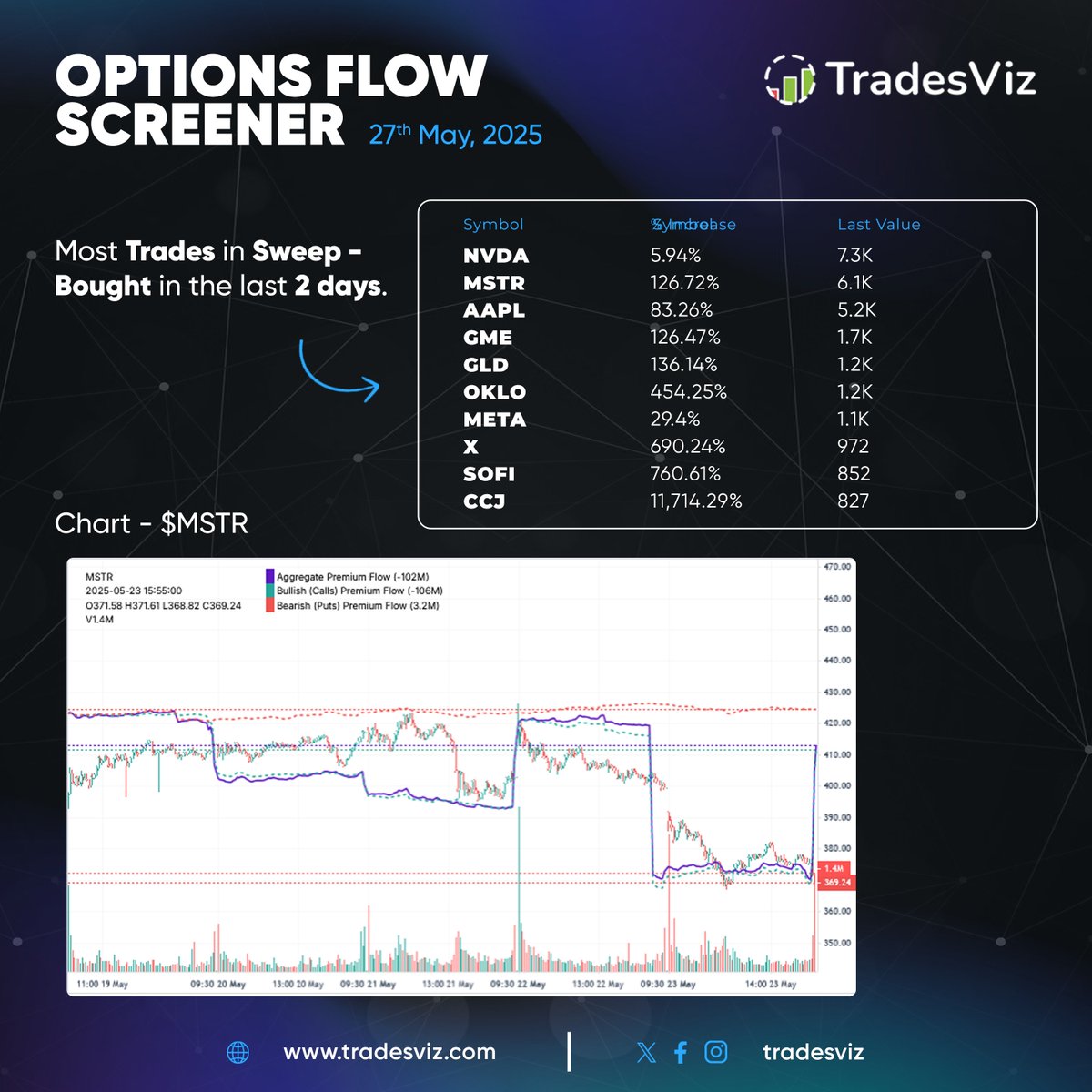
Options flow summary from the previous week 📊 Biggest premium sweeps spotted in

TradesViz
Here are the top movers and trending tickers from the last 5 days 🔥 📈 Biggest Gainers: SVT +269.8% AAUCF +252.9% VIGL +216.9% IMNM, SGMA, SYTA, and more! 📊 Consistent Uptrend: QBTX leads both lists with +112% gain and strong volume BROG, QBTS, ARQQW among others showing…
