Auto Import Trades
2 min read
Auto import trades from IG
Learn how to automatically sync all trades from your IG accounts to your TradesViz accou
Guides, changelogs, deep dives and everything trade journaling.
Learn how to automatically sync all trades from your IG accounts to your TradesViz accou
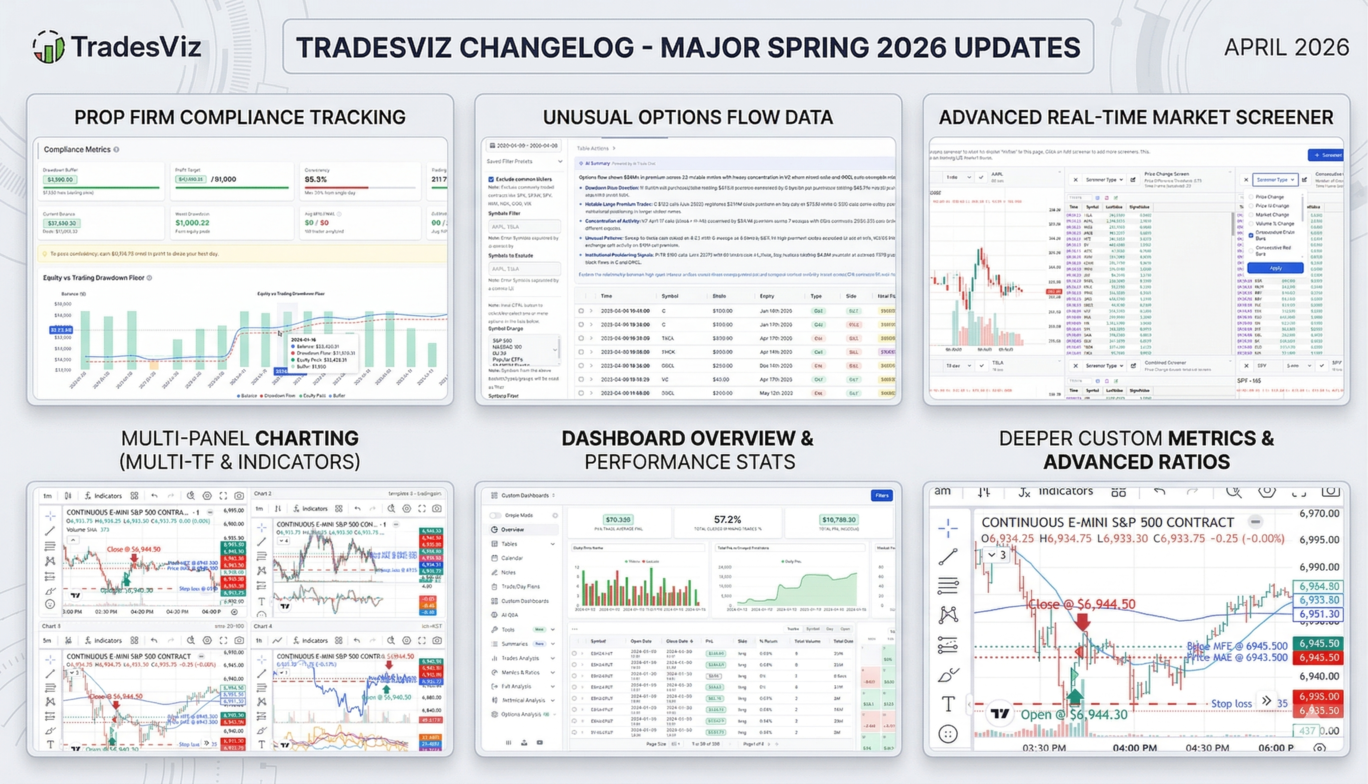
Everything new in TradesViz from January to April 2026. This trading journal changelog covers 10+ major features including the Real-Time Stock Screener, Prop Firm Compliance Center, Custom TradingView Indicators, Multi-Chart views, DAS Trader Pro auto-sync, 12 new crypto and broker auto-sync integrations, AI-powered trade summaries, a revamped seasonality page, drawdown visualization, and 50+ broker fixes. See every update to the most advanced online trading journal for stocks, options, futures, forex, and crypto.
Learn how to link your Webull account to your DAS Trader Pro accounts (or any linked broker) to automatically sync trades from your Webull account!
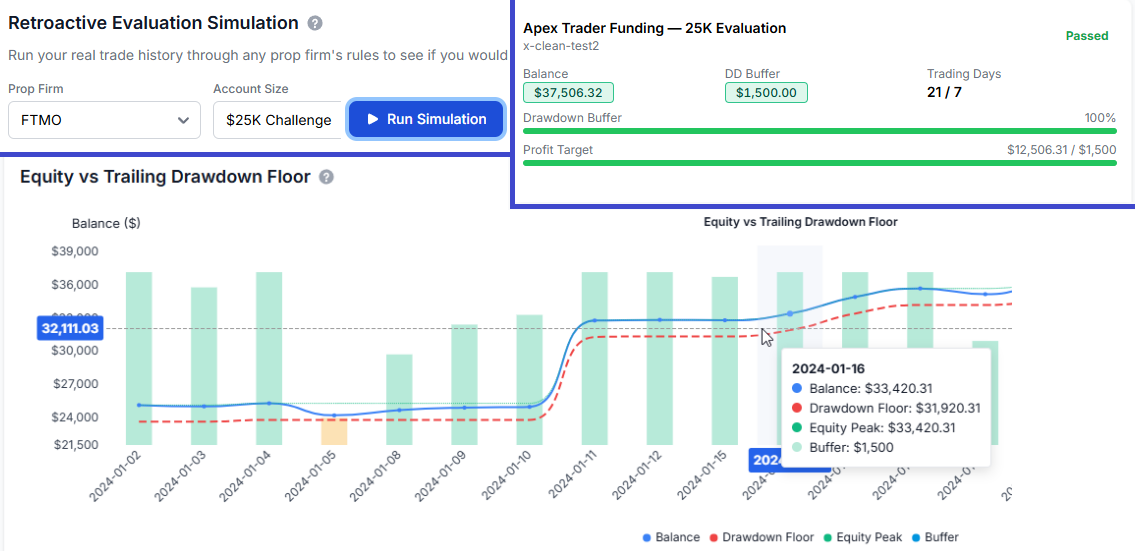
Automated prop firm compliance for 20 firms and 65 account configurations. Drawdown tracking, profit targets, consistency scoring, multi-account overview, retroactive evaluation simulation with rolling-window pass rates, and real-time challenge mode in the trading simulator.
Auto-import your trades from TopStepX/ProjectX!
Auto-import your trades from 5paisa Indian broker!
Auto-import your Crypto transactions from Gate.io!
Auto-import your Crypto transactions from Delta Exchange!
Auto-import your Crypto transactions from Bitmart!
Auto-import your Crypto transactions from Pionex!
Auto-import your Crypto transactions from Crypto.com!
Auto-import your Crypto transactions from UPbit!