The #1 Trading Journal for US Traders
Track stocks, options, and futures with automatic broker sync. AI-powered analytics, custom reports, and comprehensive data export.
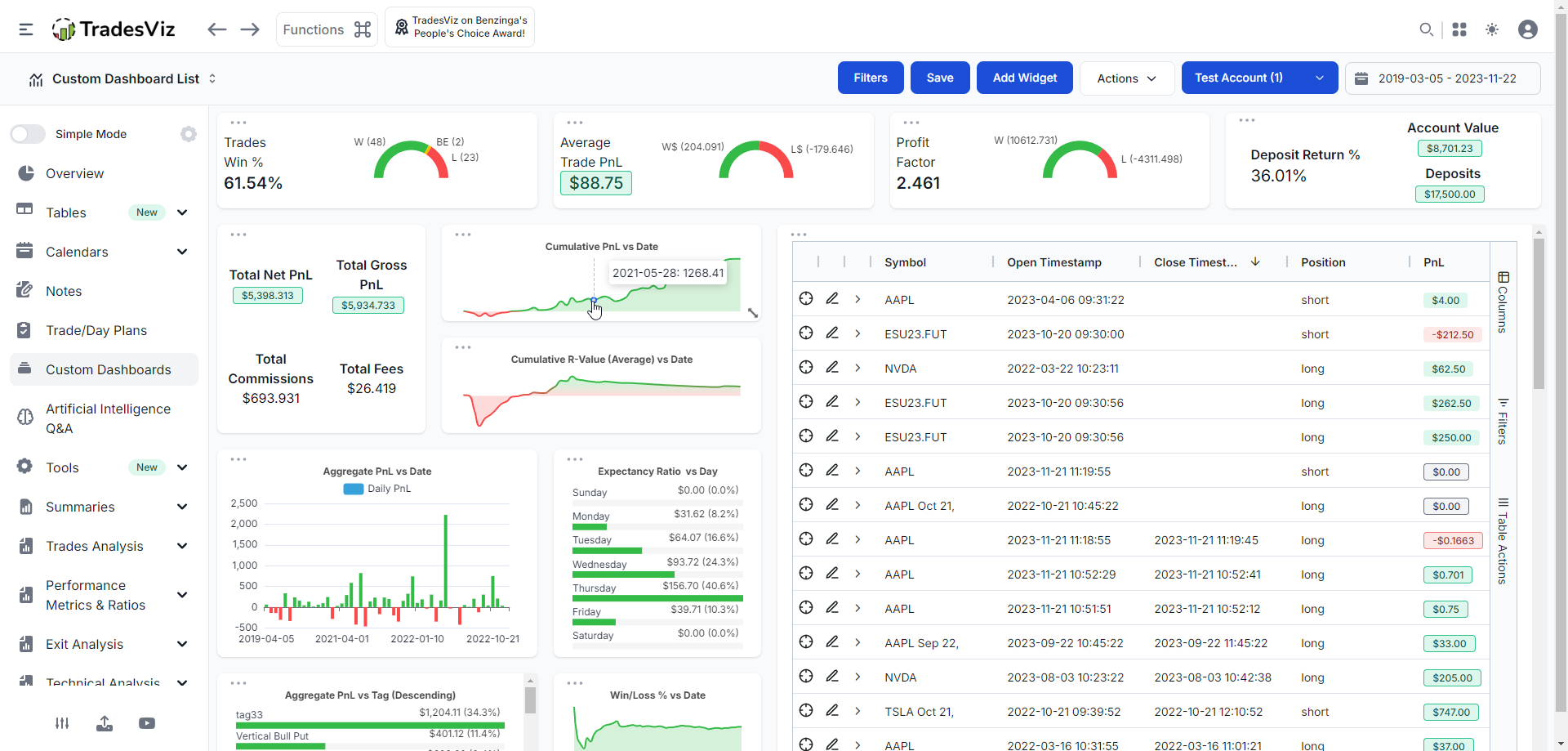
TradesViz is the leading trading journal for American traders, supporting all major US brokers including TD Ameritrade, E*TRADE, Schwab, Fidelity, Robinhood, Webull, and more.
Whether you're day trading equities, swing trading options, or managing a diversified portfolio, TradesViz helps you track every trade, analyze your performance, and improve your strategy.
AI-powered Q&A lets you ask any question about your trading data and instantly get custom charts and insights. Build unlimited custom reports tailored to your trading style.
Supported United States Brokers
Import trades from all major United States brokers with one-click or auto-sync
TradingView
Auto-Sync AvailableE*TRADE
Charles Schwab
Auto-Sync AvailableFidelity
Auto-Sync AvailableInteractive Brokers
Auto-Sync AvailableRobinhood
Auto-Sync AvailableWebull
Auto-Sync AvailableTastytrade
Auto-Sync AvailableTradeStation
Auto-Sync AvailableLightspeed
Tradier
Auto-Sync AvailableAlpaca
Auto-Sync AvailableBuilt for United States Traders
Features designed specifically for NYSE & NASDAQ and United States market traders
AI Q&A Analytics
Ask any question about your trades in plain English. Get instant custom charts, tables, and insights powered by AI.
Custom Dashboard Widgets
Turn any AI query into a dashboard widget. Build 100% personalized analytics unique to your trading style.
Options Analytics
Track options trades with Greek analysis, P&L by strategy, and expiration tracking.
All Asset Types
Track stocks, options, futures, forex, crypto, and more! All in one place with unified analytics.
Advanced Charting
TradingView-powered charts with your entries/exits overlaid. Analyze your trades visually.
Trading Simulator
Practice and backtest strategies with our trading simulator. Learn without risking real capital.
Frequently Asked Questions
Common questions about trading journals for United States traders
How does AI Q&A work in TradesViz?
Simply type any question about your trading data in plain English-like 'What's my win rate on Mondays before 10am?' or 'Show me my best performing setups' and get instant charts and insights. You can even add these as permanent widgets to your dashboard.
Can I import trades from multiple US brokers?
Absolutely. You can import from all major US brokers including TD Ameritrade, E*TRADE, Schwab, Fidelity, Interactive Brokers, Robinhood, Webull, Tastytrade, and many more. Many support auto-sync for automatic daily imports.
Can I export my trade data?
Yes! TradesViz lets you export your complete trade history with full execution details — prices, quantities, timestamps, fees, and P&L — in CSV and Excel formats. Export filtered or complete data for your own analysis and record keeping.
Is TradesViz suitable for options traders?
Yes! TradesViz has comprehensive options support including Greek tracking, P&L by strategy (spreads, iron condors, etc.), expiration management, and assignment/exercise tracking.
What asset types does TradesViz support?
TradesViz supports all asset types including stocks, options, futures, forex, crypto, CFDs, and more. Track everything in one unified journal with consistent analytics across all your trading.
Start Journaling Your NYSE & NASDAQ Trades Today
Join thousands of United States traders using TradesViz to track, analyze, and improve their trading performance.