By
TradesViz
in
Auto Import Trades
One of the most popular brokers in India - Upstox is now available for auto-import for all Indian traders looking for an advanced, automated, and affordable trade journaling solution.
TradesViz now supports auto-import from Upstox, making trade journaling super easy for all Indian traders!
The sync method is super simple! Here is what you need to do:
- Visit tradesviz.com/import
- Select the trading account you want to import your trades into
- Select "Upstox (API-Auto-Sync)" as the platform
- Scroll down the page and click on the "Login & Sync Upstox Data" button
- In the popup box that appears, you can read more about how this sync works. Now click on "Upstox Login" and you will be redirected to an Upstox-hosted webpage.
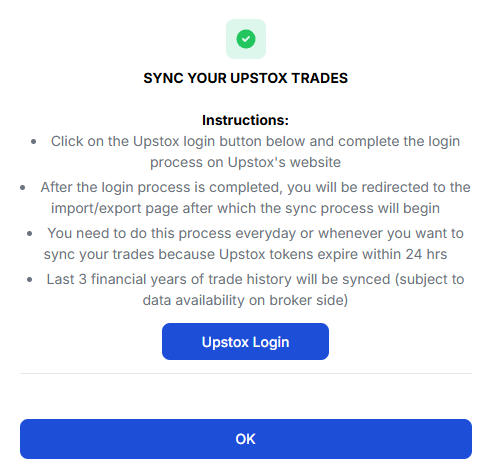
- Enter your credentials here (Note: we have no access to this as it's on Upstox's website) and complete the login process. You may not see this step if you are already logged into the Upstox console.
- Once you have completed the login process, you will be redirected to the import page and the trades import will start automatically.
That is all! Just 2 clicks and you have all your trades with charts, and statistics available in TradesViz!
A few caveats:
- Since we do NOT store ANY information - i.e. access tokens or any such identification mechanism, you need to do this process whenever you want to sync your trades. The main reason for this is that Upstox tokens expire within 24 hours - so even if we were to store access tokens, they would be invalid the next day.
- Commissions and fees are not provided by the Upstox historical trades API. We suggest setting up account-based commissions and fees profiles for accurate NET PnL calculations.
That's it! This is the easiest way to sync your Upstox trades to TradesViz!
Please let us know if you have any questions or concerns by emailing us at [email protected]